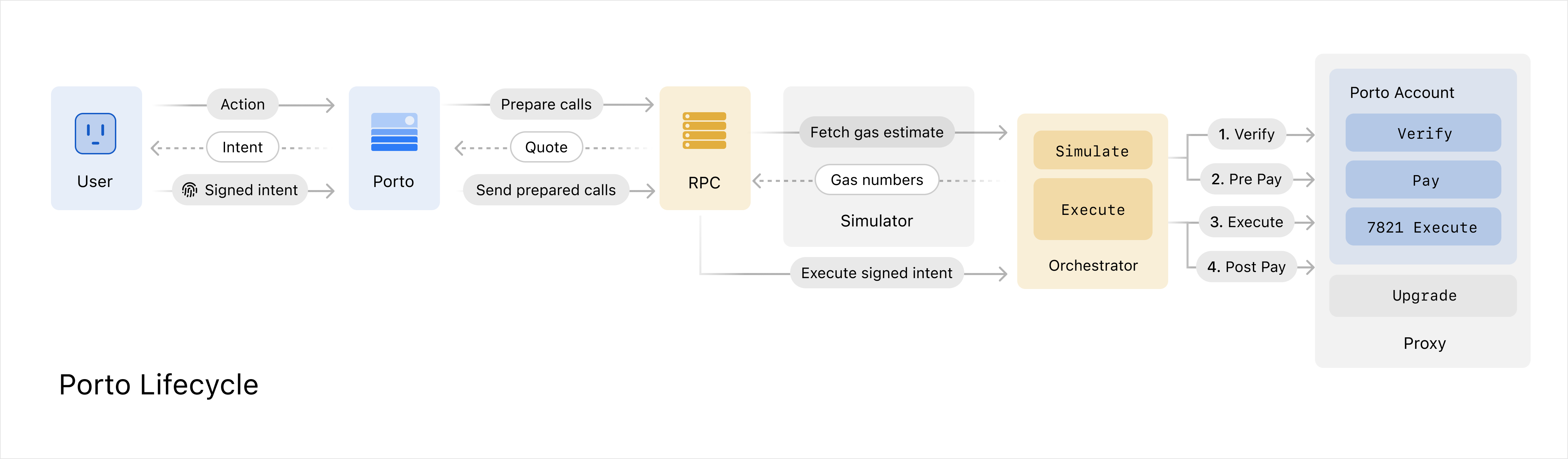
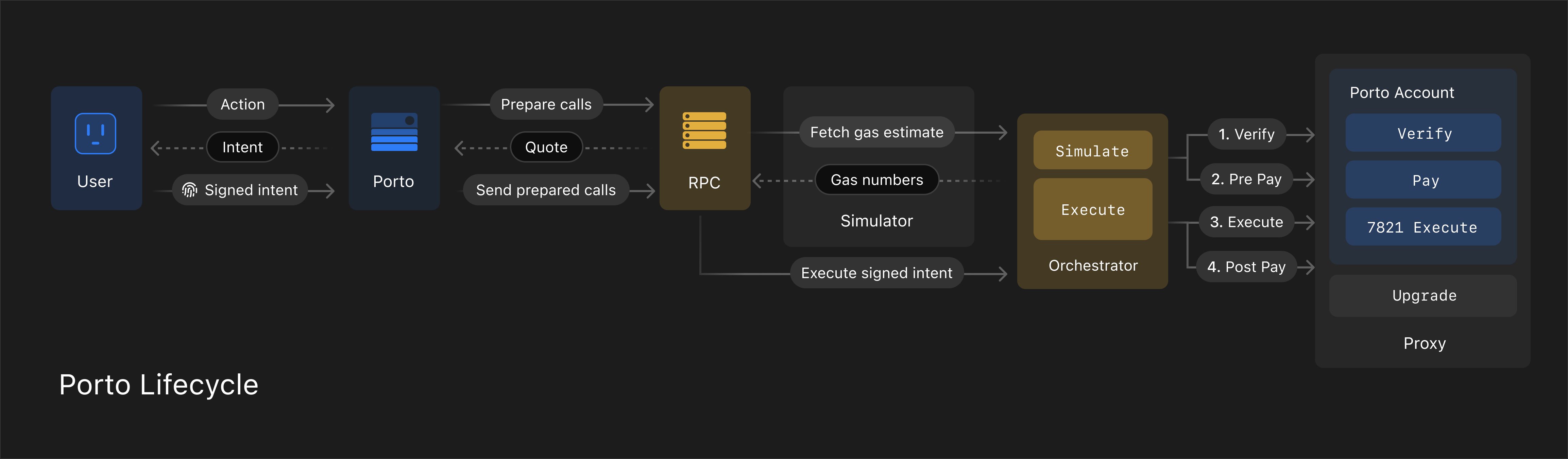
# Porto
> Sign in with superpowers. Buy, swap, subscribe, and much more. No passwords or extensions required.
import { ChangelogDate } from '../components/ChangelogDate'
## Changelog
### Multi-Chain Support
Porto is now live in **production** with comprehensive multi-chain support. Developers can now build cross-chain applications with seamless transaction routing, optimized fee management, and unified account experiences.
#### Supported Networks
**Mainnet (Live Now):**
* **Base**
* **Optimism**
* **Arbitrum**
* **BNB Chain**
* **Polygon**
**More networks coming soon**. We're continuously expanding chain support based on developer demand. If you need us to onboard a chain, reach out on telegram.
#### What's New
**Production Infrastructure:** Porto relay service is now production-ready at `rpc.ithaca.xyz` with enterprise-grade reliability and performance.
**Cross-Chain Transactions:** Execute transactions across all supported chains from a single account with automatic routing and settlement.
**Enhanced Fee Management:** Pay fees in supported stablecoins or native tokens across networks with transparent, predictable costs.
### Email Support & Removal of PREP
:::warning
This release will require you to recreate your testnet account with Porto. We've made fundamental improvements that ensure smoother upgrades in the future. Don't worry, these types of breaking upgrades will not occur in production.
:::
Porto now **optionally** captures email addresses during sign-up to build more connected experiences.
Provide your email during onboarding to streamline Porto's upcoming onramp integration that requires email
verification, and enable the ability to recover your account via email in the future.
Porto automatically handles email verification with secure links sent to your inbox.
Your email address becomes part of your passkey naming strategy, making your accounts more discoverable
and user-friendly across devices and applications.
***
We've also simplified our account creation architecture by removing [PREP (Provably Rootless EIP-7702 Proxy)](https://blog.biconomy.io/prep-deep-dive/)
in favor of ephemeral private keys. On each signup, Porto generates a private key for the user (on their device),
which is used to sign a cross-chain compatible [EIP-7702](https://eips.ethereum.org/EIPS/eip-7702) authorization,
and then immediately discarded for security.
This new pattern solves the core UX challenge of enabling "Create Account + Grant Permission" flows in a
single Passkey interaction. You can now authorize both sign up and spending permissions in
one user action, eliminating the complex workarounds that PREP required to make these flows
cross-chain compatible.
The ephemeral key approach maintains the same address across all chains while drastically reducing
implementation complexity. All operations happen within a secure iframe sandbox, ensuring malicious
applications never access the ephemeral private key.
### Announcing Developer Preview

[Porto](https://ithaca.xyz/updates/porto) is our open source [TypeScript library](https://github.com/ithacaxyz/porto) which gives accounts the superpowers to answer these two questions. Today, we are releasing the [Porto Developer Preview](https://porto.sh), and we are excited to share that Porto is live on Base Sepolia, and coming soon to every EVM chain in production.
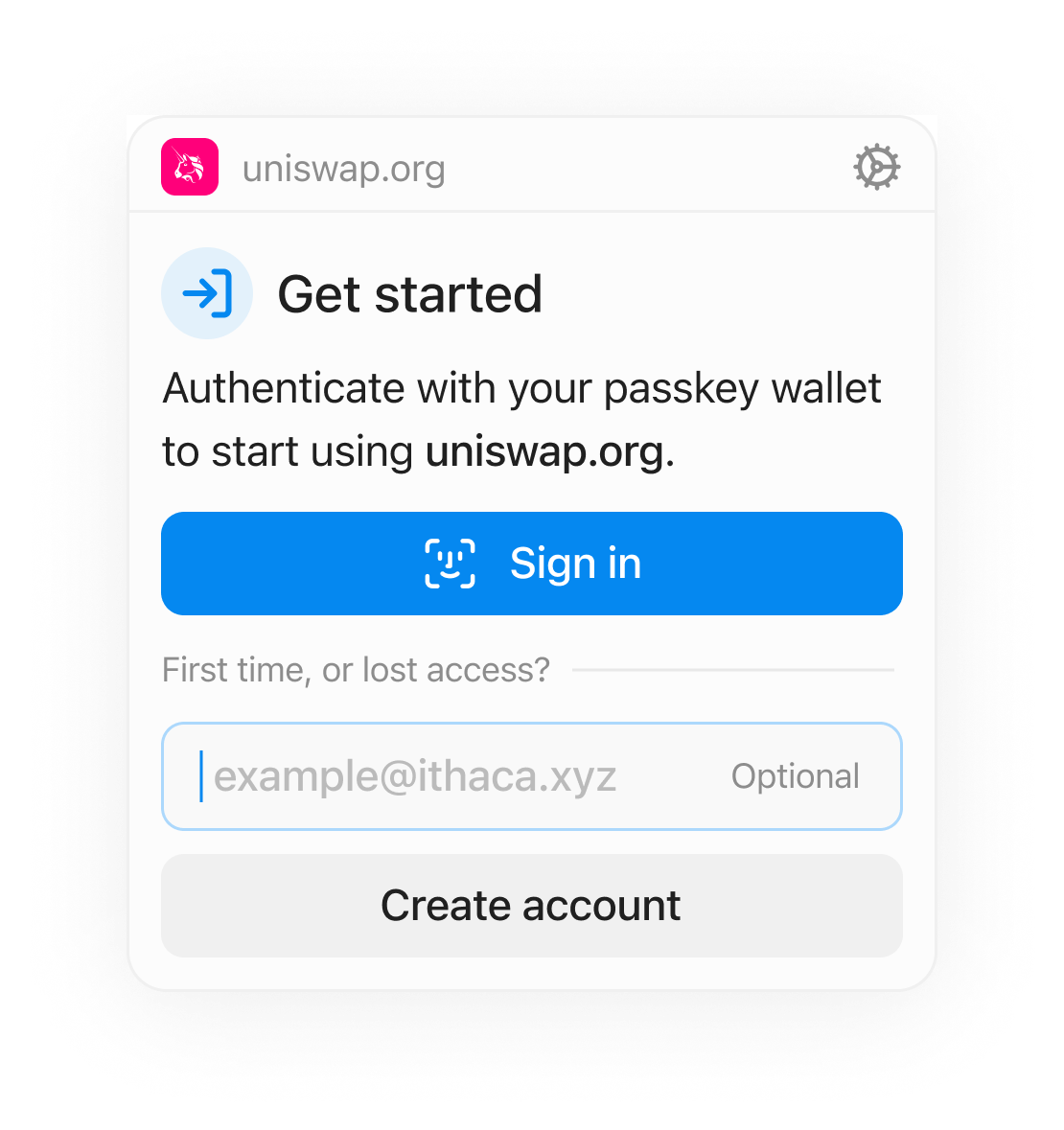
With Porto, you can create new accounts or upgrade existing ones by plugging into your preferred authentication layer, WebAuthn via Passkeys, or OAuth via Privy. No passwords, apps, seed phrases, private keys, or browser extensions needed.
Porto connects authentication with powerful execution capabilities, solving some of the hardest problems that have haunted crypto application developers for the last years around onboarding, transacting on multiple chains, and paying predictable fees in stablecoins.
Our core principles:
* **Developer-first:** Porto works seamlessly with [Wagmi](https://github.com/wevm/wagmi) and [Viem](https://github.com/wevm/viem), the most widely used web3 frontend libraries, without any code changes.
* **Performance & cost-effectiveness:** Porto is powered by a [reimagined account abstraction stack](https://porto.sh/contracts), which is [>50% more gas efficient](https://porto.sh/contracts/benchmarks) on payments than alternatives, and offers state of the art transaction latency.
* **Modularity:** Porto works standalone or headless, letting you enjoy the benefits of the Porto stack without changing any of the flows your users and developers love!.
Beyond crypto applications, we think Porto works well with: traditional passkey setups, existing key management systems, and crypto wallets.
Check out the [demo](https://porto.sh), our [documentation](https://porto.sh/sdk) and [join the Telegram group for developers](https://t.me/porto_devs). If you're excited to build a Porto-powered application, reach out to [georgios@ithaca.xyz](mailto\:georgios@ithaca.xyz) to chat!
## Account
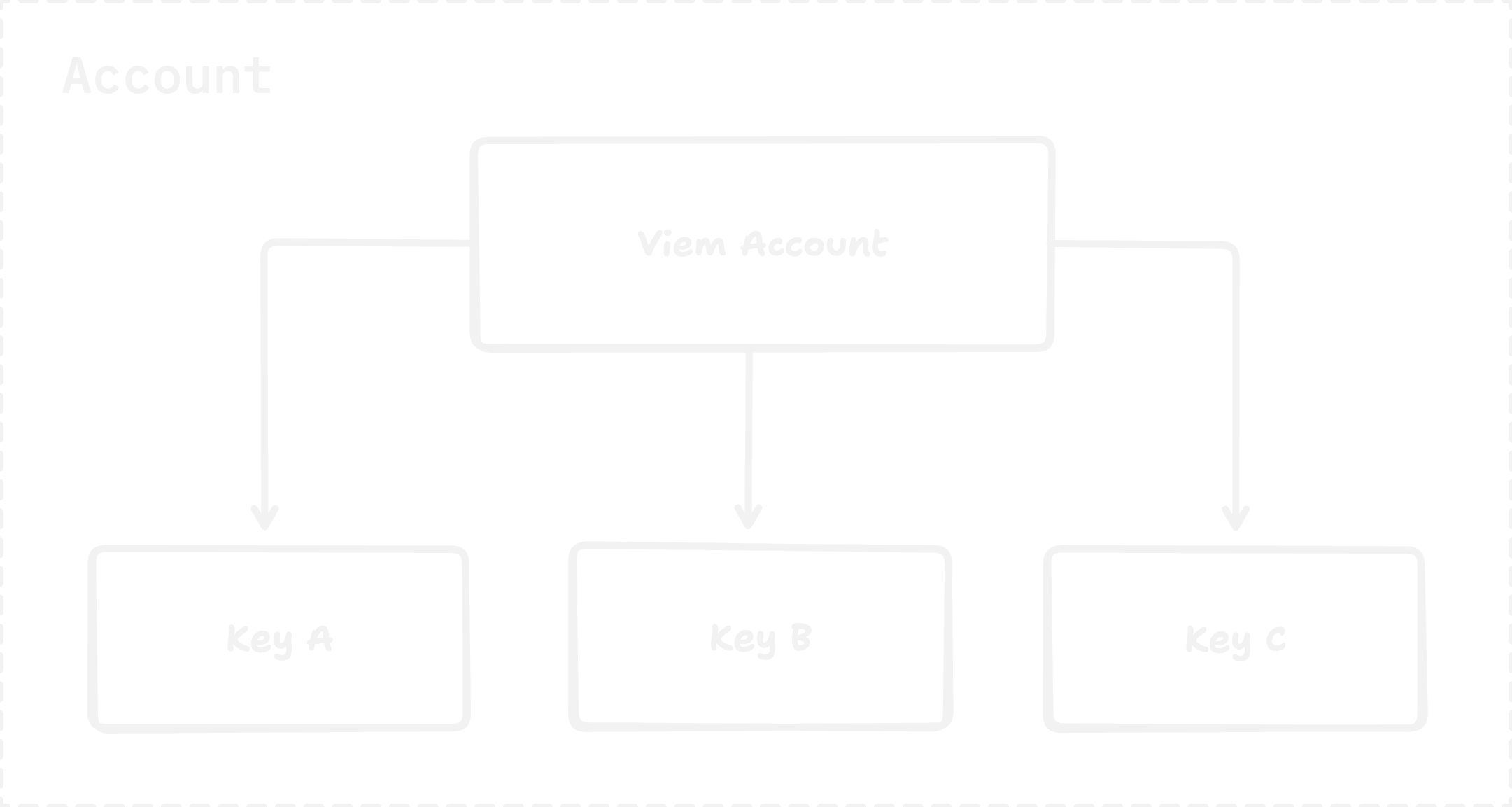
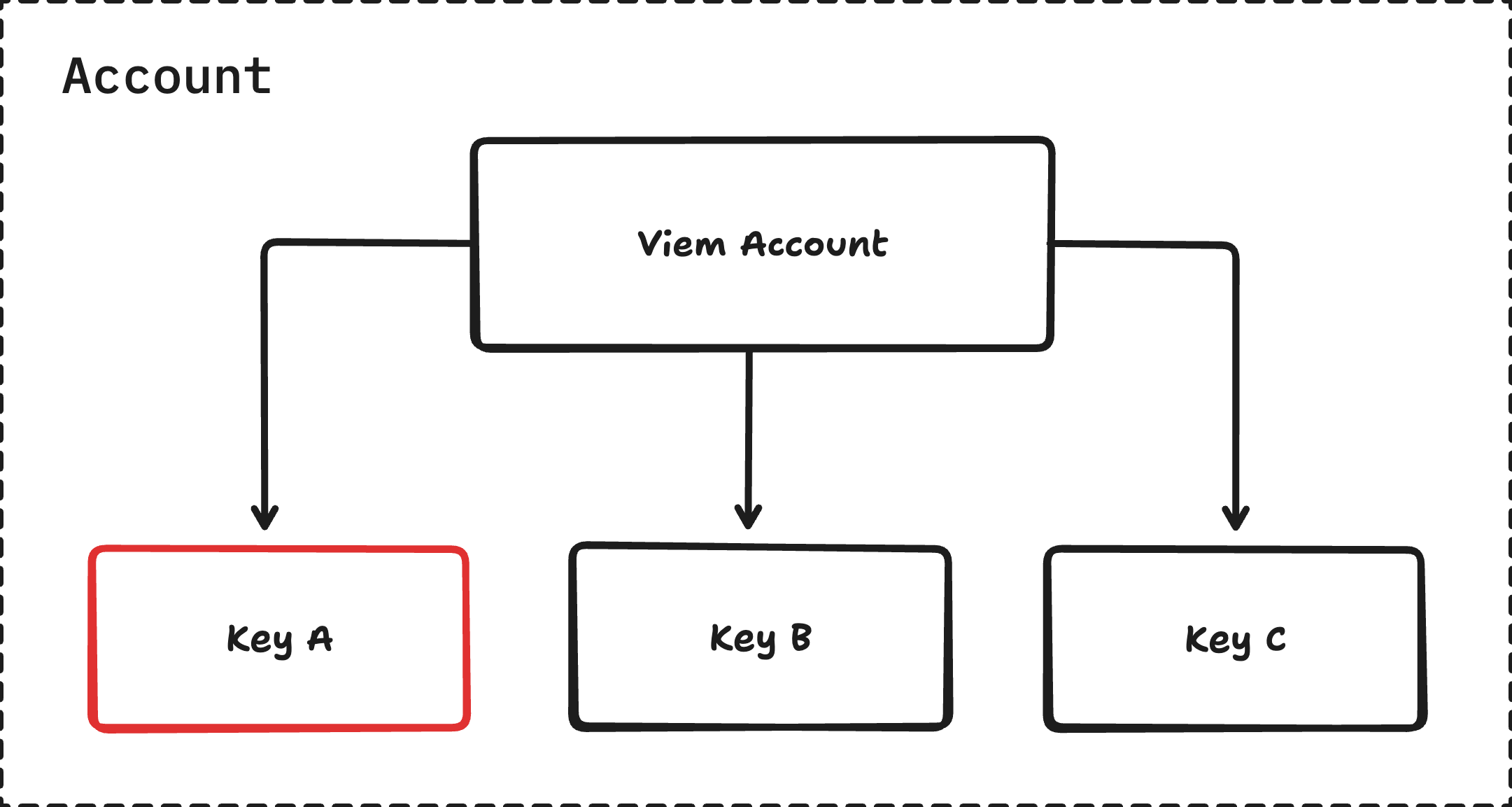
The Porto Account is a keychain that holds user funds, enforces permissions via [Keys](#keys), manages nonces to prevent replay attacks, enables secure executions from the account, and provides native cross-chain interoperability.
### Concepts
#### Keys
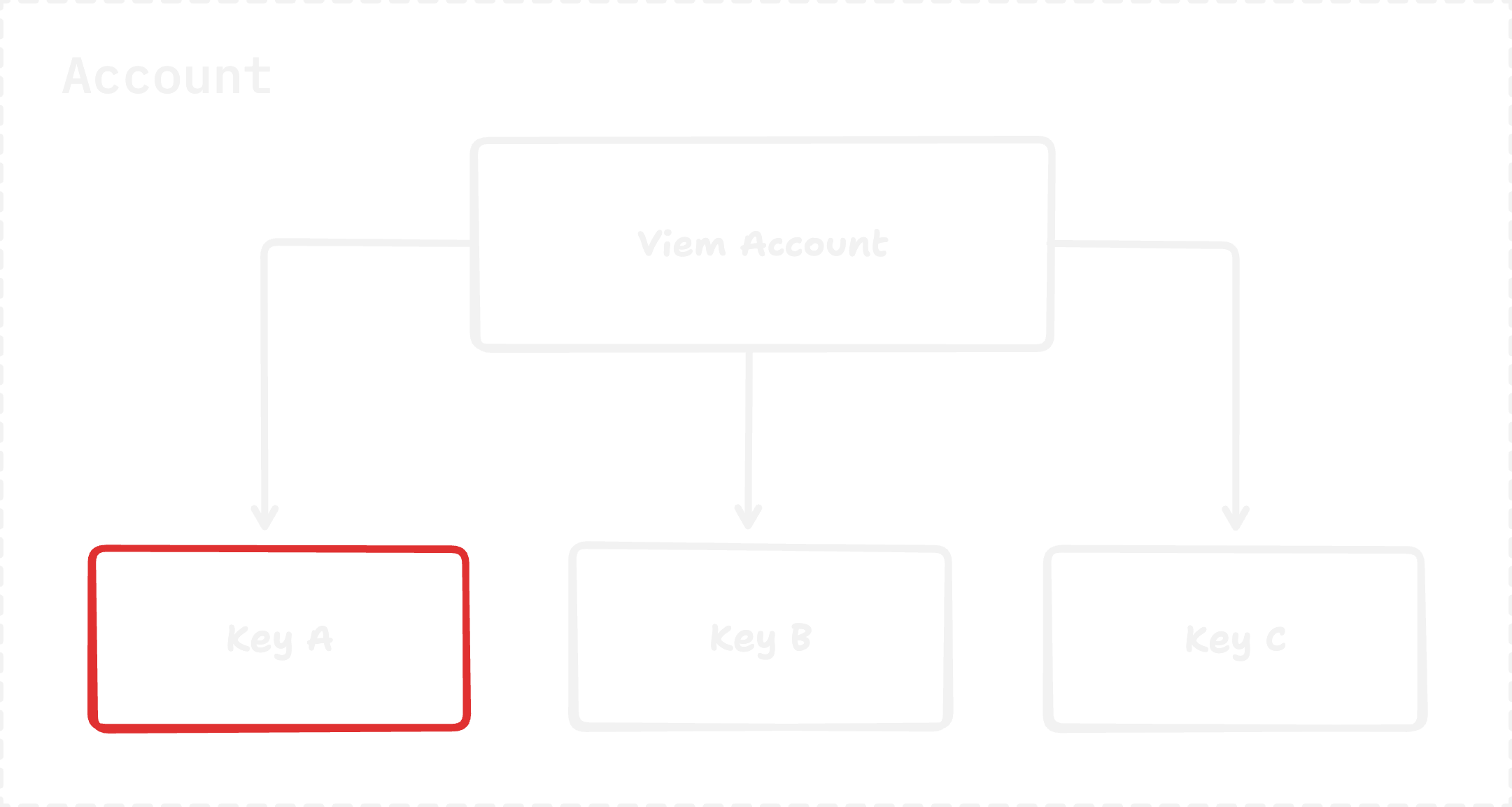
A key is a fundamental signing unit. An account can `authorize` multiple keys with different limits and permissions.
```solidity
/// @dev A key that can be used to authorize call.
struct Key {
/// @dev Unix timestamp at which the key expires (0 = never).
uint40 expiry;
/// @dev Type of key. See the {KeyType} enum.
KeyType keyType;
/// @dev Whether the key is a super admin key.
/// Super admin keys are allowed to call into super admin functions such as
/// `authorize` and `revoke` via `execute`.
bool isSuperAdmin;
/// @dev Public key in encoded form.
bytes publicKey;
}
```
##### Key Types
```solidity
/// @dev The type of key.
enum KeyType {
P256,
WebAuthnP256,
Secp256k1,
External
}
```
The account supports 4 key types natively -
1. **P256**: Standard ECDSA key on the `secp256r1` curve. Mainly used for browser session keys.
2. **WebAuthnP256**: Enables passkey support, using the webauthn standard.
3. **Secp256k1**: Standard ECDSA key on the `secp256k1` curve. Can be used directly with Ethereum EOA private keys.
4. **External**: Allows devs to extend the verification capabilities of the account, by calling an external `Signer` contract for signature verification.
##### Key Hashes
Each key in the account is uniquely identified by its keyHash.
The keyHash is calculated as -
```solidity
bytes32 keyHash = keccak256(abi.encode(key.keyType, keccak256(key.publicKey)))
```
##### Public key encoding
The encoding of a key pair's public key depends on the key type:
| Key Type | Encoding Format | Description |
| ---------------- | --------------------------------------------------- | ------------------------------------------------------------------------------ |
| secp256r1 (P256) | `abi.encode(x, y) ` | Stores both x and y coordinates for the secp256r1 curve. |
| webAuthn | `abi.encode(x, y)` | Stores both x and y coordinates of the public key on the elliptic curve. |
| secp256k1 | `abi.encode(address)` | Stores only the Ethereum address derived from the public key (truncated hash). |
| external | `abi.encodePacked(address(signer), bytes12(salt)) ` | Stores the address of the external signer, and a bytes12 salt value |
##### Signature encoding
The signature is encoded as follows: `abi.encodePacked(bytes(innerSignature), bytes32(keyHash), bool(prehash))`, where the key hash is `keccak(bytes32(keyType, publicKey))`.
The inner signature depends on the key type:
| Key Type | Signature |
| ---------------- | --------------------- |
| secp256r1 (p256) | `(r, s)` |
| webauthn | `(r, s)` |
| secp256k1 | `(r, s)` or `(r, vs)` |
##### Super Admin Keys
* Highest permission tier in the account. Can `authorize` and `revoke` any other keys.
* Only super admin keys are allowed to sign 1271 `isValidSignature` data.
* The EOA private key is automatically considered a super admin key.
:::info
The default EOA key of a 7702 account, effectively has a keyHash of `bytes32(0)`, and automatically has super admin permissions.
:::
##### External Key Type
:::info
Coming Soon
:::
#### Nonce Management
The account supports 4337-style 2D nonce sequences.
A nonce is a `uint256` value, where the first 192 bits are the `sequence key` and the remaining 64 bits are treated as sequential incrementing nonces.
> **Example:**
>
> * If `nonce = 1`:
> * `sequence key = 0`
> * `incrementing value = 1`
> * Next valid nonce for this sequence key: `2`
> * If `nonce = (1 << 64) + 1` (i.e., 264 + 1):
> * `sequence key = 1`
> * `incrementing value = 1`
> * Next valid nonce for this sequence key: `(1 << 64) + 2`
It is recommended to use separate sequence keys for different backend services, to allow parallel transactions to go through.
:::note
There is a 20k gas overhead (cold SSTORE), the first time a new sequence key is used for a nonce.
:::
##### MultiChain Prefix
When a nonce's sequence key begins with the prefix `0xc1d0` (a mnemonic for "chainID zero"), the Porto Account recognizes this as a multichain execution. Consequently, the `chainId` is omitted from the EIP-712 domain separator when constructing the digest for signature verification.
This allows the same signature to be valid across multiple chains.
##### Cross-Chain Features
The account includes native cross-chain interoperability capabilities:
* **Merkle Signature Verification**: Built-in support for merkle signature verification in multichain executions
* **Fund Transfers**: Cross-chain fund transfers with strictly ordered token addresses
* **Funder Integration**: Native integration with funder contracts for cross-chain execution funding and signature verification
* **Multichain Execution**: Multichain flag enables advanced signature verification modes for cross-chain operations
#### Execution
The Porto Account uses the [ERC 7821](https://eips.ethereum.org/EIPS/eip-7821) Executor interface.
Executions are accepted in the form of `Calls`
```solidity
/// @dev Call struct for the `execute` function.
struct Call {
address to; // Replaced as `address(this)` if `address(0)`.
uint256 value; // Amount of native currency (i.e. Ether) to send.
bytes data; // Calldata to send with the call.
}
```
The execution interface is
```solidity
function execute(bytes32 mode, bytes calldata executionData) public payable;
```
##### Modes
The Porto Account supports the following execution modes.
* `0x01000000000000000000...`: Single batch. Does not support optional `opData`.
* `0x01000000000078210001...`: Single batch. Supports optional `opData`.
* `0x01000000000078210002...`: Batch of batches.
Delegate calls are **not** supported.
:::note
The single batch mode without `opData` is only supported for self calls.
In 7702 Delegated accounts, a call originating from the EOA is also considered a self call because `msg.sender == address(this)` in the contract.
:::
##### Execution senders and opData
The exact Op data depends on who is calling the `execute` function.
##### Self Call & EOA
No op data is needed, if this is a self call. This can happen in 2 cases -
1. The account performs recursive calls to `execute`. Administrative functions such as `authorize` and `revoke` utilize this self-call pattern and require careful handling.
2. The sender is the 7702 authority
##### Orchestrator Intents
The orchestrator is given some special privileges in the account. These are discussed in the [Orchestrator Integration](#orchestrator-integration) section.
One of these privileges is the ability to verify signature & increment nonces before calling `execute` on the account.
Therefore, the `opData` if the orchestrator is the sender is structured as
```solidity
bytes opData = abi.encode(bytes32 keyHash)
```
This execution type is exclusively used by the intent flow.
##### Others
Any other external caller, has to provide a nonce and a signature for any execution they want to do on the account.
Therefore, the `opData` is structured as
```solidity
bytes opData = abi.encodePacked(uint256 nonce, bytes signature)
```
##### Example
The execution data for a batch of calls being sent by an arbitrary sender would look like this
```solidity
Call memory call = Call({
to: ,
value: 0,
data:
});
uint256 nonce = account.getNonce(0); // 0 is the uint192 sequence key
bytes memory signature = _sign(computeDigest(calls, nonce));
bytes memory opData = abi.encodePacked(nonce, signature);
bytes memory executionData = abi.encode(calls, opData);
account.execute(_ERC7821_BATCH_EXECUTION_MODE, executionData);
```
#### Orchestrator Integration
At the time of deployment, an orchestrator address can be set in a porto account.
The orchestrator is an immutable privileged entity that facilitates trustless interactions between the relayer and the account, including cross-chain executions.
To do this, it is given 3 special access points into the account.
More details about the whole intent flow can be found in the [Orchestrator documentation](/contracts/orchestrator.md).
##### 1. Pay
```solidity
/// @dev Pays `paymentAmount` of `paymentToken` to the `paymentRecipient`.
function pay(
uint256 paymentAmount,
bytes32 keyHash,
bytes32 intentDigest,
bytes calldata encodedIntent
) public;
```
Allows the orchestrator to transfer the `paymentAmount` specified in the intent signed by the user, pre and post execution.
##### 2. Check and Increment Nonce
```solidity
/// @dev Checks current nonce and increments the sequence for the `seqKey`.
function checkAndIncrementNonce(uint256 nonce) public payable;
```
Checks if the `nonce` specified in the intent is valid, and increments the sequence if it is.
##### 3. Execute
As discussed in the [execution](#orchestrator-intents) section above, the orchestrator verifies the intent signature and increments the nonce *before* calling `execute`.
So for execute calls coming from the orchestrator, these checks are skipped in the account.
### Endpoints
#### Admin
These functions are marked `public virtual onlyThis`, meaning they can only be called by the account itself. To invoke them, a super admin key must submit a transaction to the `execute` function, with the `calls` parameter encoding a call to one of these admin functions.
##### `setLabel`
```solidity
function setLabel(string calldata newLabel) public virtual onlyThis
```
* **Access Control:** The account itself (via `execute` from an authorized super admin key).
* **Description:** Sets or updates the human-readable label for the account. Emits a `LabelSet` event.
* **Usage:**
* Include a call to this function in the `calls` array of an `execute` transaction.
* `newLabel`: The new string label for the account.
##### `revoke`
```solidity
function revoke(bytes32 keyHash) public virtual onlyThis
```
* **Access Control:** The account itself (via `execute` from an authorized super admin key).
* **Description:** Revokes an existing authorized key. Removes the key from storage and emits a `Revoked` event.
* **Usage:**
* Include a call to this function in the `calls` array of an `execute` transaction.
* `keyHash`: The hash of the key to be revoked. The key must exist.
##### `authorize`
```solidity
function authorize(Key memory key) public virtual onlyThis returns (bytes32 keyHash)
```
* **Access Control:** The account itself (via `execute` from an authorized super admin key).
* **Description:** Authorizes a new key or updates the expiry of an existing key. Emits an `Authorized` event.
* **Usage:**
* Include a call to this function in the `calls` array of an `execute` transaction.
* `key`: A `Key` struct containing:
* `expiry`: Unix timestamp for key expiration (0 for never).
* `keyType`: Type of key (`P256`, `WebAuthnP256`, `Secp256k1`, `External`).
* `isSuperAdmin`: Boolean indicating if the key has super admin privileges. Note: `P256` key type cannot be super admin.
* `publicKey`: The public key bytes.
* Returns the `keyHash` of the authorized key.
##### `setSignatureCheckerApproval`
```solidity
function setSignatureCheckerApproval(bytes32 keyHash, address checker, bool isApproved) public virtual onlyThis
```
* **Access Control:** The account itself (via `execute` from an authorized super admin key).
* **Description:** Approves or revokes an address (`checker`) to successfully validate signatures for a given `keyHash` via `isValidSignature`. Emits a `SignatureCheckerApprovalSet` event.
* **Usage:**
* Include a call to this function in the `calls` array of an `execute` transaction.
* `keyHash`: The hash of the key for which the checker approval is being set. The key must exist.
* `checker`: The address of the contract or EOA being approved/revoked.
* `isApproved`: `true` to approve, `false` to revoke.
##### `invalidateNonce`
```solidity
function invalidateNonce(uint256 nonce) public virtual onlyThis
```
* **Access Control:** The account itself (via `execute` from an authorized super admin key).
* **Description:** Invalidates all nonces for a given sequence key up to and including the provided `nonce`. The upper 192 bits of `nonce` act as the sequence key (`seqKey`). Emits a `NonceInvalidated` event.
* **Usage:**
* Include a call to this function in the `calls` array of an `execute` transaction.
* `nonce`: The nonce to invalidate. The lower 64 bits are the sequential part, and the upper 192 bits are the sequence key.
##### `upgradeProxyAccount`
```solidity
function upgradeProxyAccount(address newImplementation) public virtual onlyThis
```
* **Access Control:** The account itself (via `execute` from an authorized super admin key).
* **Description:** Upgrades the implementation of the proxy account if this account is used with an EIP-7702 proxy. It calls `LibEIP7702.upgradeProxyDelegation` and then calls `this.upgradeHook()` on the new implementation.
* **Usage:**
* Include a call to this function in the `calls` array of an `execute` transaction.
* `newImplementation`: The address of the new account implementation contract. The new implementation should have an `upgradeHook` function.
##### `upgradeHook`
```solidity
function upgradeHook(bytes32 previousVersion) external virtual onlyThis returns (bool)
```
* **Access Control:** The account itself, specifically called during the `upgradeProxyAccount` process by the old implementation on the new implementation's context. It includes a guard to ensure it's called correctly.
* **Description:** A hook function called on the new implementation after an upgrade. It's intended for storage migrations or other setup tasks. The current version is a no-op but demonstrates the pattern.
* **Usage:**
* This function is not called directly by users. It's part of the upgrade mechanism.
* `previousVersion`: The version string of the old implementation.
***
#### Execution
Discussed [here](#execution)
***
#### Signature Validation
##### `unwrapAndValidateSignature`
```solidity
function unwrapAndValidateSignature(bytes32 digest, bytes calldata signature) public view virtual returns (bool isValid, bytes32 keyHash)
```
* **Description:**
* Checks if the Orchestrator is paused.
* If the signature is 64 or 65 bytes, it's treated as a raw secp256k1 signature from `address(this)`.
* Otherwise, it attempts to unwrap a packed signature: `abi.encodePacked(bytes(innerSignature), bytes32(keyHash), bool(prehash))`.
* If `prehash` is true, `digest` is re-hashed with `sha256`.
* Validates the `innerSignature` against the `digest` using the public key associated with the unwrapped `keyHash` and its `keyType`. Supports `P256`, `WebAuthnP256`, `Secp256k1` (delegated to an EOA), and `External` (delegated to another contract implementing `isValidSignatureWithKeyHash`).
* Checks for key expiry.
* **Usage:**
* `digest`: The digest that was signed.
* `signature`: The signature data, potentially wrapped.
* Returns `isValid` (boolean) and the `keyHash` used for validation.
##### `isValidSignature`
```solidity
function isValidSignature(bytes32 digest, bytes calldata signature) public view virtual returns (bytes4)
```
* **Description:** Implements EIP-1271. Checks if a given signature is valid for the provided digest.
* Signatures are replay-safe across accounts via a custom EIP-712 wrapper on the incoming digest.
* It then uses `unwrapAndValidateSignature` to validate the signature.
* If valid, it further checks if the key used is a super admin key OR if `msg.sender` is an approved checker for that key hash.
* This restriction (super admin or approved checker) is to prevent session keys from approving infinite allowances via Permit2 by default.
* **Usage:**
* Called by other contracts (e.g., Permit2, DEXes) to verify signatures on behalf of this account.
* `digest`: The hash of the message that was signed.
* `signature`: The wrapped signature (`abi.encodePacked(bytes(innerSignature), bytes32(keyHash), bool(prehash))`) or a raw secp256k1 signature.
* Returns `0x1626ba7e` if valid, `0xffffffff` if invalid.
***
#### View
Functions to read data from the account.
##### `getNonce`
```solidity
function getNonce(uint192 seqKey) public view virtual returns (uint256)
```
* **Description:** Returns the current nonce for a given sequence key. The full nonce is `(uint256(seqKey) << 64) | sequential_nonce`.
* **Usage:**
* `seqKey`: The upper 192 bits of the nonce, identifying the nonce sequence.
* Returns the full 256-bit nonce, where the lower 64 bits are the next sequential value to be used.
##### `label`
```solidity
function label() public view virtual returns (string memory)
```
* **Description:** Returns the human-readable label of the account.
* **Usage:** Call to retrieve the account's label.
##### `keyCount`
```solidity
function keyCount() public view virtual returns (uint256)
```
* **Description:** Returns the total number of authorized keys (including potentially expired ones before filtering in `getKeys`).
* **Usage:** Call to get the count of all registered key hashes.
##### `keyAt`
```solidity
function keyAt(uint256 i) public view virtual returns (Key memory)
```
* **Description:** Returns the `Key` struct at a specific index `i` from the enumerable set of key hashes.
* **Usage:**
* `i`: The index of the key to retrieve.
* Useful for enumerating keys off-chain, but `getKeys()` is generally preferred for fetching all valid keys.
##### `getKey`
```solidity
function getKey(bytes32 keyHash) public view virtual returns (Key memory key)
```
* **Description:** Returns the `Key` struct for a given `keyHash`. Reverts if the key does not exist.
* **Usage:**
* `keyHash`: The hash of the key to retrieve.
##### `getKeys`
```solidity
function getKeys() public view virtual returns (Key[] memory keys, bytes32[] memory keyHashes)
```
* **Description:** Returns two arrays: one with all non-expired `Key` structs and another with their corresponding `keyHashes`.
* **Usage:** Call to get a list of all currently valid (non-expired) authorized keys.
##### `getContextKeyHash`
```solidity
function getContextKeyHash() public view virtual returns (bytes32)
```
* **Description:** Returns the `keyHash` of the key that authorized the current execution context (i.e., the most recent key in the `_KEYHASH_STACK_TRANSIENT_SLOT`). Returns `bytes32(0)` if the EOA key was used or if not in an execution context initiated by a key.
* **Usage:** Can be called by modules or hooks executed via `execute` to determine which key authorized the call.
##### `approvedSignatureCheckers`
```solidity
function approvedSignatureCheckers(bytes32 keyHash) public view virtual returns (address[] memory)
```
* **Description:** Returns an array of addresses that are approved to use `isValidSignature` for the given `keyHash`.
* **Usage:**
* `keyHash`: The hash of the key.
***
#### Helpers
These functions are helpers that can be called publicly.
##### `hash` (Key Hashing)
```solidity
function hash(Key memory key) public pure virtual returns (bytes32)
```
* **Description:** Computes the `keyHash` for a given `Key` struct. The hash is `keccak256(abi.encode(key.keyType, keccak256(key.publicKey)))`. Note that `expiry` and `isSuperAdmin` are not part of this hash.
* **Usage:**
* `key`: The `Key` struct to hash.
* Useful for deriving a `keyHash` off-chain before authorization or for verification.
##### `computeDigest`
```solidity
function computeDigest(Call[] calldata calls, uint256 nonce) public view virtual returns (bytes32 result)
```
* **Description:** Computes the EIP-712 typed data hash for an `Execute` operation with built-in cross-chain support.
* If the `nonce` starts with `MULTICHAIN_NONCE_PREFIX` (0xc1d0), the digest is computed without the chain ID, enabling cross-chain signature replay.
* Otherwise, the standard EIP-712 digest including the chain ID is computed for single-chain execution.
* **Usage:**
* `calls`: Array of `Call` structs to be executed.
* `nonce`: The nonce for this execution.
* The returned digest should be signed by an authorized key to authorize the execution.
***
## Address Book
Contract addresses for Porto infrastructure. All chains use the same addresses for deterministic deployment.
### Supported Networks
#### Mainnets
| Network | Chain ID |
| --------- | -------- |
| Ethereum | 1 |
| Base | 8453 |
| Optimism | 10 |
| Arbitrum | 42161 |
| BNB Chain | 56 |
| Polygon | 137 |
| Celo | 42220 |
| Berachain | 80094 |
| Gnosis | 100 |
#### Testnets
| Network | Chain ID |
| ---------------- | -------- |
| Base Sepolia | 84532 |
| Optimism Sepolia | 11155420 |
| Arbitrum Sepolia | 421614 |
| Ethereum Sepolia | 11155111 |
| Bera Bepolia | 80069 |
### Contract Addresses
| Contract Name | Address |
| ------------------ | ----------------------------------------------------------------------------------------------------------------------- |
| Orchestrator | [`0x36A7Cd5b1F475122A2b52580FC8e170A2Cd312eF`](https://etherscan.io/address/0x36A7Cd5b1F475122A2b52580FC8e170A2Cd312eF) |
| Account Proxy | [`0x7C27e3AEcbF42879B64d76F604dC3430F4886462`](https://etherscan.io/address/0x7C27e3AEcbF42879B64d76F604dC3430F4886462) |
| Simulator | [`0x6F3fD9f2d110a74e01F114e2710b8AC45de10c8a`](https://etherscan.io/address/0x6F3fD9f2d110a74e01F114e2710b8AC45de10c8a) |
| Funder | [`0x899B09fa62BA30e334adbF4A7d57b9dcFCd32617`](https://etherscan.io/address/0x899B09fa62BA30e334adbF4A7d57b9dcFCd32617) |
| Escrow | [`0x8d888156B10B68b8aB86Db054abF6388b1E636b8`](https://etherscan.io/address/0x8d888156B10B68b8aB86Db054abF6388b1E636b8) |
| Layer Zero Settler | [`0xF8E7dE8c81ce2B90782fFA5EB050CAedd55fE1f4`](https://etherscan.io/address/0xF8E7dE8c81ce2B90782fFA5EB050CAedd55fE1f4) |
## Benchmarks
An updated list of benchmarks can be found in the [account repo](https://github.com/ithacaxyz/account/blob/main/snapshots/BenchmarkTest.json).
### Table 1: Transaction Types
These are the costs for performing the type of transaction listed below, for each account. The Porto account is roughly 40% cheaper across all operations.
| Transaction Type | Porto Account | Alchemy Modular Account | Coinbase Smart Wallet | Safe 4337 | Zerodev Kernel |
| ---------------- | ------------- | ----------------------- | --------------------- | ------------------ | ------------------ |
| ERC20 Transfer | 129,892 | 179,448 (38% more) | 177,809 (37% more) | 197,515 (52% more) | 207,071 (59% more) |
| Native Transfer | 131,294 | 180,829 (38% more) | 178,916 (36% more) | 198,595 (51% more) | 208,635 (59% more) |
| Uniswap V2 Swap | 189,178 | 238,767 (26% more) | 237,571 (26% more) | 257,453 (36% more) | 266,487 (41% more) |
### Table 2: Payment Methods (ERC20 Transfer)
These are the costs for performing an ERC20 transfer using different payment options. The Porto account is the cheapest account across all operations, with bigger savings for the ERC20 self-pay mode.
| Payment Method | Porto Account | Alchemy Modular Account | Coinbase Smart Wallet | Safe 4337 | Zerodev Kernel |
| ------------------------------ | ------------- | ----------------------- | --------------------- | ------------------ | ------------------ |
| Self-pay in native tokens | 129,892 | 179,448 (38% more) | 177,809 (37% more) | 197,515 (52% more) | 207,071 (59% more) |
| Self-pay in ERC20 tokens | 147,545 | 224,973 (52% more) | 222,113 (51% more) | 238,658 (62% more) | 252,683 (71% more) |
| App Sponsored in native tokens | 141,312 | 176,390 (25% more) | 175,213 (24% more) | 191,679 (36% more) | 204,074 (44% more) |
## Getting Started
### Architecture
### Overview
The onchain infrastructure that powers Porto consists of the following contracts:
#### Porto Account
The Porto Account is a keychain that holds user funds, enforces permissions via [Keys](/contracts/account#keys), manages nonces to prevent replay attacks, and enables secure executions from the account.
#### Orchestrator
The Orchestrator is a [privileged](/contracts/account#orchestrator-integration) contract that facilitates trustless interactions between the relay and the account.
#### Simulator
The Simulator is a peripheral utility that enables offchain services to obtain accurate gas estimates for intents in a single RPC call.
#### Settlement System
The Settlement System enables cross-chain transaction finality through native merkle signature verification. It provides trustless settlement mechanisms for multi-chain intents with interop features including fund transfers, merkle signature verification, and funder interface integration for cross-chain execution.
## Interoperability
The Porto Stack provides native cross-chain interoperability through a comprehensive settlement system, enabling trustless multi-chain operations and secure token escrow capabilities.
### Overview
Porto's interoperability layer consists of three main components that work together to facilitate cross-chain transactions:
#### Settlement System
The settlement system enables cross-chain transaction finality through merkle signature verification and messaging protocols. Porto supports multiple settlement mechanisms:
* **SimpleSettler**: Signature-based settlement for trusted environments
* **LayerZeroSettler**: Cross-chain messaging using LayerZero v2 protocol for decentralized settlement
#### Escrow
The escrow system provides secure token holding with configurable settlement conditions and automatic refunds. Key features include:
* Multi-token support with native and ERC20 tokens
* Configurable refund amounts and deadlines
* Integration with any settlement provider
* Atomic settlement verification
#### Cross-Chain Execution
The Porto Account includes native support for multi-chain operations:
* **Multichain Nonces**: Special nonce prefix (`0xc1d0`) enables signature replay across chains
* **Merkle Signature Verification**: Built-in support for merkle proofs in multi-chain executions
* **Cross-Chain Fund Transfers**: Secure token transfers with strictly ordered addresses
### Funder Interface
The Funder interface enables cross-chain execution funding, allowing relayers and third parties to sponsor transactions across multiple chains.
#### Interface
```solidity
interface IFunder {
struct Transfer {
address token;
uint256 amount;
}
function fund(
bytes32 digest,
Transfer[] memory transfers,
bytes memory funderSignature
) external;
}
```
#### SimpleFunder Implementation
Porto provides a reference implementation that demonstrates:
* **Pull-based funding model**: Authorized relayers can pull funds on-demand
* **Signature verification**: Ensures only authorized funding requests are processed
* **Risk management**: Separate controls for token and native currency withdrawals
* **Multi-chain support**: Coordinates funding across different chains for interop operations
The SimpleFunder serves as both a production-ready contract and a template for custom funder implementations tailored to specific use cases.
### Architecture Benefits
#### Trustless Operations
* No dependency on centralized bridges
* Cryptographic verification of cross-chain messages
* Automatic fallback mechanisms with time-based refunds
#### Flexibility
* Pluggable settlement providers
* Support for multiple messaging protocols
* Customizable escrow conditions
#### Security
* Atomic settlement guarantees
* Protected refund mechanisms
* Signature verification at every step
### Use Cases
#### Cross-Chain DeFi
Execute swaps and provide liquidity across multiple chains with guaranteed settlement or automatic refunds.
#### Multi-Chain NFT Purchases
Purchase NFTs on one chain using tokens from another, with escrow protection ensuring delivery.
#### Cross-Chain Subscriptions
Manage recurring payments across different chains with automatic settlement verification.
#### Interchain Governance
Participate in governance across multiple chains with unified signature schemes.
### Getting Started
Explore the detailed documentation for each component:
* [Escrow System](/contracts/interop/escrow) - Learn about secure token escrow with cross-chain settlement
* [Settlement Providers](/contracts/interop/settlement) - Understand different settlement mechanisms and their trade-offs
For implementation examples and integration guides, refer to the test suite in the [account repository](https://github.com/ithacaxyz/account).
## Orchestrator
The Orchestrator is a privileged contract that facilitates trustless interactions between the relay and the account.
### Concepts
#### Intents
The orchestrator accepts executions in the form of an intent.
An `intent` struct contains all the relevant data that allows a 3rd party like the relay to make an execution on behalf of the user, and get paid for it.
The intent has to be signed by one of the [Keys](/contracts/account#keys) authorized in the user's account. Optionally, the intent can use a `paymaster` to pay on behalf of the user, in which case the intent also needs to be signed by the paymaster.
```solidity
struct Intent {
////////////////////////////////////////////////////////////////////////
// EIP-712 Fields
////////////////////////////////////////////////////////////////////////
/// @dev The user's address.
address eoa;
/// @dev An encoded array of calls, using ERC7579 batch execution encoding.
/// `abi.encode(calls)`, where `calls` is of type `Call[]`.
/// This allows for more efficient safe forwarding to the EOA.
bytes executionData;
/// @dev Per delegated EOA.
/// This nonce is a 4337-style 2D nonce with some specializations:
/// - Upper 192 bits are used for the `seqKey` (sequence key).
/// The upper 16 bits of the `seqKey` is `MULTICHAIN_NONCE_PREFIX`,
/// then the Intent EIP712 hash will exclude the chain ID.
/// - Lower 64 bits are used for the sequential nonce corresponding to the `seqKey`.
uint256 nonce;
/// @dev The account paying the payment token.
/// If this is `address(0)`, it defaults to the `eoa`.
address payer;
/// @dev The ERC20 or native token used to pay for gas.
address paymentToken;
/// @dev The maximum amount of the token to pay.
uint256 paymentMaxAmount;
/// @dev The combined gas limit for payment, verification, and calling the EOA.
uint256 combinedGas;
/// @dev Optional array of encoded SignedCalls that will be verified and executed
/// before the validation of the overall Intent.
/// A PreCall will NOT have its gas limit or payment applied.
/// The overall Intent's gas limit and payment will be applied, encompassing all its PreCalls.
/// The execution of a PreCall will check and increment the nonce in the PreCall.
/// If at any point, any PreCall cannot be verified to be correct, or fails in execution,
/// the overall Intent will revert before validation, and execute will return a non-zero error.
bytes[] encodedPreCalls;
/// @dev Only relevant for multi chain intents.
/// There should not be any duplicate token addresses. Use address(0) for native token.
/// If native token is used, the first transfer should be the native token transfer.
/// If encodedFundTransfers is not empty, then the intent is considered the output intent.
bytes[] encodedFundTransfers;
/// @dev The settler address.
address settler;
/// @dev The expiry timestamp for the intent. The intent is invalid after this timestamp.
/// If expiry timestamp is set to 0, then expiry is considered to be infinite.
uint256 expiry;
////////////////////////////////////////////////////////////////////////
// Additional Fields (Not included in EIP-712)
////////////////////////////////////////////////////////////////////////
/// @dev Whether the intent should use the multichain mode - i.e verify with merkle sigs
/// and send the cross chain message.
bool isMultichain;
/// @dev The funder address.
address funder;
/// @dev The funder signature.
bytes funderSignature;
/// @dev The settler context data to be passed to the settler.
bytes settlerContext;
/// @dev The actual payment amount, requested by the filler. MUST be less than or equal to `paymentMaxAmount`
uint256 paymentAmount;
/// @dev The payment recipient for the ERC20 token.
/// Excluded from signature. The filler can replace this with their own address.
/// This enables multiple fillers, allowing for competitive filling, better uptime.
address paymentRecipient;
/// @dev The wrapped signature.
/// `abi.encodePacked(innerSignature, keyHash, prehash)`.
bytes signature;
/// @dev Optional payment signature to be passed into the `compensate` function
/// on the `payer`. This signature is NOT included in the EIP712 signature.
bytes paymentSignature;
/// @dev Optional. If non-zero, the EOA must use `supportedAccountImplementation`.
/// Otherwise, if left as `address(0)`, any EOA implementation will be supported.
/// This field is NOT included in the EIP712 signature.
address supportedAccountImplementation;
}
```
Let's go through each of these fields, to discuss the features enabled by intents.
##### Gas Abstraction
One of the most powerful use cases of executing through intents is that the Relay can abstract gas for users and get compensated in any token the user holds.
We've removed the need for gas refunds. Instead, Relay uses the `pay` function on the account to request payment in two almost identical tranches:
1. **paymentAmount** (after intent validation):
* If successful, the account's **nonce is incremented** and will pay for the transaction, even if the call bundle fails during execution.
Here's how the flow works:
1. The user sends their calls to the relay.
2. The relay analyzes the calls and determines the amount they want to be paid, in the `paymentToken` specified in the intent.
3. The relay simulates this operation and runs sophisticated griefing checks to assess risk, and returns a `paymentAmount` that the operation would cost.
4. The relay can also set the `supportedAccountImplementation` field in the intent when sending it onchain, to reduce the risk of the user frontrunning them by upgrading their account.
:::warning
Beyond this, the contracts do not provide native griefing protection. It is up to the relay to simulate the call and evaluate the risk associated with each intent.
Relay may choose to:
* Only support accounts that follow ERC-4337 validation rules.
:::
Our recommendations:
1. Relay should build sophisticated offchain griefing defenses, such as reputation systems and risk premiums for new users and implementations that have custom validation paths.
2. Relayers that are less sophisticated can opt to rely on the `supportedAccountImplementation` check provided by the orchestrator.
##### Paymasters
On the topic of payments, DApps might want to sponsor payments for their users.
This means that instead of the payment to the relay being collected from the user's porto account, it can be collected from any third-party contract that implements the [pay()](/contracts/account#pay) function.
To sponsor an intent, you just need to set the `payer` field to the paymaster contract's address.
:::note
If left empty, the payer field is substituted with the intent's eoa address.
This is done for a gas optimization, related to calldata compression.
:::
We've allowed porto accounts to act as paymasters for other porto accounts. This makes it extremely simple to spin up paymasters to sponsor gas for your users.
:::note
Paymasters should check that account implementations they sponsor gas for have a nonce implementation that invalidates nonces. Otherwise, an account could replay a paymaster signature infinitely many times to drain a paymaster.
:::
##### Execution
The intent contains the following execution information:
###### nonce
Same as the nonce mechanic detailed [here](/contracts/account#nonce-management) in the account.
All nonces are stored and incremented in the storage of the account. The orchestrator just has special privilege to access these storage slots.
###### executionData
Since all the data like nonce and signature is added in their corresponding fields in the intent.
The executionData requires no additional `opData` and uses the `0x0100...` single batch encoding described [here](/contracts/account#modes).
#### PreCalls
PreCalls are an optional sequence of operations that can be embedded within an Intent. They are executed *after* account initialization, but *before* the main Intent's signature is validated and before any of payment tranches are processed by the Orchestrator.
This makes `preCalls` particularly suited to perform key operations for the user, before the main intent is validated.
Although we don't enforce any onchain constraints about the contents of a preCall, it is recommended that relays only allow the following calls to be added as preCalls:
* Authorizing a key (`Account.authorize`)
* Revoking a key (`Account.revoke`)
* Setting call permissions on a key (`Account.setCanExecute`)
* Setting spend limits on a key (`Account.setSpendLimit`)
* Removing spend limits on keys (`Account.removeSpendLimit`)
* Upgrading the account (`Account.upgradeProxyAccount`)
This restriction is recommended because `preCalls` do not have their own payment or gas limits. Although the cost of `preCalls` is expected to be included in the main intent's payment figures, they are executed *before* the main payment is processed.
Therefore, allowing arbitrary calls within `preCalls` would increase the Relay's vulnerability to griefing attacks.
**The `SignedCall` Struct**
PreCalls are added to the `Intent.encodedPreCalls` field as an array of ABI-encoded `SignedCall` structs.
```solidity
struct SignedCall {
/// @dev The user's address.
/// This can be set to `address(0)`, which allows it to be
/// coalesced to the parent Intent's EOA.
address eoa;
/// @dev An encoded array of calls, using ERC7579 batch execution encoding.
/// `abi.encode(calls)`, where `calls` is of type `Call[]`.
bytes executionData;
/// @dev Per delegated EOA. Same logic as the `nonce` in Intent.
uint256 nonce;
/// @dev The wrapped signature.
bytes signature;
}
```
* `eoa`: The target EOA for this PreCall. If set to `address(0)`, it defaults to the `eoa` of the parent Intent. As mentioned, this resolved EOA must match the parent Intent's `eoa`.
* `executionData`: The actual operations (calls) to be performed by this PreCall. Execution Data can be calculated as
```solidity
bytes memory executionData = abi.encode(calls)
```
* `nonce`: A dedicated nonce for this PreCall, specific to the `eoa`. It follows the same 2D nonce scheme as described [here](/contracts/account#nonce-management)\
It is recommended to always use a separate sequence key for PreCalls.
* `signature`: The signature authorizing this specific `SignedCall`, typically created using a key already authorized on the `eoa`.
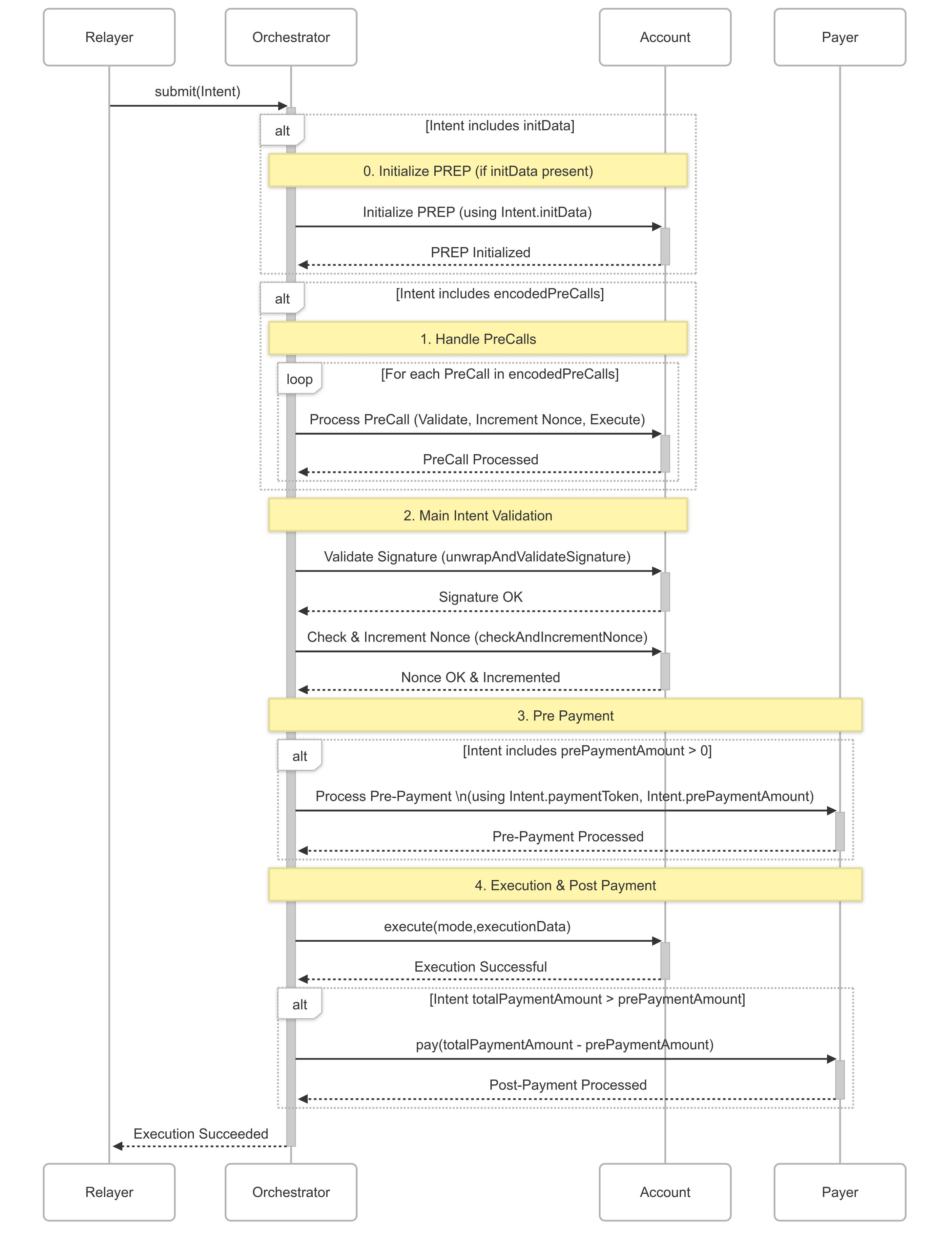
#### Flow Diagram
### Endpoints
#### Core Execution
These are the main entry points for submitting and executing Intents.
##### `execute` (Single Intent)
```solidity
function execute(bytes calldata encodedIntent) public payable virtual nonReentrant returns (bytes4 err)
```
* **Description:** Executes a single encoded Intent. An Intent is a structured set of operations to be performed on behalf of an EOA, potentially including calls to other contracts and gas payment details. This function handles the entire lifecycle: payment, verification, and execution of the Intent.
* **Usage:**
* `encodedIntent`: ABI-encoded `Intent` struct. The `Intent` struct includes fields like `eoa` (the target EOA), `executionData` (encoded calls to perform), `nonce`, `payer`, `paymentToken`, `paymentMaxAmount`s, `combinedGas`, and `encodedPreCalls`.
* The function is `payable` to receive gas payments if the EOA or a designated payer is covering transaction costs with the native token.
* Returns `err`: A `bytes4` error selector. Non-zero if there's an error during payment, verification, or execution. A zero value indicates overall success of the Intent processing through the Orchestrator's flow.
* Emits an `IntentExecuted` event.
##### `execute` (Batch Intents)
```solidity
function execute(bytes[] calldata encodedIntents) public payable virtual nonReentrant returns (bytes4[] memory errs)
```
* **Description:** Executes an array of encoded Intents atomically.
* **Usage:**
* `encodedIntents`: An array of ABI-encoded `Intent` structs.
* Returns `errs`: An array of `bytes4` error selectors, one for each Intent in the batch.
* Each Intent is processed sequentially.
***
#### Simulation
##### `simulateExecute`
```solidity
function simulateExecute(bool isStateOverride, uint256 combinedGasOverride, bytes calldata encodedIntent) external payable returns (uint256 gasUsed)
```
* **Description:** Simulates the execution of an Intent. This is primarily used for off-chain gas estimation and validation without actually changing state or consuming real funds (unless `isStateOverride` is true and specific conditions are met for on-chain simulation with logs).
* Signature verification steps are still performed for accurate gas measurement but will effectively pass.
* Errors during simulation are bubbled up.
* **Usage:**
* `isStateOverride`:
* If `false` (typical off-chain simulation): The function will *always* revert. If successful, it reverts with `SimulationPassed(uint256 gUsed)`. If failed, it reverts with the actual error from the execution flow.
* If `true` (for on-chain simulation that generates logs, e.g., `eth_simulateV1`): The function will *not* revert on success if `msg.sender.balance == type(uint256).max` (proving a state override environment). Returns `gasUsed`. Otherwise, reverts with `StateOverrideError`.
* `combinedGasOverride`: Allows overriding the `combinedGas` specified in the `Intent` for simulation purposes.
* `encodedIntent`: The ABI-encoded `Intent` struct to simulate.
* Returns `gasUsed`: The amount of gas consumed by the execution if `isStateOverride` is true and conditions are met. Otherwise, relies on revert data.
***
#### Helpers
##### `accountImplementationOf`
```solidity
function accountImplementationOf(address eoa) public view virtual returns (address result)
```
* **Description:** Returns the implementation address of an EOA if it's an EIP-7702 proxy. It checks the EOA's bytecode to determine if it's a valid EIP-7702 proxy and then retrieves its current implementation.
#### Events
##### `IntentExecuted`
```solidity
event IntentExecuted(address indexed eoa, uint256 indexed nonce, bool incremented, bytes4 err);
```
* **Description:** Emitted when an Intent (including PreCalls that use nonces) is processed via the `_execute` flow.
* `eoa`: The target EOA of the Intent.
* `nonce`: The nonce of the Intent.
* `incremented`: Boolean indicating if the nonce's sequence was successfully incremented on the account. This generally implies successful verification and pre-payment.
* `err`: The `bytes4` error selector resulting from the Intent's processing. `0` indicates no error *from the Orchestrator's perspective for that phase*. A non-zero `err` along with `incremented == true` means the verification and pre-payment were likely okay, but the main execution or post-payment failed. If `incremented == false`, an earlier stage (like verification) failed.
***
## Security
⚠️ Contracts have been audited by Riley H, Kaden & Milotruck.
### Bug Bounty
We're opening up a live bug bounty program to encourage responsible security research and battle-test our contracts in the real world. We’re inviting white hat hackers, tinkerers, and security researchers to probe our account implementation.
***
#### 🪙 Bounty Rewards
| Severity | Reward | Examples |
| -------- | ------------- | ------------------------------------------------------------------- |
| Critical | Up to 5 ETH | Successfully drain one of the live accounts using any vulnerability |
| High | Up to 2.5 ETH | Prevent a user from accessing funds |
| Medium | Discretionary | - |
-The exact severity of bugs is determined from a combination of security impact, and the likelihood of this attack occuring, at the discretion of the Ithaca team.
-We currently don’t have any open bounties for low & info bugs, or gas optimizations. But if you find one, feel free to open an issue in [the account repo](https://github.com/ithacaxyz/account), for good karma.
#### Scope
The current bug bounty covers the smart contracts in the [account repo with the version tag at v0.5.4 or above](https://github.com/ithacaxyz/account/releases/tag/v0.5.4). Previous releases and other code are considered out-of-scope.
#### Criteria for Bug Bounty eligibility
1. The bug must be novel. It must not be a previously known issue to us (github issue, or surfaced by a previous audit), or revealed/exploited via an on-chain transaction.
2. Security vulnerability reports must be sent to [`security@ithaca.xyz`](mailto\:security@ithaca.xyz) to be eligible for a bounty.
3. Public disclosure of the bug must be after written approval by the Ithaca team.
## Simulator
The Simulator is a versatile utility designed to help offchain services and Relays obtain accurate gas estimates for intents efficiently.
It functions like an advanced multicall, enabling sophisticated operations such as searching for optimal `combinedGas` values, generating custom execution traces, and providing clearer error messages for transaction reverts.
It uses the primitive [simulateExecute](/contracts/orchestrator#simulation) function exposed by the orchestrator, and adds custom logic on top of it.
Developers have the flexibility to utilize the default `Simulator` provided by Ithaca or deploy a custom one tailored to their specific needs.
Simulators operate without any special onchain privileges and any simulator can be used with any Orchestrator instance.
### State Override Convention
Certain simulation modes, especially those designed to generate detailed logs for tools like `eth_simulateV1`, depend on specific state overrides to operate correctly.
A general principle for enabling special simulation behaviors, such as skipping signature verification checks, involves checking the native token balance of `msg.sender`. If this balance is `type(uint256).max`, it signals a trusted simulation environment where certain validation steps can be relaxed.
* **For `simulateV1Logs`:**
* The [simulateExecute](/contracts/orchestrator#simulation) function, when invoked with `isStateOverride = true`, requires its direct caller (`msg.sender`) to possess a native token balance equal to `type(uint256).max`.
* When `simulateV1Logs` calls the Orchestrator, the Simulator contract acts as the `msg.sender`.
* **Crucially, for `simulateV1Logs` to successfully produce a non-reverting trace, the Simulator contract's native token balance must be externally set to `type(uint256).max` *before* calling `simulateV1Logs`.**
* Failure to meet this condition will typically cause the Orchestrator to revert with `StateOverrideError()`, which is then propagated by the Simulator.
:::info
**Paymaster Considerations:**
If an Intent utilizes a paymaster, the simulation might also need to bypass paymaster signature verification.
In this scenario, the Orchestrator is the `msg.sender` to the paymaster contract. Consequently, the Orchestrator's balance must also be set to `type(uint256).max` to facilitate this.
Developers creating paymasters should ensure their contracts can skip signature verification when called by an entity with a maximum balance (signifying a trusted simulation context) to maintain compatibility with the Simulator.
:::
### Endpoints
#### `simulateGasUsed`
* **Signature:**
```solidity
function simulateGasUsed(
address oc,
bool overrideCombinedGas,
bytes calldata encodedIntent
) public payable virtual returns (uint256 gasUsed);
```
* **Description:**
This function simulates the gas usage for a single encoded Intent. It calls the `simulateExecute` function on the specified Orchestrator contract with `isStateOverride` set to `false`.
If the underlying simulation within the Orchestrator fails, this function will revert.
* **Usage:**
* **Parameters:**
* `oc`: Address of the Orchestrator contract.
* `overrideCombinedGas`: Boolean indicating how `combinedGas` is handled:
* If `true`: The `combinedGas` field in the `encodedIntent` is overridden to `type(uint256).max` for the simulation. This helps determine the raw gas cost without constraints from the Intent's specified gas limit.
* If `false`: The `combinedGas` value from the `encodedIntent` is respected.
* `encodedIntent`: The ABI-encoded [Intent](/contracts/orchestrator#intents)
* **Returns:**
* `gasUsed`: The amount of gas consumed by the simulated execution. This is extracted from the `SimulationPassed(uint256 gasUsed)` revert data from the Orchestrator.
* **Reverts:**
* If the simulation fails (e.g., due to an error in Intent logic or insufficient gas if `overrideCombinedGas` is `false`), it reverts with the Orchestrator's error.
#### `simulateCombinedGas`
* **Signature:**
```solidity
function simulateCombinedGas(
address oc,
bool isPrePayment,
uint8 paymentPerGasPrecision,
uint256 paymentPerGas,
uint256 combinedGasIncrement,
bytes calldata encodedIntent
) public payable virtual returns (uint256 gasUsed, uint256 combinedGas);
```
* **Description:**
This function simulates an Intent's execution to iteratively find the minimum `combinedGas` value required for it to pass successfully. The process involves two main stages:
1. **Baseline Simulation:**
* Performs a primary simulation run by calling the Orchestrator's `simulateExecute` function.
* `isStateOverride` is set to `false`.
* `combinedGasOverride` is set to `type(uint256).max`.
* This initial run establishes a baseline `gasUsed` for the Intent.
2. **Iterative Search:**
* Iteratively increases the `combinedGas` field in a copy of the Intent.
* Starts from `baseline_gasUsed + original_Intent.combinedGas`.
* Associated payment amounts (`prePaymentAmount`, `totalPaymentAmount`) are adjusted accordingly in each iteration.
* Continues until a call to the Orchestrator's `simulateExecute` (with `isStateOverride = false` and no `combinedGasOverride`) succeeds by reverting with `SimulationPassed`.
* **Usage:**
* **Parameters:**
* `oc`: Address of the Orchestrator contract.
* `isPrePayment`: Boolean indicating how payment is handled:
* If `true`: The gas-based payment is added to `prePaymentAmount` (and `totalPaymentAmount`).
* If `false`: The gas-based payment is added only to `totalPaymentAmount`.
* `paymentPerGasPrecision`: Defines precision for `paymentPerGas`.
* Example: If `paymentPerGas` is in Gwei, `paymentToken` has 18 decimals, and you want `paymentPerGas` to represent units with 9 decimal places of precision, this field would be `9`.
* Payment amount is calculated as: `gas * paymentPerGas / (10 ** paymentPerGasPrecision)`.
* `paymentPerGas`: Amount of `paymentToken` added to Intent's payment fields per unit of gas.
* `combinedGasIncrement`: Basis points value for `combinedGas` increment step (e.g., `100` for 1%, `10000` for 100%).
* `combinedGas` is updated in each iteration by: `current_combinedGas * combinedGasIncrement / 10000`
* Ensure this value is greater than `10000` (e.g., `10100` for a 1% increment) to guarantee `combinedGas` increases.
* `encodedIntent`: The ABI-encoded [Intent](/contracts/orchestrator#intents)
* **Returns:**
* `gasUsed`: Gas consumed in the first successful simulation identified during the iterative search (extracted from `SimulationPassed` revert data).
* `combinedGas`: The `combinedGas` value from the Intent that resulted in the first successful simulation.
* **Reverts:**
* If the initial baseline simulation (with maximum `combinedGas`) fails.
* If a `PaymentError` is encountered during the iterative search (increasing `combinedGas` and payments won't resolve this).
#### `simulateV1Logs`
* **Signature:**
```solidity
function simulateV1Logs(
address oc,
bool isPrePayment,
uint8 paymentPerGasPrecision,
uint256 paymentPerGas,
uint256 combinedGasIncrement,
uint256 combinedGasVerificationOffset,
bytes calldata encodedIntent
) public payable virtual returns (uint256 gasUsed, uint256 combinedGas);
```
* **Description:**
* Extends the functionality of `simulateCombinedGas`.
* After determining `combinedGas` and `gasUsed` iteratively, it introduces a `combinedGasVerificationOffset`.
* A final simulation run is performed by calling `simulateExecute` on the Orchestrator with `isStateOverride` set to `true`.
* Goal: Generate a successful, non-reverting simulation trace compatible with tools like `eth_simulateV1` for detailed execution log retrieval.
* Payment amounts in the Intent are updated based on the determined `combinedGas` (including the offset).
* **Usage:**
* State override requirements are detailed [here](#state-override-convention).
* **Parameters:**
* `combinedGasVerificationOffset`: A static gas amount added to the `combinedGas` value found by the iterative search. This helps account for minor gas variations (e.g., with P256 signature schemes).
* All other parameters function identically to those in [`simulateCombinedGas`](#simulatecombinedgas).
* **Returns:**
* `gasUsed`: Gas consumed during the final verification run.
* `combinedGas`: Final `combinedGas` used in the verification run.
* **Reverts:**
* If any underlying simulation step fails.
* If the necessary state override for the `Simulator` contract's balance is not in place, the final call to Orchestrator will likely revert with `StateOverrideError()`.
## `health`
Health check for the Relay. Returns the version of the server.
### Request
```ts
type Request = {
method: 'health',
}
```
### Response
```ts
type Response = {
status: string;
version: string;
}
```
### Example
```sh
cast rpc --rpc-url https://rpc.porto.sh health
```
```json
{
"status": "rpc ok",
"version": "21.0.2 (93ade40)"
}
```
## Overview
The Relay uses JSON-RPC 2.0 to facilitate communication between the Porto SDK and the blockchain. The RPC is responsible for building, simulating and sending intents to the contracts on behalf of a user.
Execution is paid for in one of the fee tokens accepted by the RPC on a given network. You can get the supported fee tokens for a chain by querying [`wallet_getCapabilities`].
:::note
We'd love to hear your feedback. Report any issues or feature suggestions [on the issue tracker](https://github.com/ithacaxyz/relay/issues).
:::
### Endpoints
#### Chain support
The Relay exposes a unified JSON-RPC endpoint: `https://rpc.porto.sh`.
You can query supported chains, contracts, and fee tokens via `wallet_getCapabilities`.
Example:
```sh
cast rpc --rpc-url https://rpc.porto.sh wallet_getCapabilities
```
**Supported Networks:**
| Network | Chain ID | Fee Token Support | Interop Support |
| -------------------- | -------- | ----------------- | ---------------- |
| **Base** | 8453 | ETH, USDC, USDT | ETH, USDC, USDT |
| **Optimism** | 10 | ETH, USDC, USDT | ETH, USDC, USDT |
| **Arbitrum** | 42161 | ETH, USDC, USDT | ETH, USDC, USDT |
| **Ethereum** | 1 | ETH, USDC, USDT | ETH, USDC, USDT |
| **Celo** | 42220 | CELO, USDC, USDT | USDC, USDT |
| **BNB Chain** | 56 | BNB, USDT | No |
| **Polygon** | 137 | POL, USDC, USDT | USDC, USDT |
| **Katana** | 747474 | ETH | No |
| **Base Sepolia** | 84532 | tETH, EXP1, EXP2 | tETH, EXP1, EXP2 |
| **Optimism Sepolia** | 11155420 | tETH, EXP1, EXP2 | tETH, EXP1, EXP2 |
| **Arbitrum Sepolia** | 421614 | tETH | No |
* **Fee Token Support**: Tokens accepted to pay execution fees on that chain.
* **Interop Support**: Cross-chain supported tokens (from the Relay interop dashboard).
### Local Development
To run the Relay locally, you can use the following command:
```sh
curl -sSL s.porto.sh/docker | docker compose -f - up -d
```
Once complete, the Relay will be available at `http://localhost:9200`:
```sh
cast rpc --rpc-url http://localhost:9200 wallet_getCapabilities "[31337]"
```
::::tip
If you have [OrbStack](https://orbstack.dev/) installed, you can also query the Relay at `https://relay.local`.
:::note
Production RPC URL: `https://rpc.porto.sh` (JSON-RPC 2.0 over HTTP). All examples on this page target this endpoint unless stated otherwise.
:::
::::
### Testnet Faucet (dev)
Need test funds for Dialog/Playground flows? Use the development faucet RPC.
See: [`wallet_addFaucetFunds`](/relay/wallet_addFaucetFunds)
### Account management
Accounts are managed through the RPC using the following methods:
#### Account upgrade
Upgrading an existing EOA is split into two steps:
* [`wallet_prepareUpgradeAccount`]: Prepares an account for upgrade.
* [`wallet_upgradeAccount`]: Upgrades the account on chain.
#### Account information
* [`wallet_getKeys`]: Get all keys attached to an account.
For more details on how accounts work, see the [Account documentation](#TODO).
### Intent execution
Intents are executed in two steps. First, [`wallet_prepareCalls`] is called to simulate the call and estimate fees. A context is returned with the built intent, which also includes a quote signed by the Relay, which expires after some time. The built intent is verified and signed by the user's key, and the quote plus the signed intent is sent to the Relay with [`wallet_sendPreparedCalls`].
The Relay will validate that the quote is still valid, that the intent was signed, and will then include it in a transaction on the destination chain. [`wallet_sendPreparedCalls`] returns an opaque identifier that is the equivalent of a transaction hash. To get the status of an intent, plus any transaction receipts for the intent, you must use [`wallet_getCallsStatus`]. For historical activity across bundles, paginate with [`wallet_getCallsHistory`].
[`wallet_getCapabilities`]: /relay/wallet_getCapabilities
[`wallet_prepareUpgradeAccount`]: /relay/wallet_prepareUpgradeAccount
[`wallet_upgradeAccount`]: /relay/wallet_upgradeAccount
[`wallet_getKeys`]: /relay/wallet_getKeys
[`wallet_prepareCalls`]: /relay/wallet_prepareCalls
[`wallet_sendPreparedCalls`]: /relay/wallet_sendPreparedCalls
[`wallet_getCallsStatus`]: /relay/wallet_getCallsStatus
[`wallet_getCallsHistory`]: /relay/wallet_getCallsHistory
## `wallet_addFaucetFunds`
Development-only JSON-RPC to request faucet funds on supported testnets. Intended for local/testing flows and not for production usage.
* Availability: testnets only (subject to rate limits)
* Supported networks: Base Sepolia (`84532`), Optimism Sepolia (`11155420`)
### Request
```ts
import { Address } from 'viem'
type Request = {
method: 'wallet_addFaucetFunds',
params: [{
address: Address
chainId: number
/** Token to mint (required) */
tokenAddress: Address
/** Amount to mint (defaults to 25) */
value?: number
}]
}
```
### Response
```ts
import { Hash } from 'viem'
type Response = {
/** Mint transaction hash */
id: Hash
}
```
### Examples
```sh
cast rpc --rpc-url https://rpc.porto.sh \
wallet_addFaucetFunds '[{"address":"0xYourAddress","chainId":84532,"tokenAddress":"0x3a9b126bf65c518f1e02602bd77bd1288147f94c","value":25}]' --raw
```
```sh
cast rpc --rpc-url https://rpc.porto.sh \
wallet_addFaucetFunds '[{"address":"0xYourAddress","chainId":11155420,"tokenAddress":"0x6795f10304557a454b94a5c04e9217677cc9b598"}]' --raw
```
### Notes
* Development-only; expect rate limiting per address and IP.
* Backed by the Service faucet. See implementation reference in `apps/service/src/routes/faucet.ts`.
## `wallet_getAssets`
Get assets for an account across supported chains.
Implements [EIP-7811](https://eips.ethereum.org/EIPS/eip-7811) asset discovery standard.
### Request
```ts
type Request = {
method: 'wallet_getAssets',
params: [{
/** Account address */
account: `0x${string}`,
/** Optional filter for specific assets */
assetFilter?: {
[chainId: `0x${string}`]: {
address: `0x${string}` | 'native',
type: 'native' | 'erc20' | 'erc721' | string,
}[],
},
/** Optional filter for asset types */
assetTypeFilter?: ('native' | 'erc20' | 'erc721' | string)[],
/** Optional filter for specific chains */
chainFilter?: `0x${string}`[],
}],
}
```
### Response
```ts
type Response = {
[chainId: `0x${string}`]: {
address: `0x${string}` | 'native',
balance: bigint,
metadata: {
decimals: number,
name: string,
symbol: string,
} | null,
type: 'native' | 'erc20' | 'erc721' | string,
}[]
}
```
### Example
```sh
cast rpc --rpc-url https://rpc.porto.sh wallet_getAssets '[{"account": "0x1234567890123456789012345678901234567890"}]' --raw
```
```json
{
"0x2105": [
{
"address": "native",
"balance": "0x1bc16d674ec80000",
"metadata": {
"decimals": 18,
"name": "Ethereum",
"symbol": "ETH"
},
"type": "native"
},
{
"address": "0x833589fcd6edb6e08f4c7c32d4f71b54bda02913",
"balance": "0xf4240",
"metadata": {
"decimals": 6,
"name": "USD Coin",
"symbol": "USDC"
},
"type": "erc20"
}
]
}
```
## `wallet_getCallsHistory`
Retrieve historical call bundles for an account. Results are returned in reverse chronological order by default.
Use this method to render activity feeds, audit execution history, or inspect which bundles were signed with a given key. For the current status of a specific bundle, prefer [`wallet_getCallsStatus`].
### Request
```ts
type Request = {
method: 'wallet_getCallsHistory'
params: [{
/** Address to fetch call bundles for. */
address: `0x${string}`
/** Index to start from (cursor). Defaults to 0 for ascending and latest index for descending. */
index?: number
/** Maximum number of bundles to return. */
limit: number
/** Sort direction. Use 'desc' for most recent first. */
sort: 'asc' | 'desc'
}]
}
```
### Response
```ts
type Response = {
/** Capabilities snapshot recorded for the bundle. */
capabilities: {
assetDiffs?: AssetDiffs
feeTotals?: FeeTotals
quotes?: Quote[]
}
/** Bundle identifier. */
id: `0x${string}`
/** Index of the bundle within the account's history. */
index: number
/** Hash of the key that signed the bundle. */
keyHash: `0x${string}`
/** Status code for the bundle (see [`wallet_getCallsStatus`]). */
status: number
/** UNIX timestamp (seconds) when the bundle was included. */
timestamp: number
/** Transactions broadcast as part of the bundle. */
transactions: {
chainId: number
transactionHash: `0x${string}`
}[]
}[]
```
### Example
```sh
cast rpc --rpc-url https://rpc.porto.sh \
wallet_getCallsHistory '[{ "address": "0x391a3bFbd6555E74c771513b86A2e2a0356Ae1A0", "limit": 5, "sort": "desc" }]' --raw | jq
```
The `status` codes match the table documented on [`wallet_getCallsStatus`]. Use the `capabilities` object to render fee totals, asset diffs, and quotes captured at execution time.
See [`wallet_prepareCalls`](/relay/wallet_prepareCalls#response) for detailed capability schemas.
[`wallet_getCallsStatus`]: /relay/wallet_getCallsStatus
[`wallet_prepareCalls`]: /relay/wallet_prepareCalls
## `wallet_getCallsStatus`
Get the status of a call bundle. This method is modeled after [ERC-5792](https://eips.ethereum.org/EIPS/eip-5792), but with slight modifications to better suit a multi-chain wallet, namely `chainId` is not a property of the bundle itself, but of the receipts in the bundle.
If the bundle failed off-chain, or if it is pending, there may be no receipts.
### Status Codes
The purpose of the `status` field is to provide a short summary of the current status of the bundle.
It provides some off-chain context to the array of inner transaction `receipts`.
| Code | Description |
| ---- | --------------------------------------------------------------------------------------------------------------------------------- |
| 100 | Batch has been received by the wallet but has not completed execution onchain (pending) |
| 200 | Batch has been included onchain without reverts, receipts array contains info of all calls (confirmed) |
| 300 | Batch has not been included onchain and wallet will not retry (offchain failure) |
| 400 | Batch reverted **completely** and only changes related to gas charge may have been included onchain (chain rules failure) |
| 500 | Batch reverted **partially** and some changes related to batch calls may have been included onchain (partial chain rules failure) |
### Request
The parameter is a call bundle ID, as returned by e.g. [`wallet_sendPreparedCalls`].
```ts twoslash
import { Hex } from 'viem'
// ---cut---
type Request = {
method: 'wallet_getCallsStatus',
// the call bundle ID
params: [Hex],
}
```
### Response
```ts twoslash
import { Address, Hash, Hex } from 'viem'
// ---cut---
type Response = {
id: Hex,
status: number, // See "Status Codes"
receipts: {
logs: {
chainId: Hex,
address: Address,
data: Hex,
topics: Hex[],
}[],
status: Hex, // Hex 1 or 0 for success or failure, respectively
blockHash?: Hash,
blockNumber?: Hex,
gasUsed: Hex,
transactionHash: Hash,
}[],
/** Optional capabilities for cross-chain bundles */
capabilities?: {
/** Interop bundle status if this is an interop bundle */
interopStatus?: 'pending' | 'confirmed' | 'failed',
},
}
```
[`wallet_sendPreparedCalls`]: /relay/wallet_sendPreparedCalls
## `wallet_getCapabilities`
Gets supported [EIP-5792 Capabilities](https://eips.ethereum.org/EIPS/eip-5792#wallet_getcapabilities) of the Relay.
### Request
```ts twoslash
import { Hex } from 'viem'
// ---cut---
type Request = {
method: 'wallet_getCapabilities',
// the chain ids
params: Hex[],
}
```
### Response
A map of chain IDs to the capabilities supported by the Relay on those chains, which includes:
* contract addresses (`contracts`)
* fee configuration (`fees`), such as supported fee tokens (`fees.tokens`), and quote lifetimes (`fees.quoteConfig.ttl`)
```ts twoslash
import { Address, Hex } from 'viem'
// ---cut---
type Response = {
// the chain ID as hex
[chainId: Hex]: {
contracts: {
/** Account implementation address. */
accountImplementation: {
address: Address,
version?: string | null,
},
/** Account proxy address. */
accountProxy: {
address: Address,
version?: string | null,
},
/** Legacy account implementation addresses. */
legacyAccountImplementations: {
address: Address,
version?: string | null,
}[],
/** Legacy orchestrator addresses. */
legacyOrchestrators: {
address: Address,
version?: string | null,
}[],
/** Orchestrator address. */
orchestrator: {
address: Address,
version?: string | null,
},
/** Simulator address. */
simulator: {
address: Address,
version?: string | null,
},
/** Funder contract address. */
funder: {
address: Address,
version?: string | null,
},
/** Escrow contract address. */
escrow: {
address: Address,
version?: string | null,
},
},
fees: {
quoteConfig: {
/** Sets a constant rate for the price oracle. Used for testing. */
constantRate?: number | null,
/** Gas estimate configuration. */
gas: {
/** Extra buffer added to Intent gas estimates. */
intentBuffer: number,
/** Extra buffer added to transaction gas estimates. */
txBuffer: number,
},
/** The lifetime of a price rate. */
rateTtl: number,
/** The lifetime of a fee quote. */
ttl: number,
},
/** Fee recipient address. */
recipient: Address,
/** Tokens the fees can be paid in. */
tokens: {
address: Address,
decimals: number,
interop?: boolean,
/** The rate of the fee token to native tokens. */
nativeRate?: bigint,
symbol: string,
uid: string
}[],
},
}
}
```
### Example
```sh
cast rpc --rpc-url https://rpc.porto.sh wallet_getCapabilities '["0x14a34"]'
```
```json
{
"0x14a34": {
"contracts": {
"orchestrator": {
"address": "0xb447ba5a2fb841406cdac4585fdc28027d7ae503",
"version": "0.4.6"
},
"accountImplementation": {
"address": "0xc4e1dc6045234b913db45e8f51e770d6d12e42a1",
"version": "0.4.11"
},
"legacyOrchestrators": [],
"legacyAccountImplementations": [],
"accountProxy": {
"address": "0x5874f358359ee96d2b3520409018f1a6f59a2cdc",
"version": null
},
"simulator": {
"address": "0xcb80788813c39d90c48c2733b43b3e47e23a2d3f",
"version": null
},
"funder": {
"address": "0x665efbf4b831aac6b712471c6bbfdb11e1721b4f",
"version": null
},
"escrow": {
"address": "0x55626138525a47af075322aafe1df8f68993b11d",
"version": null
}
},
"fees": {
"recipient": "0x665efbf4b831aac6b712471c6bbfdb11e1721b4f",
"quoteConfig": {
"constantRate": null,
"gas": {
"intentBuffer": 20000,
"txBuffer": 10000
},
"ttl": 30,
"rateTtl": 300
},
"tokens": [
{
"uid": "exp2",
"address": "0x2ace05bcb50b49953aaa4c00f318db908a512d99",
"decimals": 18,
"feeToken": true,
"interop": true,
"symbol": "EXP2",
"nativeRate": "0xc536acbc02a4"
},
{
"uid": "exp1",
"address": "0x74e294e9d05bace256796040ca6dc0c47efb9fff",
"decimals": 18,
"feeToken": true,
"interop": true,
"symbol": "EXP",
"nativeRate": "0xc536acbc02a4"
},
{
"uid": "teth",
"address": "0x0000000000000000000000000000000000000000",
"decimals": 18,
"feeToken": true,
"interop": true,
"symbol": "ETH",
"nativeRate": "0xde0b6b3a7640000"
}
]
}
}
}
```
## `wallet_getKeys`
Get all keys for an account.
### Request
```ts twoslash
import { Address, Hex } from 'viem'
// ---cut---
type Request = {
method: 'wallet_getKeys',
params: [{
address: Address,
chainIds?: Hex[] | undefined,
}],
}
```
### Response
Each key associated with an account, along with the permissions set on the keys.
```ts twoslash
import { Address, Hash, Hex } from 'viem'
// ---cut---
type Response = {
[chainId: `0x${string}`]: {
// key hash
hash: Hash
key: {
expiry?: number
type: 'p256' | 'webauthnp256' | 'secp256k1'
role: 'admin' | 'normal' | 'session'
publicKey: Hex
}
permissions: (
| {
type: 'call'
selector: string
to: Address
}
| {
type: 'spend'
limit: number
period: 'minute' | 'hour' | 'day' | 'week' | 'month' | 'year'
// defaults to the native token (address zero)
token?: Address
}
)[]
}[]
}
```
import Keys from './snippets/keys.mdx'
import Fees from './snippets/fees.mdx'
import Selectors from './snippets/selectors.mdx'
## `wallet_prepareCalls`
Prepares a call bundle. The calls are simulated and a quote for executing the bundle by the server is provided. The quote lives for a certain amount of time, after which it expires.
:::tip
This method is intended to be used in conjunction with [`wallet_sendPreparedCalls`](/relay/wallet_sendPreparedCalls).
:::
### PreCalls
PreCalls are calls that are executed prior to pre-verification of the signature of the bundle, and before any payment is made.
Only certain types of calls are allowed in precalls:
* Authorizing a key (`Delegation.authorize`)
* Revoking a key (`Delegation.revoke`)
* Setting call permissions on a key (`Delegation.setCanExecute`)
* Setting spend limits on a key (`Delegation.setSpendLimit`)
* Removing spend limits on keys (`Delegation.removeSpendLimit`)
* Upgrading the delegation (`Delegation.upgradeProxyDelegation`)
PreCalls have their own signatures, and they must be signed with a key that is already attached to the account. The `from` and `key` fields can be omitted when building a precall (`precall: true`).
More details about preCalls can be found [in the Orchestrator documentation](/contracts/orchestrator#precalls)
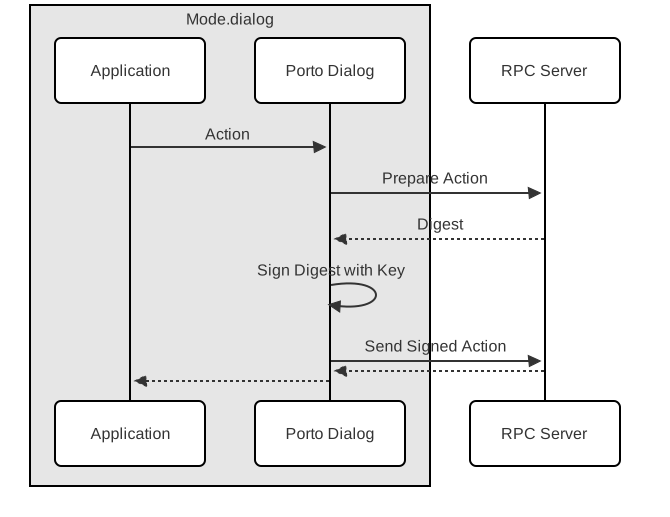
### Request
The request consists of:
* A set of calls (`calls`)
* The sender of the intent (`from`)
* Optional supported capabilities, such as key additions (`capabilities.authorizeKeys`), key revocations (`capabilities.revokeKeys`), and precalls (`capabilities.preCalls`).
The fee token the user wishes to pay for execution of the intent is specified in `capabilities.meta.feeToken`. It is also possible to specify a nonce here. If no nonce is specified, the latest on-chain nonce for the EOA will be used.
The key the user wishes to sign the intent with is specified in `key`.
```ts twoslash
import { Address, Hash, Hex } from 'viem'
// ---cut---
type Request = {
method: 'wallet_prepareCalls',
params: [{
calls: {
to: Address,
value: Hex,
bytes: Hex,
}[],
chainId: Hex,
// The address of the account sending the bundle.
// It can be omitted in the case of a precall, see "PreCalls".
from?: Address,
capabilities: {
authorizeKeys: {
// See "Keys"
key: {
expiry?: number,
type: 'p256' | 'webauthnp256' | 'secp256k1',
role: 'admin' | 'normal' | 'session',
publicKey: Hex,
},
permissions: ({
type: 'call',
// See "Selectors"
selector: string,
to: Address,
} | {
type: 'spend',
limit: number,
period: 'minute' | 'hour' | 'day' | 'week' | 'month' | 'year',
// defaults to the native token (address zero)
token?: Address,
})[],
}[],
meta: {
// The account that pays fees for this bundle.
// Defaults to the account the bundle is for.
//
// See "Fees".
feePayer?: Address,
feeToken: Address,
nonce?: Hex,
},
// Set of keys to revoke.
revokeKeys: {
hash: Hash,
id?: Address,
}[],
// See "PreCalls"
preCalls: {
eoa: Address,
executionData: Hex,
nonce: Hex,
signature: Hex,
}[],
preCall?: boolean,
},
// The key that will be used to sign the bundle. See "Keys".
//
// It can be omitted in the case of a precall, see "PreCalls".
key?: {
type: 'p256' | 'webauthnp256' | 'secp256k1',
publicKey: Hex,
// Whether the bundle digest will be prehashed by the key.
prehash: boolean,
},
}],
}
```
### Response
The response is primarily a `context` object which can either be: a quote, which is the price at which the Relay will execute the intent for, with a deadline; or a built precall, in case `wallet_prepareCalls` was called to build a precall.
The user should sign `digest` with a key associated with their account. The signed digest and the `context` is then passed to [`wallet_sendPreparedCalls`], if the user wants the Relay to execute the intent.
The payment fields in `context.quote.op` that are relevant to figure out what the user will pay are:
* `prePaymentAmount`/`prePaymentMaxAmount`: fees the user will pay before the intent is executed
* `totalPaymentAmount`/`totalPaymentMaxAmount`: the maximum fees the user will pay
If `totalPaymentAmount - prePaymentAmount` is non-0, the remainder of the fees will be paid after the intent is executed.
```ts twoslash
import { Address, Hash, Hex, TypedData } from 'viem'
// ---cut---
type Response = {
// The context returned depending on whether
// a precall or normal bundle was prepared.
//
// In the case of a precall, the precall itself
// is returned, otherwise a quote signed by the
// relay is returned.
context: {
quote: {
/** Array of quotes for single or multi-chain execution */
quotes: {
chainId: Hex,
intent: {
eoa: Address,
executionData: Hex,
nonce: Hex,
payer: Address,
paymentToken: Address,
prePaymentMaxAmount: Hex,
totalPaymentMaxAmount: Hex,
combinedGas: Hex,
encodedPreCalls: Hex[],
prePaymentAmount: Hex,
totalPaymentAmount: Hex,
paymentRecipient: Address,
signature: Hex,
paymentSignature: Hex,
supportedAccountImplementation: Address,
},
txGas: Hex,
nativeFeeEstimate: {
maxFeePerGas: number,
maxPriorityFeePerGas: number,
},
authorizationAddress?: Address,
orchestrator: Address,
feeTokenDeficit?: Hex,
}[],
/** UNIX timestamp the quotes expire at */
ttl: number,
/** Optional merkle root for multi-chain execution */
multiChainRoot?: Hash,
/** The Relay's signature over the quotes */
signature: {
y_parity: boolean,
r: Hex,
s: Hex,
},
/** The hash of the quotes */
hash: Hash,
},
} | {
preCall: {
eoa: Address,
executionData: Hex,
nonce: Hex,
signature: Hex,
},
},
// the digest of the bundle that the user needs to sign
digest: Hash,
// EIP-712 typed data of the precall or bundle.
typedData: TypedData,
// capabilities assigned to the account
capabilities: {
authorizeKeys: {
// key hash
hash: Hash,
// See "Keys"
key: {
expiry?: number,
type: 'p256' | 'webauthnp256' | 'secp256k1',
role: 'admin' | 'normal' | 'session',
publicKey: Hex,
},
permissions: ({
type: 'call',
// See "Selectors"
selector: string,
to: Address,
} | {
type: 'spend',
limit: number,
period: 'minute' | 'hour' | 'day' | 'week' | 'month' | 'year',
// defaults to the native token (address zero)
token?: Address,
})[],
}[],
// Key revocations.
revokeKeys: {
hash: Hash,
id?: Address
}[],
// Simulated asset diffs, where the first element of the tuple is the recipient or sender.
assetDiff: [
Address,
{
// Omitted if this is the native token.
address?: Address,
decimals?: number,
direction: 'incoming' | 'outgoing',
name?: string,
symbol?: string,
type?: 'erc20' | 'erc721',
uri?: string,
// For ERC721, the asset ID. For ERC20 the value moved.
value: number,
}[]
][],
},
// The key that will be used to sign the bundle. See "Keys".
//
// It can be omitted in the case of a precall, see "PreCalls".
key?: {
type: 'p256' | 'webauthnp256' | 'secp256k1',
publicKey: Hex,
// Whether the bundle digest will be prehashed by the key.
prehash: boolean,
},
}
```
[`wallet_sendPreparedCalls`]: /relay/wallet_sendPreparedCalls
import Keys from './snippets/keys.mdx'
## `wallet_prepareUpgradeAccount`
Prepares an Externally-Owned Account (EOA) to be upgraded into a Porto Account.
The returned `authorization` object and `digest` must be signed by the EOA root key,
and forwarded to [`wallet_upgradeAccount`](/relay/wallet_upgradeAccount).
:::tip
This method is intended to be used in conjunction with [`wallet_upgradeAccount`](/relay/wallet_upgradeAccount).
:::
### Request
```ts twoslash
import { Address, Hash, Hex } from 'viem'
// ---cut---
type Request = {
method: 'wallet_prepareUpgradeAccount',
params: [{
// Address of the EOA to upgrade.
address: Hex,
// Optional chain ID to upgrade on. If not specified, the RPC
// Server will handle what chain to upgrade on. This chain will
// be the "source"/"home" chain of the account.
chainId?: Hex,
// Address of the account contract to delegate to.
delegation: Address,
// Additional capabilities.
capabilities: {
authorizeKeys: {
// See "Keys"
key: {
expiry?: number,
type: 'p256' | 'webauthnp256' | 'secp256k1',
role: 'admin' | 'normal' | 'session',
publicKey: Hex,
},
permissions: ({
type: 'call',
// See "Selectors"
selector: string,
to: Address,
} | {
type: 'spend',
limit: number,
period: 'minute' | 'hour' | 'day' | 'week' | 'month' | 'year',
// defaults to the native token (address zero)
token?: Address,
})[],
}[],
},
}],
}
```
### Response
```ts twoslash
import { Address, Hash, Hex } from 'viem'
// ---cut---
type Response = {
// Chain ID of the account.
chainId: Hex,
// Context that includes the prepared pre-call.
context: {
// Account address
address: Address,
// Unsigned authorization object to be signed by the EOA root key.
authorization: {
// Contract address to delegate to.
address: Address,
// Permitted chain ID.
// Note: `0x0` allows for replayability across chains.
chainId: Hex,
// Permitted nonce.
nonce: Hex,
},
// Unsigned pre-call to be signed by the EOA root key.
preCall: {
eoa: Address,
executionData: Hex,
nonce: Hex,
signature: Hex,
},
},
// Object of digests to be signed by the EOA root key. Includes the
// authorization digest and the initialization digest (pre-call).
digests: {
auth: Hash,
exec: Hash,
},
// EIP-712 typed data of the precall. This can be used to rebuild (and verify)
// the provided digest.
typedData: any,
// Capabilities assigned to the account.
capabilities: {
authorizeKeys: {
// key hash
hash: Hash,
// See "Keys"
key: {
expiry?: number,
type: 'p256' | 'webauthnp256' | 'secp256k1',
role: 'admin' | 'normal' | 'session',
publicKey: Hex,
},
permissions: ({
type: 'call',
// See "Selectors"
selector: string,
to: Address,
} | {
type: 'spend',
limit: number,
period: 'minute' | 'hour' | 'day' | 'week' | 'month' | 'year',
// defaults to the native token (address zero)
token?: Address,
})[],
}[],
// Key revocations.
revokeKeys: {
hash: Hash,
id?: Address
}[],
}
}
```
import Fees from './snippets/fees.mdx'
import Keys from './snippets/keys.mdx'
import Selectors from './snippets/selectors.mdx'
## `wallet_sendPreparedCalls`
Sends a prepared call bundle.
:::tip
This method is intended to be used in conjunction with [`wallet_prepareCalls`](/relay/wallet_prepareCalls).
:::
### Request
```ts twoslash
import { Address, Hash, Hex } from 'viem'
// ---cut---
type Request = {
method: 'wallet_sendPreparedCalls',
params: [{
capabilities?: {
// This will be passed to `feePayer` if specified for additional on-chain verification.
feeSignature?: Hex,
},
context: {
quote: {
/** Array of quotes for single or multi-chain execution */
quotes: {
chainId: Hex,
intent: {
eoa: Address,
executionData: Hex,
nonce: Hex,
payer: Address,
paymentToken: Address,
prePaymentMaxAmount: Hex,
totalPaymentMaxAmount: Hex,
combinedGas: Hex,
encodedPreCalls: Hex[],
prePaymentAmount: Hex,
totalPaymentAmount: Hex,
paymentRecipient: Address,
signature: Hex,
paymentSignature: Hex,
supportedAccountImplementation: Address,
},
txGas: Hex,
nativeFeeEstimate: {
maxFeePerGas: number,
maxPriorityFeePerGas: number,
},
authorizationAddress?: Address,
orchestrator: Address,
feeTokenDeficit?: Hex,
}[],
/** UNIX timestamp the quotes expire at */
ttl: number,
/** Optional merkle root for multi-chain execution */
multiChainRoot?: Hash,
/** The Relay's signature over the quotes */
signature: {
y_parity: boolean,
r: Hex,
s: Hex,
},
/** The hash of the quotes */
hash: Hash,
},
},
// The key that signed the bundle. See "Keys".
key: {
type: 'p256' | 'webauthnp256' | 'secp256k1',
publicKey: Hex,
// Whether the bundle digest will be prehashed by the key.
prehash: boolean,
},
signature: Hex,
}],
}
```
### Response
A bundle ID for use with [`wallet_getCallsStatus`].
```ts twoslash
import { Address, Hash, Hex } from 'viem'
// ---cut---
type Response = {
// The bundle ID
id: Hex
}
```
[`wallet_getCallsStatus`]: /relay/wallet_getCallsStatus
## `wallet_upgradeAccount`
Completes the upgrade of a counterfactual¹ Porto Account.
¹: The upgrade is not performed on-chain immediately, sparing the user the gas cost. Instead, the signed upgrade is sent to the Relay, which stores it and automatically executes and finalizes the upgrade when the user submits their next transaction (e.g., a send call).
:::tip
This method is intended to be used in conjunction with [`wallet_prepareUpgradeAccount`](/relay/wallet_prepareUpgradeAccount).
:::
### Request
```ts twoslash
import { Address, Hash, Hex } from 'viem'
// ---cut---
type Request = {
method: 'wallet_upgradeAccount',
params: [{
// Context that includes the prepared pre-call.
// As returned by `wallet_prepareUpgradeAccount`
context: {
address: Address,
authorization: {
address: Address,
chainId: Hex,
nonce: Hex,
},
preCall: {
eoa: Address,
executionData: Hex,
nonce: Hex,
signature: Hex,
},
},
// Object of signatures over the digests from `wallet_prepareUpgradeAccount`
signatures: {
auth: Hex,
exec: Hex,
},
}],
}
```
### Response
```ts
type Response = {
/** Call bundles that were executed */
bundles: {
/** The ID of the call bundle */
id: Hex,
}[]
}
```
## Frequently Asked Questions
:::tip
Visit [featuredetect.passkeys.dev](https://featuredetect.passkeys.dev)
to see if you can use passkeys on your device.
:::
### Which browsers are supported?
Porto supports the following browsers:
* Safari
* Chrome
* Firefox
* Brave
* Arc
If a browser is not listed above, it likely works but is not officially supported.
If you would like to request support, please open up a GitHub issue.
### Which password managers are supported?
Porto supports the following password managers:
* iCloud Keychain
* Google Password Manager
* 1Password
* Bitwarden
If a password manager is not listed above, it likely works but is not officially supported.
If you would like to request support, please open up a GitHub issue.
### Which operating systems are supported?
Porto supports the following operating systems:
* iOS
* iPadOS
* macOS
* Android
* Linux
* Windows
If an operating system is not listed above, it likely works but is not officially supported.
If you would like to request support, please open up a GitHub issue.
### How does Porto work with my Content Security Policy?
If you’ve deployed a Content Security Policy, the full set of directives that Porto requires are:
* `connect-src` `https://rpc.porto.sh`
* `frame-src` `https://id.porto.sh`
### Why did Ithaca drop PREP in favor of the ephemeral PK approach?
**TL;DR**: PREP was implemented and ran for a number of weeks. After evaluating the pros/cons, it was decided that the pattern did not meet the needs of the Porto Stack. It was replaced with an ephemeral private key that's in-place upgraded to a EIP7702 account, and then forgotten.
#### What is PREP?
PREP is a technique by Biconomy which is \~basically Nick's method but for EIP7702.
**Pros**:
* Cheap smart account deployments with resource lock capabilities. It's basically a cheaper method than Create2-based smart account deployments.
* Can tie the account initialization with the deployment transaction, which means that you don't have the Gnosis Safe-style vulnerability of uninitialized accounts across chains.
**Cons**:
* Everything in Create2-based smart contract deployments. Just PITA to get the same address for a user across every chain, it's doable, but this adds unnecessary complexity.
* With Passkey, there is the issue of 'discoverability', i.e. how do you know which passkey is for which address? So you usually want to name your passkey with your address. So there's a chicken-egg problem where you cannot know the address of your account because the passkey pubkey is baked into the address generation process, but you also cannot name the passkey after-the-fact because of how webauthn works. So to solve this, a registry needed to be created and some smart techniques used to decouple the passkey creation from the account while getting the no-frontrunning benefit.
* The biggest disqualifier was the inability to do "Create Account w/ Passkey + add session key" in 1 Passkey popup. To achieve 'real world' auth, it's necessary to be able to say "I am creating an account with a passkey AND I am also authorizing the app to e.g. spend $1/hour on my behalf" (or similar, w/ session keys). This just isn't possible because webauthn.create() cannot be used to also sign an additional payload, and baking the session key creation code in the initcode was unacceptable for x-chain deployments.
#### So what did we do instead?
Instead of doing any of the complex stuff, the approach taken was:
1. On sign up, generate an ephemeral private key. This signs an EIP7702 with chainid=0, which is x-chain replayable. It also signs a Passkey addition, with a modified EIP712 that's also x-chain replayable. If you want to do the 'single auth popup + session key', the private key signs that as well. 1-click everything. Simple.
2. The private key is then immediately forgotten. This all happens in the iframe's context, so there's never an opportunity for a malicious app to 'steal' that private key.
3. This makes it trivial to have the same address on every chain.
4. The provable resource-lock capabilities are not prioritized in this implementation, though they are understood to be valuable to some users.
import { Connect } from '../../components/Connect'
## Getting Started
### Overview
The Porto SDK is a TypeScript library designed for Applications and Wallets to create, manage, and
interact with universal next-gen accounts on Ethereum.
Try signing into your account:
### Install
Porto is available as an [NPM package](https://www.npmjs.com/package/porto) under `porto`
:::code-group
```bash [npm]
npm i porto
```
```bash [pnpm]
pnpm i porto
```
```bash [bun]
bun i porto
```
:::
### Wagmi Usage
Porto is best used in conjunction with [Wagmi](https://wagmi.sh/) to provide a seamless experience for developers and end-users.
::::steps
#### 1. Set up Wagmi
Get started with Wagmi by following the [official guide](https://wagmi.sh/react/getting-started).
#### 2. Configure Porto
After you have set up Wagmi, you can set up Porto by using the `porto(){:ts}` connector.
```ts [wagmi.ts] twoslash
import { http, createConfig, createStorage } from 'wagmi'
import { baseSepolia } from 'wagmi/chains'
import { porto } from 'wagmi/connectors' // [!code ++]
export const wagmiConfig = createConfig({
chains: [baseSepolia],
connectors: [porto()], // [!code ++]
storage: createStorage({ storage: localStorage }),
transports: {
[baseSepolia.id]: http(),
},
})
```
:::tip
If you are using a Account Connection library and cannot supply a custom connector,
you can use `Porto.create()` to create a new instance of Porto, and inject itself
into the Account Connection library via [EIP-6963](https://eips.ethereum.org/EIPS/eip-6963).
```ts
import { Porto } from 'porto'
Porto.create()
```
Supported Account Connection libraries include: [Privy](https://privy.io), [ConnectKit](https://docs.family.co/connectkit), [AppKit](https://reown.com/appkit), [Dynamic](https://dynamic.xyz), [RainbowKit](https://rainbowkit.com), [Thirdweb](https://thirdweb.com).
:::
#### 3. Use Porto
This means you can now use Wagmi-compatible Hooks like `useConnect`.
See [Wagmi Reference](/sdk/wagmi) for a set of compatible Wagmi Hooks.
```tsx twoslash
import * as React from 'react'
// ---cut---
import { useConnect, useConnectors } from 'wagmi'
function Connect() {
const connect = useConnect()
const connectors = useConnectors()
return connectors?.map((connector) => (
))
}
```
#### 4. Deploy to Production
Now you can deploy your application to production!
Also see [Deploying to Production](/sdk/production) for some things to consider before deploying to production.
::::
### Vanilla / Viem Usage
You can get started with Porto by creating a new instance with `Porto.create(){:ts}`.
Once set up, you can use the `provider` instance to interact with Porto.
:::code-group
```ts twoslash [Vanilla]
import { Porto } from 'porto'
// 1. Initialize Porto.
const porto = Porto.create()
// 2. Use JSON-RPC methods.
const { accounts } = await porto.provider.request({
method: 'wallet_connect'
})
```
```ts twoslash [Viem]
import { custom, createWalletClient } from 'viem'
import { baseSepolia } from 'viem/chains'
import { Porto } from 'porto'
// 1. Initialize Porto.
const porto = Porto.create()
// 2. Initialize Wallet Client.
const walletClient = createWalletClient({
chain: baseSepolia,
transport: custom(porto.provider),
})
// 3. Use Wallet Actions.
const addresses = await walletClient.requestAddresses()
```
:::
* See [RPC Reference](/sdk/rpc) for a list of all available JSON-RPC methods.
* See [Viem's Wallet Actions](https://viem.sh/docs/actions/wallet/introduction)
### Secure Origins (HTTPS)
Porto is designed to be used on secure origins (HTTPS). If you are using HTTP,
Porto will fallback to using a popup instead of an iframe. This is because
WebAuthn is not supported on iframes embedded on insecure origins (HTTP).
Web frameworks typically default to HTTP in development environments. You
will need to ensure to turn on HTTPS in development to leverage the Porto iframe.
#### Vite
HTTPS can be enabled on Vite's dev server by installing and configuring the `vite-plugin-mkcert` plugin.
```bash
npm i vite-plugin-mkcert
```
```ts [vite.config.ts]
import { defineConfig } from 'vite'
import react from '@vitejs/plugin-react'
import mkcert from 'vite-plugin-mkcert' // [!code ++]
export default defineConfig({
plugins: [
mkcert(), // [!code ++]
react(),
],
})
```
#### Next.js
HTTPS can be enabled on Next.js' dev server by setting the `--experimental-https` flag on the `next dev` command.
```bash
next dev --experimental-https
```
#### Caddy
HTTPS can be enabled by running [Caddy](https://caddyserver.com) as a reverse proxy in front of your dev server. [Install Caddy](https://caddyserver.com/docs/install) and create a `Caddyfile` pointing to your dev server.
```text
example.localhost {
reverse_proxy localhost:5713
}
```
Then run [`caddy run`](https://caddyserver.com/docs/command-line#caddy-run) or [`caddy start`](https://caddyserver.com/docs/command-line#caddy-start) and visit `http://example.localhost`.
## Deploying to Production
Below are some things to consider before deploying to production.
### 1. Trusted Hosts
To enable the `iframe` Dialog on all browsers in production, ensure your website hostname is added to
the [trusted hosts list](https://github.com/ithacaxyz/porto/blob/main/src/trusted-hosts.ts).
Without this, the `iframe` Dialog will fallback to a popup on browsers that do not support the [IntersectionObserver v2 API](https://web.dev/articles/intersectionobserver-v2).
### 2. Content Security Policy
If you've deployed a Content Security Policy, ensure that you have set Porto up with your CSPs.
The full set of directives that Porto requires are:
* `connect-src` `https://rpc.porto.sh`
* `frame-src` `https://id.porto.sh`
## Escrow
The Escrow contract facilitates secure token holding with cross-chain settlement capabilities, enabling trustless multi-party transactions with automatic refund mechanisms.
### Overview
The escrow system allows depositors to lock tokens that can be released to recipients upon successful cross-chain settlement verification. If settlement doesn't occur within the specified timeframe, funds are automatically refundable to both parties according to pre-defined splits.
### Core Concepts
#### Escrow Structure
Each escrow contains:
```solidity
struct Escrow {
bytes12 salt; // Unique identifier component
address depositor; // Party depositing funds
address recipient; // Party receiving funds on settlement
address token; // Token address (0x0 for native)
uint256 escrowAmount; // Total amount escrowed
uint256 refundAmount; // Amount refundable to depositor
uint256 refundTimestamp; // When refunds become available
address settler; // Settlement verification contract
address sender; // Expected cross-chain message sender
bytes32 settlementId; // Unique settlement identifier
uint256 senderChainId; // Origin chain of settlement
}
```
#### Escrow States
```solidity
enum EscrowStatus {
NULL, // Escrow doesn't exist
CREATED, // Funds deposited, awaiting settlement
REFUND_DEPOSIT, // Depositor refunded
REFUND_RECIPIENT, // Recipient refunded
FINALIZED // Settlement complete or fully refunded
}
```
### Workflow
#### 1. Creating an Escrow
Depositors create escrows by transferring tokens to the contract:
```solidity
// Single escrow
Escrow memory escrowData = Escrow({
salt: bytes12(keccak256("unique-id")),
depositor: msg.sender,
recipient: recipientAddress,
token: tokenAddress, // or address(0) for ETH
escrowAmount: 1000e18,
refundAmount: 100e18, // 10% refund to depositor if not settled
refundTimestamp: block.timestamp + 7 days,
settler: settlerContract,
sender: orchestratorAddress,
settlementId: keccak256("settlement-123"),
senderChainId: 137 // Polygon
});
// Create escrow (include msg.value for native token)
escrow.escrow([escrowData]);
```
#### 2. Settlement Process
Settlement occurs when the designated settler contract confirms the cross-chain message:
```solidity
// Settlement is triggered when conditions are met
bytes32[] memory escrowIds = new bytes32[](1);
escrowIds[0] = keccak256(abi.encode(escrowData));
escrow.settle(escrowIds);
// The escrow contract verifies with the settler
// settler.read(settlementId, sender, senderChainId) must return true
```
Upon successful settlement:
* Full `escrowAmount` transfers to the recipient
* Escrow status becomes `FINALIZED`
* `EscrowSettled` event is emitted
#### 3. Refund Mechanism
After `refundTimestamp` passes, refunds become available:
```solidity
// Refund both parties in one transaction
escrow.refund(escrowIds);
// Or refund individually (useful if one party is unresponsive)
escrow.refundDepositor(escrowIds);
escrow.refundRecipient(escrowIds);
```
Refund distribution:
* **Depositor receives**: `refundAmount`
* **Recipient receives**: `escrowAmount - refundAmount`
### Integration with Settlers
The escrow system is settler-agnostic, working with any contract implementing the `ISettler` interface:
```solidity
interface ISettler {
function read(
bytes32 settlementId,
address attester,
uint256 chainId
) external view returns (bool isSettled);
}
```
This allows integration with various settlement mechanisms:
* Signature-based verification (SimpleSettler)
* Cross-chain messaging protocols (LayerZeroSettler)
* Oracle-based confirmation
* Custom verification logic
### Security Features
#### Atomic Operations
* All escrow operations are atomic - either fully complete or revert
* Multiple escrows can be created/settled/refunded in single transaction
#### Protected Refunds
* Refunds only available after `refundTimestamp`
* Partial refund amounts protect both parties
* Individual refund functions prevent griefing
#### Status Validation
* Every operation validates current escrow status
* Prevents double-spending and reentrancy
* Clear state transitions with events
### Gas Optimization
#### Batch Operations
Process multiple escrows efficiently:
```solidity
// Create multiple escrows
Escrow[] memory escrows = new Escrow[](3);
// ... populate escrows
escrow.escrow(escrows);
// Settle multiple
bytes32[] memory ids = new bytes32[](3);
// ... populate ids
escrow.settle(ids);
```
#### Storage Efficiency
* Escrow data hashed for unique ID generation
* Minimal storage slots per escrow
* Status tracked separately for gas-efficient updates
### Events
```solidity
event EscrowCreated(bytes32 escrowId);
event EscrowRefundedDepositor(bytes32 escrowId);
event EscrowRefundedRecipient(bytes32 escrowId);
event EscrowSettled(bytes32 escrowId);
```
### Example Use Cases
#### Cross-Chain Token Sale
```solidity
// Seller creates escrow for tokens on Chain A
// Buyer sends payment on Chain B
// LayerZeroSettler confirms payment
// Tokens release to buyer automatically
```
#### Trustless OTC Trade
```solidity
// Party A escrows Token X
// Party B escrows Token Y on different chain
// Both settlements verified atomically
// Automatic refund if either side fails
```
#### Conditional Payments
```solidity
// Escrow funds with custom settler logic
// Release based on oracle data, time locks, or multi-sig
// Partial refunds for milestone-based releases
```
### Best Practices
#### Setting Refund Amounts
* Consider transaction costs when setting `refundAmount`
* Use partial refunds to incentivize settlement
* Set reasonable `refundTimestamp` based on expected settlement time
#### Settler Selection
* Use SimpleSettler for trusted, centralized operations
* Use LayerZeroSettler for decentralized cross-chain verification
* Implement custom settlers for specific business logic
#### Error Handling
Always handle these potential errors:
* `InvalidStatus()` - Operation not allowed in current state
* `InvalidEscrow()` - Invalid parameters (e.g., refund > escrow)
* `RefundInvalid()` - Refund attempted before deadline
* `SettlementInvalid()` - Settler rejected the settlement
### Contract Addresses
Escrow contracts are deployed deterministically across all supported chains. Check the [Address Book](/contracts/address-book) for current deployments.
## Settlement
Settlement providers enable cross-chain transaction finality verification, serving as the bridge between multi-chain operations and on-chain escrow resolution.
### Overview
The settlement system provides a standardized interface for verifying cross-chain messages and transactions. Porto includes multiple settlement implementations, each optimized for different trust models and use cases.
### ISettler Interface
All settlement providers implement the core `ISettler` interface:
```solidity
interface ISettler {
function send(
bytes32 settlementId,
bytes calldata settlerContext
) external payable;
function read(
bytes32 settlementId,
address attester,
uint256 chainId
) external view returns (bool isSettled);
}
```
#### Methods
* **`send`**: Initiates settlement attestation to target chains
* **`read`**: Verifies if a settlement has been confirmed from a specific chain
### Settlement Providers
#### SimpleSettler
A signature-based settlement system ideal for trusted environments and rapid settlement.
##### Features
* **Owner-controlled settlement**: Direct write access for trusted operator
* **Signature verification**: Permissionless settlement with EIP-712 signatures
* **Gas efficient**: Minimal on-chain operations
* **Instant settlement**: No waiting for cross-chain messages
##### Usage
```solidity
// Owner directly writes settlement
simpleSettler.write(senderAddress, settlementId, chainId);
// Or use signature for permissionless settlement
bytes memory signature = signSettlement(sender, settlementId, chainId);
simpleSettler.write(sender, settlementId, chainId, signature);
// Verify settlement
bool isSettled = simpleSettler.read(settlementId, sender, chainId);
```
##### When to Use
* Centralized applications with trusted operators
* Development and testing environments
* Time-sensitive operations requiring instant settlement
* Lower-value transactions where trust assumptions are acceptable
#### LayerZeroSettler
Decentralized cross-chain settlement using LayerZero v2 messaging protocol.
##### Features
* **Trustless verification**: No dependency on centralized parties
* **Self-executing model**: Automatic message relay without external executors
* **Multi-chain support**: Simultaneous settlement to multiple chains
* **Cryptographic security**: LayerZero's proven message verification
##### Architecture
```
Chain A (Source) Chain B (Destination)
┌─────────────┐ ┌─────────────┐
│ Escrow │ │ Escrow │
└──────┬──────┘ └──────▲──────┘
│ │
│ send() │ read()
▼ │
┌─────────────┐ LayerZero ┌─────────────┐
│ LZ Settler │◄──────────────────►│ LZ Settler │
└─────────────┘ └─────────────┘
```
##### Usage
```solidity
// Step 1: Mark settlement as valid to send
bytes32 settlementId = keccak256("unique-settlement");
uint32[] memory destChainIds = new uint32[](2);
destChainIds[0] = 10; // Optimism
destChainIds[1] = 137; // Polygon
layerZeroSettler.send{value: msgFee}(
settlementId,
abi.encode(destChainIds)
);
// Step 2: Execute the cross-chain send
layerZeroSettler.executeSend{value: lzFees}(
senderAddress,
settlementId,
abi.encode(destChainIds)
);
// On destination chains: automatic settlement recording
// Verification happens automatically via _lzReceive
```
##### Fee Management
LayerZero requires fees for cross-chain messaging:
```solidity
// Quote fees before sending
uint32[] memory chains = new uint32[](1);
chains[0] = destChainId;
MessagingFee memory fee = layerZeroSettler.quote(
destChainId,
abi.encode(settlementId, sender, block.chainid),
options,
false
);
// Send with exact fees
layerZeroSettler.executeSend{value: fee.nativeFee}(
sender,
settlementId,
abi.encode(chains)
);
```
##### Peer Configuration
LayerZeroSettler uses automatic peer resolution by default:
```solidity
// Default: Same address on all chains
// Custom peers can be set by owner if needed
layerZeroSettler.setPeer(chainId, peerAddress);
```
##### When to Use
* Production environments requiring trustless operation
* High-value transactions needing cryptographic guarantees
* Multi-chain DeFi protocols
* Any application prioritizing decentralization
### Implementing Custom Settlers
Create custom settlement logic by implementing `ISettler`:
```solidity
contract CustomSettler is ISettler {
mapping(bytes32 => mapping(address => mapping(uint256 => bool)))
public settlements;
function send(
bytes32 settlementId,
bytes calldata settlerContext
) external payable override {
// Custom logic for initiating settlement
// Could integrate with oracles, bridges, etc.
}
function read(
bytes32 settlementId,
address attester,
uint256 chainId
) external view override returns (bool) {
// Custom verification logic
return settlements[settlementId][attester][chainId];
}
}
```
#### Custom Implementation Ideas
##### Oracle-Based Settler
```solidity
// Verify settlements through Chainlink oracles
function read(...) returns (bool) {
return oracleContract.verifySettlement(settlementId);
}
```
##### Multi-Sig Settler
```solidity
// Require N-of-M signatures for settlement
function read(...) returns (bool) {
return signatureCount[settlementId] >= threshold;
}
```
##### Time-Locked Settler
```solidity
// Auto-settle after time period
function read(...) returns (bool) {
return settlementTime[settlementId] <= block.timestamp;
}
```
### Security Considerations
#### SimpleSettler Security
* **Trust assumption**: Relies on owner honesty
* **Signature replay**: Signatures can be replayed (by design)
* **Access control**: Critical to protect owner key
#### LayerZeroSettler Security
* **Message integrity**: Guaranteed by LayerZero protocol
* **Peer validation**: Automatic peer resolution prevents spoofing
* **Fee handling**: Excess fees refunded to caller
* **No griefing**: Failed messages don't affect settlement state
#### General Best Practices
1. **Choose appropriate settler**: Match trust model to use case
2. **Validate parameters**: Always verify settlement context
3. **Handle failures gracefully**: Implement proper error handling
4. **Monitor events**: Track settlement status through events
5. **Test thoroughly**: Verify cross-chain flows in testnet
### Events
#### SimpleSettler Events
```solidity
event Sent(
address indexed sender,
bytes32 indexed settlementId,
uint256 receiverChainId
);
```
#### LayerZeroSettler Events
```solidity
event Settled(
address indexed sender,
bytes32 indexed settlementId,
uint256 senderChainId
);
```
### Comparison
| Feature | SimpleSettler | LayerZeroSettler |
| ---------------- | ------------------------ | --------------------- |
| Trust Model | Centralized | Decentralized |
| Settlement Speed | Instant | \~1-3 minutes |
| Gas Cost | Low | Medium |
| Cross-chain Fees | None | Required |
| Security | Signature-based | Cryptographic |
| Complexity | Simple | Moderate |
| Best For | Development, trusted ops | Production, trustless |
### Integration Example
#### Complete Cross-Chain Trade
```solidity
// 1. Create escrow with LayerZeroSettler
Escrow memory escrowData = Escrow({
settler: address(layerZeroSettler),
settlementId: tradeId,
senderChainId: 137, // Expecting from Polygon
// ... other fields
});
// 2. On source chain (Polygon): Send settlement
layerZeroSettler.send(tradeId, abi.encode([1])); // To Ethereum
layerZeroSettler.executeSend{value: fee}(
orchestrator,
tradeId,
abi.encode([1])
);
// 3. On destination chain: Settlement auto-recorded via _lzReceive
// 4. Settle the escrow
escrow.settle([escrowId]); // Automatically verified with settler
```
### Gas Optimization
#### Batch Settlement
Both settlers support batch operations:
```solidity
// SimpleSettler: Multiple signatures in one tx
for (uint i = 0; i < settlements.length; i++) {
simpleSettler.write(
settlements[i].sender,
settlements[i].id,
settlements[i].chainId,
signatures[i]
);
}
// LayerZeroSettler: Multiple chains in one message
uint32[] memory chains = new uint32[](5);
// ... populate chains
layerZeroSettler.executeSend{value: totalFees}(
sender,
settlementId,
abi.encode(chains)
);
```
#### Context Optimization
Minimize `settlerContext` size to reduce calldata costs:
```solidity
// Efficient: Pack chain IDs
bytes memory context = abi.encodePacked(
uint32(chainA),
uint32(chainB)
);
// Inefficient: Full encoding
bytes memory context = abi.encode(
[chainA, chainB]
);
```
### Troubleshooting
#### Settlement Not Confirming
1. **Check settler status**: Verify `read()` returns true
2. **Validate parameters**: Ensure settlementId, sender, chainId match
3. **Monitor events**: Look for Sent/Settled events
4. **Verify fees**: Ensure sufficient fees for LayerZero
#### LayerZero Issues
1. **Insufficient fees**: Use `quote()` to get exact amounts
2. **Peer mismatch**: Verify peer configuration
3. **Message stuck**: Check LayerZero explorer for status
### Contract Addresses
Settlement contracts are deployed across all supported chains. Refer to the [Address Book](/contracts/address-book) for current deployments and the [GitHub repository](https://github.com/ithacaxyz/account) for source code.
### Fees
Execution of bundles are paid for by the fee payer, which defaults to the EOA. This can be overriden using `feePayer`.
Fees are paid in `feeToken`, which is specified in the capabilities of [`wallet_prepareCalls`](/relay/wallet_prepareCalls). The fee token must be supported on the target chain. The list of supported tokens on each network can be found in the response of [`wallet_getCapabilities`](/relay/wallet_getCapabilities).
### Keys
There exists three different key roles:
* **Admin keys** are capable of adding and modifying other keys, and capable of spending an unlimited amount of tokens and calling any contract and selector.
* **Normal keys** can only call contracts as defined by the permissions set on it, and spend the amount of tokens afforded to it by permissions.
* **Session keys** are like normal keys, except they also have an expiry.
Setting permissions on an admin key is not allowed and will return an error.
For complete details on keys, including their signature encoding, public key encoding, and key hashes, refer to the [Key section](/contracts/account#keys).
### Selectors
Selectors for call permissions can either be a 4-byte selector, e.g. `0x12345678`, or a Solidity-style selector, like `transfer(address,uint256)`.
```sh
cast sig "transfer(address,uint256)"
# 0xa9059cbb
```
## Chains
Porto chains are re-exported from [Viem](https://viem.sh/docs/chains/introduction).
### Usage
```ts twoslash
import { Chains } from 'porto'
const chain = Chains.baseSepolia
```
### Supported Chains
Porto currently supports the following chains:
| Chain | Value |
| ----------------- | ------------------------- |
| Arbitrum One | `Chains.arbitrum` |
| Arbitrum Sepolia | `Chains.arbitrumSepolia` |
| Base | `Chains.base` |
| Base Sepolia | `Chains.baseSepolia` |
| Berachain | `Chains.berachain` |
| Berachain Bepolia | `Chains.berachainBepolia` |
| BNB Smart Chain | `Chains.bsc` |
| Celo | `Chains.celo` |
| Gnosis | `Chains.gnosis` |
| Hoodi | `Chains.hoodi` |
| Katana | `Chains.katana` |
| Ethereum | `Chains.mainnet` |
| OP Mainnet | `Chains.optimism` |
| OP Sepolia | `Chains.optimismSepolia` |
| Polygon | `Chains.polygon` |
| Sepolia | `Chains.sepolia` |
### Wagmi Usage
Chains can be directly used with [Wagmi's Config](https://wagmi.sh/react/api/createConfig)
```ts twoslash
import { Chains } from 'porto'
import { createConfig, http } from 'wagmi'
import { porto } from 'wagmi/connectors'
export const config = createConfig({
chains: [Chains.baseSepolia], // [!code hl]
connectors: [porto()],
transports: {
[Chains.baseSepolia.id]: http() // [!code hl]
}
})
```
### Vanilla Usage
Chains can be used directly with the [`Porto.create`](/sdk/api/porto/create#chains) method.
```ts twoslash
import { Porto, Chains } from 'porto'
// Create a Porto instance that uses Base Sepolia
const porto = Porto.create({
chains: [Chains.baseSepolia] // [!code hl]
})
```
## Dialog
Porto dialog is a renderer that displays the account interface in a modal dialog.
As with everything else, Porto comes pre-configured with a default dialog renderer suitable for the user's browser of choice.
That means that you don't need to do anything to use the dialog.
### Behavior
* The dialog opens automatically when a request requires user confirmation
* The dialog closes when:
* The user completes the requested action
* The user clicks outside the dialog
* The user presses the Escape key
* When the dialog closes due to a user cancellation, all pending requests will be rejected with a `UserRejectedRequestError`
### Dialog.iframe
The [`iframe`](https://developer.mozilla.org/en-US/docs/Web/HTML/Reference/Elements/iframe) dialog is Porto's default rendering option.
#### Usage
```ts twoslash
import { Porto, Dialog, Mode } from 'porto'
const porto = Porto.create({
mode: Mode.dialog({
renderer: Dialog.iframe() // [!code focus]
})
})
```
### Dialog.popup
The `popup` dialog is the same as the `iframe` dialog but uses a popup window instead of an `iframe`.
#### Usage
```ts twoslash
import { Porto, Dialog, Mode } from 'porto'
const porto = Porto.create({
mode: Mode.dialog({
renderer: Dialog.popup() // [!code focus]
})
})
```
## Mode
### Built-in Modes
| Mode | Uses | Best for |
| ----------------------- | ------------------- | ---------------------------------------- |
| `Mode.dialog` (default) | Hosted Porto Dialog | Applications |
| `Mode.relay` | Direct to Relay | Wallets or Account Managers |
| `Mode.reactNative` | React Native | React Native Applications (Android, iOS) |
### Mode.dialog
Dialog mode embeds the hosted Porto Dialog (an iframe pointing to `id.porto.sh`) and forwards every request that requires user interaction to that dialog.
#### Diagram
In the diagram below, `Mode.dialog` is utilized within the Application to communicate with the Porto Dialog (`id.porto.sh`).
#### Usage
```ts twoslash
import { Porto, Mode } from 'porto'
const porto = Porto.create({
mode: Mode.dialog(), // [!code focus]
})
```
#### Options
##### fallback
* **Type**: `Mode.Mode`
* **Default**: `Mode.relay()`
Mode to fall back to if the renderer does not support background operations (e.g. popups and web views).
##### host
* **Type**: `string`
* **Default**: `"https://id.porto.sh/dialog"`
URL of the dialog embed.
:::tip
While the application uses `Mode.dialog` to communicate to the Dialog, the dialog host (e.g. `https://id.porto.sh/dialog`) utilizes the `Mode.relay` mode to [communicate](#diagram-1) with the Relay.
:::
```ts twoslash
import { Porto, Mode } from 'porto'
const porto = Porto.create({
mode: Mode.dialog({
host: 'https://account.my-wallet.com/dialog', // [!code focus]
}),
})
```
##### renderer
* **Type**: `Dialog.Dialog`
* **Default**: `Dialog.iframe()`
The [renderer](/sdk/api/dialog) to use for the dialog. Available: [`Dialog.iframe`](/sdk/api/dialog#dialogiframe), [`Dialog.popup`](/sdk/api/dialog#dialogpopup)
```ts twoslash
import { Dialog, Porto, Mode } from 'porto'
const porto = Porto.create({
mode: Mode.dialog({
renderer: Dialog.popup(), // [!code focus]
}),
})
```
##### theme
* **Type**: `ThemeFragment | undefined`
A custom theme to apply to the dialog, where only `colorScheme` is required. See the [Theme](/sdk/api/theme) API for the list of styling properties that can be defined.
##### themeController
* **Type**: `Dialog.ThemeController | undefined`
A controller to manage the dialog theme, created by `Dialog.createThemeController()`. It can be used to change the theme of the dialog without reinitializing it, with `themeController.setTheme()`. This is intended for advanced use cases, `theme` should be sufficient in regular scenarios.
### Mode.reactNative
React Native mode is used to communicate with React Native applications. Setup assumes the use of [`expo`](https://expo.dev).
#### Usage
Install required dependencies:
```sh
pnpm expo install expo-web-browser expo-auth-session expo-crypto
```
Since we rely on a few Web Crypto APIs such as [`crypto.randomUUID`](https://developer.mozilla.org/en-US/docs/Web/API/Crypto/randomUUID)
and [`crypto.getRandomValues`](https://developer.mozilla.org/en-US/docs/Web/API/Crypto/getRandomValues),
we need to polyfill those at the earliest possible stage. So in your entrypoint file (i.e., root `index.ts` / `index.native.ts`):
```ts
import 'porto/react-native/register'
// ...
```
Then import `Porto` anywhere in your application:
```ts twoslash
import { Porto, Mode } from 'porto'
const porto = Porto.create({
mode: Mode.reactNative(), // [!code focus]
})
```
or
```ts twoslash
import { Porto } from 'porto/react-native'
const porto = Porto.create()
```
##### Wagmi usage
```ts twoslash
import { baseSepolia } from 'porto/core/Chains'
import { Mode } from 'porto/react-native'
import { porto } from 'porto/wagmi'
import { Platform } from 'react-native'
import { createConfig, http } from 'wagmi'
const config = createConfig({
chains: [baseSepolia],
connectors: [
porto({
...Platform.select({
web: { mode: Mode.dialog() },
default: { mode: Mode.reactNative() },
})
})
],
multiInjectedProviderDiscovery: false,
transports: {
[baseSepolia.id]: http(),
},
})
```
:::tip
Use [`expo-sqlite/kv-store`](https://docs.expo.dev/versions/latest/sdk/sqlite) or [`@react-native-async-storage/async-storage`](https://react-native-async-storage.github.io/async-storage) for storage.
You can use it for both Wagmi's config and [`@tanstack/react-query`](https://tanstack.com/query/latest/docs/framework/react/plugins/createAsyncStoragePersister) persisted query client.
:::
#### Examples
* [Porto x `Mode.reactNative` (dialog) x Wagmi](https://github.com/ithacaxyz/porto/tree/main/examples/react-native)
* [Porto x `Mode.relay` (headless) x SIWE](https://github.com/ithacaxyz/porto/tree/main/examples/react-native-relay-mode)
#### Options
##### host
* **Type**: `string`
* **Default**: `"https://id.porto.sh/dialog"`
URL of the dialog embed.
##### redirectUri
* **Type**: `{ scheme: string, path?: string } | undefined`
Where to redirect the user after operations are completed.
Defaults to the result of [`AuthSession.makeRedirectUri({ path: '/' })`](https://docs.expo.dev/versions/latest/sdk/auth-session/#authsessionmakeredirecturioptions) if no value is passed.
##### requestOptions
* **Type**: `WebBrowser.AuthSessionOpenOptions | undefined`
Configure style, presentation and certain behaviors of the browser auth session for Android, iOS, and Web. [See details](https://docs.expo.dev/versions/latest/sdk/webbrowser/#authsessionopenoptions).
##### theme
* **Type**: `ThemeFragment | undefined`
A custom theme to apply to the dialog, where only `colorScheme` is required. See the [Theme](/sdk/api/theme) API for the list of styling properties that can be defined.
##### themeController
* **Type**: `Dialog.ThemeController | undefined`
A controller to manage the dialog theme, created by `Dialog.createThemeController()`. It can be used to change the theme of the dialog without reinitializing it, with `themeController.setTheme()`. This is intended for advanced use cases, `theme` should be sufficient in regular scenarios.
### Mode.relay
Interacts with the **Porto Relay** directly. Signing is performed via the SDK. Account management, chain interop, and transaction management is orchestrated on the Relay.
:::tip
The `Mode.relay` mode is used internally by the Porto Dialog (`id.porto.sh`). It is possible
for Wallet vendors to use `Mode.relay` to create their own Dialog.
:::
#### Diagram
In the diagram below, `Mode.relay` is utilized within the Porto Dialog (`id.porto.sh`) to communicate with the Relay.
#### Usage
```ts twoslash
import { Porto, Mode } from 'porto'
const porto = Porto.create({
mode: Mode.relay(), // [!code focus]
})
```
#### Caveats
* When you run `Mode.relay` the Passkey Host (WebAuthn Relying Party) becomes **your domain**, not `id.porto.sh`. Credentials created here cannot be asserted on other domains, which means **users cannot reuse their Porto account** created on `id.porto.sh`.
#### Options
##### keystoreHost
* **Type**: `string`
* **Default**: `"self"`
Keystore host (WebAuthn relying party).
```ts twoslash
import { Porto, Mode } from 'porto'
const porto = Porto.create({
mode: Mode.relay({
keystoreHost: 'https://account.my-wallet.com', // [!code focus]
}),
})
```
##### webAuthn
##### webAuthn.createFn
* **Type**: `WebAuthnP256.createCredential.Options['createFn']`
WebAuthn create credential function. Defaults to `navigator.credentials.create`.
:::tip
You can override this with a custom implementation of the WebAuthn API.
For example, you can use [`react-native-passkeys`](https://github.com/peterferguson/react-native-passkeys) for React Native.
:::
##### webAuthn.getFn
* **Type**: `WebAuthnP256.sign.Options['getFn']`
WebAuthn get credential function. Defaults to `navigator.credentials.get`.
:::tip
You can override this with a custom implementation of the WebAuthn API.
For example, you can use [`react-native-passkeys`](https://github.com/peterferguson/react-native-passkeys) for React Native.
:::
## Router
Instantiates a server framework-agnostic router for Porto.
### Usage
```ts twoslash
// @noErrors
import { Router, Route } from 'porto/server'
const router = Router()
.route('/merchant', Route.merchant({/* ... */})
// .route('/auth', Route.auth({/* ... */}) 🚧
// .route('/rpc', Route.relay({/* ... */}) 🚧
```
### Routes
| Route | Description |
| ------------------------------------------- | ------------------------------------------------------------- |
| [`Route.merchant`](/sdk/api/route/merchant) | Route for Merchant RPC (call sponsoring, subscriptions, etc). |
| `Route.auth` 🚧 | Route for a user authentication service. |
| `Route.relay` 🚧 | Route for self-hosted Relay RPC. |
### Frameworks
#### Cloudflare Workers
```ts
import { env } from 'cloudflare:workers'
import { Router, Route } from 'porto/server'
export default Router({ basePath: '/porto' })
.route('/merchant', Route.merchant({ /* ... */ })
// .route('/auth', Route.auth({/* ... */}) 🚧
// .route('/rpc', Route.relay({/* ... */}) 🚧
) satisfies ExportedHandler
```
#### Next.js
```ts [app/porto/[[...routes]]/route.ts]
import { Router, Route } from 'porto/server'
const porto = Router({ basePath: '/porto' })
.route('/merchant', Route.merchant({ /* ... */ })
// .route('/auth', Route.auth({/* ... */}) 🚧
// .route('/rpc', Route.relay({/* ... */}) 🚧
)
export const GET = porto.fetch
export const OPTIONS = porto.fetch
export const POST = porto.fetch
```
#### Hono
```ts
import { Hono } from 'hono'
import { Router, Route } from 'porto/server'
const app = new Hono()
const porto = Router()
.route('/merchant', Route.merchant({ /* ... */ })
// .route('/auth', Route.auth({/* ... */}) 🚧
// .route('/rpc', Route.relay({/* ... */}) 🚧
)
app.route('/porto', porto.hono)
export default app
```
#### Bun
```ts
import { Router, Route } from 'porto/server'
const porto = Router({ basePath: '/porto' })
.route('/merchant', Route.merchant({ /* ... */ })
// .route('/auth', Route.auth({/* ... */}) 🚧
// .route('/rpc', Route.relay({/* ... */}) 🚧
)
Bun.serve(porto)
```
#### Deno
```ts
import { Router, Route } from 'porto/server'
const porto = Router({ basePath: '/porto' })
.route('/merchant', Route.merchant({ /* ... */ })
// .route('/auth', Route.auth({/* ... */}) 🚧
// .route('/rpc', Route.relay({/* ... */}) 🚧
)
Deno.serve(porto.fetch)
```
#### Express
```ts
import express from 'express'
import { Router, Route } from 'porto/server'
const app = express()
const porto = Router({ basePath: '/porto' })
.route('/merchant', Route.merchant({ /* ... */ })
// .route('/auth', Route.auth({/* ... */}) 🚧
// .route('/rpc', Route.relay({/* ... */}) 🚧
)
app.use(porto.listener)
app.listen(3000)
```
#### Other Frameworks
If you would like to see an example of your framework here, please [open a discussion](https://github.com/ithacaxyz/porto/discussions/new) and we'll add it.
## Storage
Porto comes pre-configured with a storage layer suited for both browser and non-browser environments.
By default, Porto uses [IndexedDB](https://developer.mozilla.org/en-US/docs/Web/API/IndexedDB_API) in browser environments and an in-memory KV store in non-browser environments.
### Storage Backends
| Storage | Underlying | Default |
| ---------------------- | -------------------------------------------------------------------------------------------------------- | --------------------------- |
| `Storage.idb` | [IndexedDB](https://developer.mozilla.org/en-US/docs/Web/API/IndexedDB_API) | in browser environments |
| `Storage.cookie` | [Cookie](https://developer.mozilla.org/en-US/docs/Web/API/Document/cookie) | |
| `Storage.localStorage` | [localStorage](https://developer.mozilla.org/en-US/docs/Web/API/Window/localStorage) | |
| `Storage.memory` | JavaScript [`Map`](https://developer.mozilla.org/en-US/docs/Web/JavaScript/Reference/Global_Objects/Map) | in non-browser environments |
### Usage
#### `Storage.idb`
```ts twoslash
import { Porto, Storage } from 'porto'
const porto = Porto.create({
storage: Storage.idb() // default storage in browser environments
})
```
#### `Storage.cookie`
```ts twoslash
import { Porto, Storage } from 'porto'
const porto = Porto.create({
storage: Storage.cookie()
})
```
#### `Storage.localStorage`
```ts twoslash
import { Porto, Storage } from 'porto'
const porto = Porto.create({
storage: Storage.localStorage()
})
```
#### `Storage.memory`
```ts twoslash
import { Porto, Storage } from 'porto'
const porto = Porto.create({
storage: Storage.memory() // default storage in non-browser environments
})
```
#### Combining multiple storage options
```ts twoslash
import { Porto, Storage } from 'porto'
const porto = Porto.create({
storage: Storage.combine(Storage.cookie(), Storage.localStorage())
})
```
{/*file generated by apps/theme/export-theme.ts*/}
## Theme
See the `theme` option of [Mode.dialog](/sdk/api/mode#modedialog) to learn how to use custom themes with Porto. When using a custom theme with `Mode.dialog`, all properties but `colorScheme` are optional and will fall back to the default theme values.
Theme related types exported by `porto/theme`:
| Theme value type | Description |
| ---------------------- | ---------------------------------------------------------------------------------------------------------------------------------------------- |
| `Theme.Color` | A color value, either a hex color (with or without alpha) or `"transparent"{:ts}`. e.g. `"#ff00ff"{:ts}` |
| `Theme.LightDarkColor` | A color pair for light and dark modes. Individual values are `Theme.Color`. e.g. `["#ff00ff", "#00ff00"]{:ts}` |
| `ThemeFragment` | A partial `Theme` definition, used to extend themes with partial definitions. This is what gets passed to `Mode.dialog` as the `theme` option. |
### colorScheme
* **Type:** `"light" | "dark" | "light dark"{:ts}`
The color scheme for the theme. With `"light dark"`, theme colors must be provided as `Theme.LightDarkColor` (light and dark color pairs). Otherwise, colors must be provided as `Theme.Color`.
### accent
* **Type:** `Theme.LightDarkColor | Theme.Color{:ts}`
* **Default:** `["#0588f0", "#3b9eff"]{:ts}`
Accent color. Used for highlighting text, icons or outline elements.
### focus
* **Type:** `Theme.LightDarkColor | Theme.Color{:ts}`
* **Default:** `["#0090ff", "#0090ff"]{:ts}`
Focus ring color. Used for keyboard navigation and input fields.
### link
* **Type:** `Theme.LightDarkColor | Theme.Color{:ts}`
* **Default:** `["#0588f0", "#3b9eff"]{:ts}`
Link color. Used for hyperlinks and interactive text elements.
### separator
* **Type:** `Theme.LightDarkColor | Theme.Color{:ts}`
* **Default:** `["#e0e0e0", "#484848"]{:ts}`
Separator color. Used for dividing elements, such as lines between sections or items.
### radiusSmall
* **Default:** `5{:ts}`
Small radius. Used for small elements like icons.
### radiusMedium
* **Default:** `8{:ts}`
Medium radius. Used for medium-sized elements like input fields or buttons.
### radiusLarge
* **Default:** `14{:ts}`
Large radius. Used for larger elements like dialog windows or panels.
### baseBackground
* **Type:** `Theme.LightDarkColor | Theme.Color{:ts}`
* **Default:** `["#fcfcfc", "#191919"]{:ts}`
Base background color. Used for the main dialog background and other large areas.
### baseAltBackground
* **Type:** `Theme.LightDarkColor | Theme.Color{:ts}`
* **Default:** `["#f0f0f0", "#2a2a2a"]{:ts}`
Alternative base background color. Used for surfaces such as panels or sections that need to be visually distinct from the main baseBackground.
### basePlaneBackground
* **Type:** `Theme.LightDarkColor | Theme.Color{:ts}`
* **Default:** `["#f9f9f9", "#222222"]{:ts}`
Base plane background color. Used as a surface underneath baseBackground or as an alternative to it.
### baseBorder
* **Type:** `Theme.LightDarkColor | Theme.Color{:ts}`
* **Default:** `["#e0e0e0", "#2a2a2a"]{:ts}`
Base border color. Used around base surfaces.
### baseContent
* **Type:** `Theme.LightDarkColor | Theme.Color{:ts}`
* **Default:** `["#202020", "#eeeeee"]{:ts}`
Base content color. Used over baseBackground for text and icons.
### baseContentSecondary
* **Type:** `Theme.LightDarkColor | Theme.Color{:ts}`
* **Default:** `["#838383", "#7b7b7b"]{:ts}`
Secondary base content color. Used over baseBackground for secondary text and icons.
### baseContentTertiary
* **Type:** `Theme.LightDarkColor | Theme.Color{:ts}`
* **Default:** `["#8d8d8d", "#6e6e6e"]{:ts}`
Tertiary base content color. Used over baseBackground for tertiary text and icons.
### baseContentPositive
* **Type:** `Theme.LightDarkColor | Theme.Color{:ts}`
* **Default:** `["#30a46c", "#30a46c"]{:ts}`
Positive base content color, such as success messages or positive values. Used over baseBackground for text and icons.
### baseContentNegative
* **Type:** `Theme.LightDarkColor | Theme.Color{:ts}`
* **Default:** `["#e5484d", "#e5484d"]{:ts}`
Negative base content color, such as error messages or negative values. Used over baseBackground for text and icons.
### baseContentWarning
* **Type:** `Theme.LightDarkColor | Theme.Color{:ts}`
* **Default:** `["#e2a336", "#f59e0b"]{:ts}`
Warning base content color. Used over baseBackground for warning text and icons.
### baseHoveredBackground
* **Type:** `Theme.LightDarkColor | Theme.Color{:ts}`
* **Default:** `["#f0f0f0", "#222222"]{:ts}`
Base background color when hovered, e.g. for links showing a background color when hovered.
### frameBackground
* **Type:** `Theme.LightDarkColor | Theme.Color{:ts}`
* **Default:** `["#fcfcfc", "#191919"]{:ts}`
Frame background color. Used for the dialog title bar and other frame elements.
### frameContent
* **Type:** `Theme.LightDarkColor | Theme.Color{:ts}`
* **Default:** `["#8d8d8d", "#6e6e6e"]{:ts}`
Frame content color. Used over frameBackground for text and icons.
### frameBorder
* **Type:** `Theme.LightDarkColor | Theme.Color{:ts}`
* **Default:** `["#f0f0f0", "#313131"]{:ts}`
Frame border color. Used around frame surfaces.
### frameRadius
* **Default:** `14{:ts}`
Frame radius. Used for the radius of the dialog.
### badgeBackground
* **Type:** `Theme.LightDarkColor | Theme.Color{:ts}`
* **Default:** `["#e0e0e0", "#222222"]{:ts}`
Default badge background color. Used for small labels, indicators or icons, e.g. for the environment name in the title bar.
### badgeContent
* **Type:** `Theme.LightDarkColor | Theme.Color{:ts}`
* **Default:** `["#838383", "#7b7b7b"]{:ts}`
Badge content color. Used over badgeBackground for text and icons.
### badgeStrongBackground
* **Type:** `Theme.LightDarkColor | Theme.Color{:ts}`
* **Default:** `["#d9d9d9", "#3a3a3a"]{:ts}`
More prominent badge background color. Used for badges that need to stand out more than the default badge, such as the default icon in the title bar.
### badgeStrongContent
* **Type:** `Theme.LightDarkColor | Theme.Color{:ts}`
* **Default:** `["#000000", "#ffffff"]{:ts}`
Content color for strong badges. Used over badgeStrongBackground for text and icons.
### badgeInfoBackground
* **Type:** `Theme.LightDarkColor | Theme.Color{:ts}`
* **Default:** `["#008ff519", "#0077ff3a"]{:ts}`
Background color for info badges. Used for the background of icons that provide additional information or context, e.g. the icons used for screen titles.
### badgeInfoContent
* **Type:** `Theme.LightDarkColor | Theme.Color{:ts}`
* **Default:** `["#0588f0", "#3b9eff"]{:ts}`
Content color for info badges. Used over badgeInfoBackground for text and icons.
### badgeNegativeBackground
* **Type:** `Theme.LightDarkColor | Theme.Color{:ts}`
* **Default:** `["#fcd8da", "#500f1c"]{:ts}`
Background color for negative badges. Used for badges indicating negative states or values, such as errors or warnings.
### badgeNegativeContent
* **Type:** `Theme.LightDarkColor | Theme.Color{:ts}`
* **Default:** `["#dc3e42", "#ec5d5e"]{:ts}`
Content color for negative badges. Used over badgeNegativeBackground for text and icons.
### badgePositiveBackground
* **Type:** `Theme.LightDarkColor | Theme.Color{:ts}`
* **Default:** `["#e3f3e8", "#1a3428"]{:ts}`
Background color for positive badges. Used for badges indicating positive states or values.
### badgePositiveContent
* **Type:** `Theme.LightDarkColor | Theme.Color{:ts}`
* **Default:** `["#30a46c", "#30a46c"]{:ts}`
Content color for positive badges. Used over badgePositiveBackground for text and icons.
### badgeWarningBackground
* **Type:** `Theme.LightDarkColor | Theme.Color{:ts}`
* **Default:** `["#fdf5c2", "#252018"]{:ts}`
Background color for warning badges. Used for badges indicating warnings or important notices.
### badgeWarningContent
* **Type:** `Theme.LightDarkColor | Theme.Color{:ts}`
* **Default:** `["#e2a336", "#8f6424"]{:ts}`
Content color for warning badges. Used over badgeWarningBackground for text and icons.
### primaryBackground
* **Type:** `Theme.LightDarkColor | Theme.Color{:ts}`
* **Default:** `["#0090ff", "#0090ff"]{:ts}`
Primary background color. Used for primary buttons and important interactive elements.
### primaryBorder
* **Type:** `Theme.LightDarkColor | Theme.Color{:ts}`
* **Default:** `["#0090ff", "#0090ff"]{:ts}`
Primary border color. Used around primary surfaces.
### primaryContent
* **Type:** `Theme.LightDarkColor | Theme.Color{:ts}`
* **Default:** `["#ffffff", "#ffffff"]{:ts}`
Primary content color. Used over primaryBackground for text and icons.
### primaryHoveredBackground
* **Type:** `Theme.LightDarkColor | Theme.Color{:ts}`
* **Default:** `["#058bf0", "#3b9eff"]{:ts}`
Primary buttons background color when hovered.
### primaryHoveredBorder
* **Type:** `Theme.LightDarkColor | Theme.Color{:ts}`
* **Default:** `["#058bf0", "#3b9eff"]{:ts}`
Primary border color when hovered. Used around primary surfaces.
### secondaryBackground
* **Type:** `Theme.LightDarkColor | Theme.Color{:ts}`
* **Default:** `["#e8e8e8", "#2a2a2a"]{:ts}`
Secondary background color. Used for secondary buttons and interactive elements.
### secondaryBorder
* **Type:** `Theme.LightDarkColor | Theme.Color{:ts}`
* **Default:** `["#e8e8e8", "#2a2a2a"]{:ts}`
Secondary border color. Used around secondary surfaces.
### secondaryContent
* **Type:** `Theme.LightDarkColor | Theme.Color{:ts}`
* **Default:** `["#202020", "#eeeeee"]{:ts}`
Secondary content color. Used over secondaryBackground for text and icons.
### secondaryHoveredBackground
* **Type:** `Theme.LightDarkColor | Theme.Color{:ts}`
* **Default:** `["#e0e0e0", "#313131"]{:ts}`
Secondary buttons background color when hovered.
### secondaryHoveredBorder
* **Type:** `Theme.LightDarkColor | Theme.Color{:ts}`
* **Default:** `["#e0e0e0", "#313131"]{:ts}`
Secondary buttons border color when hovered. Used around secondary surfaces.
### distinctBackground
* **Type:** `Theme.LightDarkColor | Theme.Color{:ts}`
* **Default:** `["#fcfcfc", "#111111"]{:ts}`
Distinct background color. Used for elements that need to stand out between primary and secondary prominence.
### distinctBorder
* **Type:** `Theme.LightDarkColor | Theme.Color{:ts}`
* **Default:** `["#e8e8e8", "#313131"]{:ts}`
Distinct border color. Used around distinct surfaces.
### distinctContent
* **Type:** `Theme.LightDarkColor | Theme.Color{:ts}`
* **Default:** `["#000000", "#ffffff"]{:ts}`
Distinct content color. Used over distinctBackground for text and icons.
### disabledBackground
* **Type:** `Theme.LightDarkColor | Theme.Color{:ts}`
* **Default:** `["#f0f0f0", "#222222"]{:ts}`
Disabled buttons background color. Used for disabled buttons and interactive elements.
### disabledBorder
* **Type:** `Theme.LightDarkColor | Theme.Color{:ts}`
* **Default:** `["#f0f0f0", "#222222"]{:ts}`
Disabled buttons border color. Used for borders around disabled surfaces.
### disabledContent
* **Type:** `Theme.LightDarkColor | Theme.Color{:ts}`
* **Default:** `["#bbbbbb", "#606060"]{:ts}`
Disabled content color. Used over disabledBackground for text and icons.
### negativeBackground
* **Type:** `Theme.LightDarkColor | Theme.Color{:ts}`
* **Default:** `["#dc3e42", "#8f6424"]{:ts}`
Negative background color. Generally red, used for interactive elements indicating a critical action, such as a delete button.
### negativeContent
* **Type:** `Theme.LightDarkColor | Theme.Color{:ts}`
* **Default:** `["#ffffff", "#ffffff"]{:ts}`
Negative content color. Used over negativeBackground for text and icons.
### negativeBorder
* **Type:** `Theme.LightDarkColor | Theme.Color{:ts}`
* **Default:** `["#dc3e42", "#8f6424"]{:ts}`
Negative border color. Used around negative surfaces.
### negativeSecondaryBackground
* **Type:** `Theme.LightDarkColor | Theme.Color{:ts}`
* **Default:** `["#fcd8da", "#500f1c"]{:ts}`
Secondary negative background color. Used for elements indicating a non-critical negative action, such as cancelling an operation.
### negativeSecondaryContent
* **Type:** `Theme.LightDarkColor | Theme.Color{:ts}`
* **Default:** `["#e5484d", "#e5484d"]{:ts}`
Danger content color. Used over dangerBackground for text and icons in critical elements.
### negativeSecondaryBorder
* **Type:** `Theme.LightDarkColor | Theme.Color{:ts}`
* **Default:** `["#fcd8da", "#500f1c"]{:ts}`
Secondary negative border color. Used around secondary negative surfaces.
### positiveBackground
* **Type:** `Theme.LightDarkColor | Theme.Color{:ts}`
* **Default:** `["#30a46c", "#30a46c"]{:ts}`
Positive background color. Generally green, used for elements indicating success or positive state, such as a success message or a confirmation button.
### positiveContent
* **Type:** `Theme.LightDarkColor | Theme.Color{:ts}`
* **Default:** `["#ffffff", "#ffffff"]{:ts}`
Positive content color. Used over positiveBackground for text and icons in success elements.
### positiveBorder
* **Type:** `Theme.LightDarkColor | Theme.Color{:ts}`
* **Default:** `["#30a46c", "#30a46c"]{:ts}`
Positive border color. Used around positive surfaces.
### strongBackground
* **Type:** `Theme.LightDarkColor | Theme.Color{:ts}`
* **Default:** `["#202020", "#eeeeee"]{:ts}`
Strong background color. Used for elements that need to stand out, similar to primary but with a more pronounced effect.
### strongContent
* **Type:** `Theme.LightDarkColor | Theme.Color{:ts}`
* **Default:** `["#ffffff", "#000000"]{:ts}`
Strong content color. Used over strongBackground for text and icons.
### strongBorder
* **Type:** `Theme.LightDarkColor | Theme.Color{:ts}`
* **Default:** `["#202020", "#eeeeee"]{:ts}`
Strong border color. Used around strong surfaces.
### warningBackground
* **Type:** `Theme.LightDarkColor | Theme.Color{:ts}`
* **Default:** `["#fefbe9", "#252018"]{:ts}`
Warning background color. Generally yellow or orange, used for elements indicating caution or a warning state.
### warningContent
* **Type:** `Theme.LightDarkColor | Theme.Color{:ts}`
* **Default:** `["#e2a336", "#8f6424"]{:ts}`
Warning content color. Used over warningBackground for text and icons in warning elements.
### warningBorder
* **Type:** `Theme.LightDarkColor | Theme.Color{:ts}`
* **Default:** `["#e2a336", "#8f6424"]{:ts}`
Warning border color. Used around warning surfaces.
### warningStrongBackground
* **Type:** `Theme.LightDarkColor | Theme.Color{:ts}`
* **Default:** `["#e2a336", "#e2a336"]{:ts}`
Warning strong background color. Used for warning elements that need to stand out with more emphasis.
### warningStrongContent
* **Type:** `Theme.LightDarkColor | Theme.Color{:ts}`
* **Default:** `["#ffffff", "#ffffff"]{:ts}`
Warning strong content color. Used over warningStrongBackground for text and icons.
### warningStrongBorder
* **Type:** `Theme.LightDarkColor | Theme.Color{:ts}`
* **Default:** `["#e2a336", "#e2a336"]{:ts}`
Warning strong border color. Used around warning strong surfaces.
### fieldBackground
* **Type:** `Theme.LightDarkColor | Theme.Color{:ts}`
* **Default:** `["#f9f9f9", "#191919"]{:ts}`
Field background color. Used for input fields, text areas, some edit buttons, and other form elements.
### fieldBorder
* **Type:** `Theme.LightDarkColor | Theme.Color{:ts}`
* **Default:** `["#e0e0e0", "#313131"]{:ts}`
Field border color. Used around field surfaces.
### fieldContent
* **Type:** `Theme.LightDarkColor | Theme.Color{:ts}`
* **Default:** `["#202020", "#eeeeee"]{:ts}`
Field content color. Used over fieldBackground for text and icons.
### fieldContentSecondary
* **Type:** `Theme.LightDarkColor | Theme.Color{:ts}`
* **Default:** `["#8d8d8d", "#6e6e6e"]{:ts}`
Field secondary content color. Used over fieldBackground for text and icons.
### fieldContentTertiary
* **Type:** `Theme.LightDarkColor | Theme.Color{:ts}`
* **Default:** `["#bbbbbb", "#606060"]{:ts}`
Field tertiary content color. Used for less important text, such as helper text or hints. Used over fieldBackground for text and icons.
### fieldErrorBorder
* **Type:** `Theme.LightDarkColor | Theme.Color{:ts}`
* **Default:** `["#eb8e90", "#b54548"]{:ts}`
Field error border color. Used around field surfaces.
### fieldNegativeBorder
* **Type:** `Theme.LightDarkColor | Theme.Color{:ts}`
* **Default:** `["#f4a9aa", "#8c333a"]{:ts}`
Field negative border color. Used around field surfaces in negative states, as an alternative to the field error border color.
### fieldNegativeBackground
* **Type:** `Theme.LightDarkColor | Theme.Color{:ts}`
* **Default:** `["#fff7f7", "#201314"]{:ts}`
Field negative background color. Used for input fields and other form elements in negative states, as an alternative to the field error border color.
### fieldPositiveBorder
* **Type:** `Theme.LightDarkColor | Theme.Color{:ts}`
* **Default:** `["#30a46c", "#30a46c"]{:ts}`
Field positive border color. Used around field surfaces in positive/success states.
### fieldPositiveBackground
* **Type:** `Theme.LightDarkColor | Theme.Color{:ts}`
* **Default:** `["#f4fbf6", "#121b17"]{:ts}`
Field positive background color. Used for input fields and other form elements in positive/success states.
### fieldFocusedBackground
* **Type:** `Theme.LightDarkColor | Theme.Color{:ts}`
* **Default:** `["#e0e0e0", "#313131"]{:ts}`
Field background color when focused. Used for input fields and other form elements when they are focused or active.
### fieldFocusedContent
* **Type:** `Theme.LightDarkColor | Theme.Color{:ts}`
* **Default:** `["#202020", "#eeeeee"]{:ts}`
Field content color when focused. Used over fieldFocusedBackground for text and icons in focused input fields.
import { Example } from '../../../components/guides/Siwe'
import { GuideDemoContainer } from '../../../components/GuideDemoContainer'
## Authentication (SIWE)
### Example
### Steps
::::steps
#### Connect Account
Follow the [Onboard & Discover Accounts](/sdk/guides/discover-accounts) guide to get this set up.
#### Setup API & add `/siwe/nonce`
Next, we will set up our API endpoints for our authentication flow.
Sign in with Ethereum [requires a nonce](https://eips.ethereum.org/EIPS/eip-4361#message-fields) to be generated by the server to prevent replay attacks. You will need to set up a API endpoint to return a nonce. For example, using [Hono](https://hono.dev) and [Viem](https://viem.sh).
:::note
We will cover the other endpoints (e.g. `/siwe`, etc) in the next steps.
:::
```ts
import { Hono } from 'hono'
import { Porto } from 'porto'
import { generateSiweNonce } from 'viem/siwe'
const app = new Hono().basePath('/api')
const porto = Porto.create()
app.post('/siwe/nonce', (c) => c.json({ nonce: generateSiweNonce() }))
app.post('/siwe/verify', async (c) => { /* ... */ })
app.post('/siwe/logout', async (c) => { /* ... */ })
app.get('/me', async (c) => { /* ... */ })
export default app
```
#### Add `/siwe/verify`
We will now implement the `/api/siwe` endpoint so that we can authenticate our user provided
the `siwe` response from the previous step is valid.
:::note
We are using `hono/cookie` and `hono/jwt` as our auth mechanism to issue a JWT for the user in a HTTP-only cookie.
:::
:::warning
This is an naive implementation of an authentication endpoint. In production, you will need to perform additional
checks on the SIWE message, nonce, token expiration, etc. For a complete example, see the [Authentication example](https://github.com/ithacaxyz/porto/blob/main/examples/authentication/worker/index.ts).
:::
```ts
import { Hono } from 'hono'
import { setCookie } from 'hono/cookie' // [!code ++]
import * as jwt from 'hono/jwt' // [!code ++]
import { Porto } from 'porto' // [!code ++]
import { RelayClient } from 'porto/viem' // [!code ++]
import { generateSiweNonce, parseSiweMessage, verifySiweMessage } from 'viem/siwe' // [!code ++]
const app = new Hono().basePath('/api')
const porto = Porto.create()
app.post('/siwe/nonce', (c) => c.text(generateSiweNonce()))
app.post('/siwe/verify', async (c) => {
const params = await c.req.json() // [!code ++]
const message = parseSiweMessage(params.message) // [!code ++]
const { address, chainId } = message // [!code ++]
// Verify the signature. // [!code ++]
const client = RelayClient.fromPorto(porto, { chainId }) // [!code ++]
const valid = await verifySiweMessage(client, { // [!code ++]
message, // [!code ++]
signature: params.signature, // [!code ++]
}) // [!code ++]
// If the signature is invalid, we cannot authenticate the user. // [!code ++]
if (!valid) return c.json({ error: 'Invalid signature' }, 401) // [!code ++]
// Issue a JWT for the user in a HTTP-only cookie. // [!code ++]
const token = await jwt.sign({ sub: address }, c.env.JWT_SECRET) // [!code ++]
setCookie(c, 'auth', token, { // [!code ++]
httpOnly: true, // [!code ++]
secure: true, // [!code ++]
}) // [!code ++]
// If the signature is valid, we can authenticate the user. // [!code ++]
return c.json({ message: 'Authenticated' }) // [!code ++]
})
app.post('/siwe/logout', async (c) => { /* ... */ })
app.get('/me', async (c) => { /* ... */ })
export default app
```
#### Done
Now that you have set up your `/api/siwe` endpoints and have your server up and running,
you can pass the `signInWithEthereum.authUrl` capability to the `connect` call to have
control over the authentication URL.
```tsx
import { useConnectors } from 'wagmi'
import { Hooks } from 'porto/wagmi'
export function Example() {
const [connector] = useConnectors()
const { connect } = Hooks.useConnect()
return (
)
}
```
:::tip
If you wish to not group the authentication endpoints together (e.g. `/api/siwe/*`),
you can define them individually. This is useful if you are using a pre-existing server
with a different authentication routing structure.
```tsx
connect({
connector,
signInWithEthereum: {
authUrl: '/api/siwe', // [!code --]
authUrl: { // [!code ++]
logout: '/api/logout', // [!code ++]
nonce: '/api/auth/nonce', // [!code ++]
verify: '/api/auth', // [!code ++]
}, // [!code ++]
},
})
```
:::
#### Bonus: Add `/me` (authenticated route)
We can now add an authenticated routes to our app that can only be accessed if the user is authenticated.
In this example, we are using the `hono/jwt` middleware to check if the user is authenticated (they hold a valid `auth` cookie).
```tsx
import { Hono } from 'hono'
import { jwt } from 'hono/jwt'
import { Porto } from 'porto'
const app = new Hono().basePath('/api')
const porto = Porto.create()
app.get(
'/me',
jwt({ cookie: 'auth' }), // [!code ++]
async (c) => {
return c.json({ user: 'John Doe' }) // [!code ++]
}
)
```
#### Bonus: Add `/siwe/logout`
We can also log out a user by deleting the `auth` cookie with `hono/cookie`'s `deleteCookie` function.
```tsx
import { Hono } from 'hono'
import { deleteCookie } from 'hono/cookie' // [!code ++]
import { jwt } from 'hono/jwt'
import { Porto } from 'porto'
const app = new Hono().basePath('/api')
const porto = Porto.create()
app.post(
'/siwe/logout',
jwt({ cookie: 'auth' }),
async (c) => {
deleteCookie(c, 'auth') // [!code ++]
return c.text('So long, friend.') // [!code ++]
}
)
```
::::
import { Account, Example, SignInButton } from '../../../components/guides/ConnectAccounts'
import { GuideDemoContainer } from '../../../components/GuideDemoContainer'
## Onboard & Discover Accounts
The ability for a user to onboard & connect their account is a core function for any Application. It allows users to perform tasks such as: making payments, authorizing subscriptions, and authenticating with offchain services.
Porto, in combination with [Wagmi](https://wagmi.sh), provides a seamless way to onboard & establish a connection of a Porto Account to your Application.
To get started, you can either use [Wagmi directly](#wagmi), or a [third-party library](#third-party-libraries).
### Wagmi
Wagmi provides you with the Hooks to get started building your own Onboard & Discover Account modules.
::::steps
#### Set up Wagmi
Ensure that you have set up your project with Wagmi by following the [official guide](https://wagmi.sh/react/getting-started).
#### Configure Porto
Before we get started with building the functionality of the Discover Account module, we will need to set up the Wagmi configuration.
In the `config.ts` file created in the [Wagmi setup](https://wagmi.sh/react/getting-started), we will need to add the [`porto` connector](/sdk/wagmi/connector).
Make sure to use a [supported chain](/sdk/api/chains) for your application. In the below example, we will use Base Sepolia (`baseSepolia`).
```tsx twoslash [config.ts]
import { createConfig, http } from 'wagmi'
import { baseSepolia } from 'wagmi/chains'
import { porto } from 'wagmi/connectors'
export const config = createConfig({
chains: [baseSepolia],
connectors: [porto()], // [!code ++]
transports: {
[baseSepolia.id]: http(),
},
})
```
#### Display Sign In Button
After that, we will set up a "sign in" button so that the user can connect their account to the application.
:::code-group
:::
:::code-group
```tsx twoslash [Example.tsx]
import * as React from 'react'
// ---cut---
import { useConnect } from 'wagmi'
export function Example() {
const { connectors, connect } = useConnect()
const connector = connectors.find(
(connector) => connector.id === 'xyz.ithaca.porto',
)!
return (
)
}
```
```ts twoslash [config.ts] filename="config.ts"
// [!include ~/snippets/wagmi/config.ts]
```
:::
#### Display Account & Sign Out
After the user has signed in, you may want to display their account address and a "sign out" button.
:::code-group
// [!code ++]
) // [!code ++]
return (
)
}
```
```ts twoslash [config.ts] filename="config.ts"
// [!include ~/snippets/wagmi/config.ts]
```
:::
#### Done
You have now successfully set up functionality to sign in and sign out of Porto Accounts.
Check out the following examples:
* [Next.js](https://github.com/ithacaxyz/porto/tree/main/examples/next.js)
* [Vite (React)](https://github.com/ithacaxyz/porto/tree/main/examples/vite-react)
::::
### Third-Party Libraries
You can also use a third-party Account Connection library to handle the onboarding & connection of Porto Accounts.
Such libraries include: [Privy](https://privy.io), [ConnectKit](https://docs.family.co/connectkit), [AppKit](https://reown.com/appkit), [Dynamic](https://dynamic.xyz), and [RainbowKit](https://rainbowkit.com).
The above libraries are all built on top of Wagmi, handle all the edge cases around account connection, and provide a seamless Account Connection UX that you can use in your Application.
Once you have set up the library, make sure to inject Porto by invoking `Porto.create(){:js}`.
This will perform a side-effect to inject Porto into the Account Connection library via [EIP-6963](https://eips.ethereum.org/EIPS/eip-6963).
```tsx twoslash [config.ts]
import { Porto } from 'porto'
Porto.create()
```
import { GuideDemoContainer } from '../../../components/GuideDemoContainer'
import { Example } from '../../../components/guides/GuestMode'
## Guest Mode
Guest mode allows users to send transactions without pre-connecting a wallet. Porto automatically handles the account connection flow when the transaction is submitted.
This reduces friction and improves conversion rates by allowing users to preview actions before deciding to create or connect a wallet.
### How It Works
When `account: null` is set in a transaction call, Porto intercepts the request and prompts the user to create or connect an account only when needed.
```tsx twoslash [Send.tsx]
import * as React from 'react'
const tokenAddress = '' as Address
const recipient = '' as Address
// ---cut---
import { erc20Abi, parseUnits, type Address } from 'viem'
import { writeContract } from 'viem/actions'
import { useClient } from 'wagmi'
export function Send() {
const client = useClient()
async function handleSend() {
await writeContract(client!, {
abi: erc20Abi,
account: null, // let Porto handle the account connection
address: tokenAddress,
functionName: 'transfer',
args: [recipient, parseUnits('10', 18)],
})
}
return (
)
}
```
See the [full example](https://github.com/ithacaxyz/porto/tree/main/examples/guest-checkout) for a complete implementation.
import { GuideDemoContainer } from '../../../components/GuideDemoContainer'
import { Example } from '../../../components/guides/Payments'
## Payments
This guide will walk you through the process of creating a payment flow from the perspective of
interacting with a contract with [EIP-5792](https://eips.ethereum.org/EIPS/eip-5792) (the [`useSendCalls` Hook](https://wagmi.sh/react/api/hooks/useSendCalls))
to submit a bundle of contract calls to Porto.
:::tip
While this guide is focused on contract calls, in the future, we will have a more succinct and streamlined approach for taking stablecoin
payments and handling asset distribution.
:::
### Steps
::::steps
#### Connect Account
Follow the [Onboard & Discover Accounts](/sdk/guides/discover-accounts) guide to get this set up.
#### Create `BuyNow` Component
We will add a simple "Buy Now" button that will trigger the payment flow.
```tsx twoslash [BuyNow.tsx]
import * as React from 'react'
export function BuyNow() {
return (
)
}
```
#### Hook up `useSendCalls`
Next, we will add the [`useSendCalls`](https://wagmi.sh/react/api/hooks/useSendCalls) hook to submit a batch of contract calls.
* For the first call, we will request for the user to allow us to spend `10 EXP` (a payment hold),
* For the second call, we will mint the NFT which will also debit `10 EXP` from the user's account.
:::note
For this example, we are using the [ExperimentERC20 contract](https://github.com/ithacaxyz/porto/blob/main/contracts/demo/src/ExperimentERC20.sol) for `EXP` token, and
the [ExperimentERC721 contract](https://github.com/ithacaxyz/porto/blob/main/contracts/demo/src/ExperimentERC721.sol) for the "Running Sneaker" NFT.
:::
:::code-group
```tsx [BuyNow.tsx]
import * as React from 'react'
import { useSendCalls } from 'wagmi' // [!code ++]
import { parseEther } from 'viem' // [!code ++]
import { expConfig, nftConfig } from './abi' // [!code ++]
export function BuyNow() {
const { sendCalls } = useSendCalls() // [!code ++]
async function submit(event: React.FormEvent) { // [!code ++]
event.preventDefault() // [!code ++]
sendCalls({ // [!code ++]
calls: [ // [!code ++]
{ // [!code ++]
abi: expConfig.abi, // [!code ++]
args: [nftConfig.address, parseEther('10')], // [!code ++]
functionName: 'approve', // [!code ++]
to: expConfig.address // [!code ++]
}, // [!code ++]
{ // [!code ++]
abi: nftConfig.abi, // [!code ++]
functionName: 'mint', // [!code ++]
to: nftConfig.address // [!code ++]
} // [!code ++]
] // [!code ++]
}) // [!code ++]
} // [!code ++]
return (
)
}
```
```ts twoslash [abi.ts] filename="abi.ts"
// [!include ~/snippets/abi.ts]
```
:::
#### Add Pending State
We will also display the pending state to the user while we are waiting for them
to approve the request.
:::code-group
```tsx [BuyNow.tsx]
import * as React from 'react'
import { useSendCalls } from 'wagmi'
import { parseEther } from 'viem'
import { expConfig, nftConfig } from './abi'
export function BuyNow() {
const { isPending, sendCalls } = useSendCalls()
async function submit(event: React.FormEvent) {
event.preventDefault()
sendCalls({
calls: [
{
abi: expConfig.abi,
args: [nftConfig.address, parseEther('10')],
functionName: 'approve',
to: expConfig.address
},
{
abi: nftConfig.abi,
functionName: 'mint',
to: nftConfig.address
}
]
})
}
return (
)
}
```
```ts twoslash [abi.ts] filename="abi.ts"
// [!include ~/snippets/abi.ts]
```
:::
#### Hook up `useWaitForCallsStatus`
Now that we have the calls submitted, we can hook up the [`useWaitForCallsStatus`](https://wagmi.sh/react/api/hooks/useWaitForCallsStatus) hook to wait for the calls to be confirmed,
and show a "Completing purchase" message to the user.
:::code-group
```tsx [BuyNow.tsx]
import * as React from 'react'
import { useSendCalls } from 'wagmi' // [!code --]
import { useSendCalls, useWaitForCallsStatus } from 'wagmi' // [!code ++]
import { parseEther }from 'viem'
import { expConfig, nftConfig } from './abi'
export function BuyNow() {
const {
data, // [!code ++]
isPending,
sendCalls
} = useSendCalls()
const { isLoading: isConfirming } = useWaitForCallsStatus({ // [!code ++]
id: data?.id, // [!code ++]
}) // [!code ++]
async function submit(event: React.FormEvent) {
event.preventDefault()
sendCalls({
calls: [
{
abi: expConfig.abi,
args: [nftConfig.address, parseEther('10')],
functionName: 'approve',
to: expConfig.address
},
{
abi: nftConfig.abi,
functionName: 'mint',
to: nftConfig.address
}
]
})
}
return (
)
}
```
```ts twoslash [abi.ts] filename="abi.ts"
// [!include ~/snippets/abi.ts]
```
:::
#### Display Success State
:::code-group
```tsx [BuyNow.tsx]
import * as React from 'react'
import { parseEther }from 'viem'
import { useSendCalls, useWaitForCallsStatus } from 'wagmi'
import { expConfig, nftConfig } from './abi'
export function BuyNow() {
const { data, isPending, sendCalls } = useSendCalls()
const {
isLoading: isConfirming,
isSuccess: isConfirmed, // [!code ++]
} = useWaitForCallsStatus({
id: data?.id,
})
async function submit(event: React.FormEvent) {
event.preventDefault()
sendCalls({
calls: [
{
abi: expConfig.abi,
args: [nftConfig.address, parseEther('10')],
functionName: 'approve',
to: expConfig.address
},
{
abi: nftConfig.abi,
functionName: 'mint',
to: nftConfig.address
}
]
})
}
if (isConfirmed) // [!code ++]
return ( // [!code ++]
{/* [!code ++] */}
{/* [!code ++] */}

Purchase complete!
{/* [!code ++] */}
// [!code ++]
) // [!code ++]
return (
)
}
```
```ts twoslash [abi.ts] filename="abi.ts"
// [!include ~/snippets/abi.ts]
```
:::
::::
import { GuideDemoContainer } from '../../../components/GuideDemoContainer'
import { Example } from '../../../components/guides/Permissions'
## Permissions
### Steps
::::steps
#### Connect Account
Follow the [Onboard & Discover Accounts](/sdk/guides/discover-accounts) guide to get this set up.
#### Setup Permissions
The permissions are setup such that the user can spend `10 EXP` per hour. We can either use the
[`useGrantPermissions` hook](/sdk/wagmi/useGrantPermissions) to grant the permissions,
or we can add the permissions to the `connect` function. We will do the latter.
:::code-group
```ts [permissions.ts] filename="permissions.ts"
// [!include ~/snippets/permissions.ts]
```
```ts twoslash [abi.ts] filename="abi.ts"
// [!include ~/snippets/abi.ts:exp]
```
:::
#### Add permissions to `connect`
We will reuse the same connect component from the
[Onboard & Discover Accounts](/sdk/guides/discover-accounts#https://dev.porto.sh/sdk/guides/discover-accounts#display-sign-in-button)
guide with one change: we will add the permissions to the `connect` function.
:::code-group
```tsx [Connect.tsx] filename="Connect.tsx"
import { useConnect } from 'wagmi'
import { permissions } from './permissions' // [!code ++]
export function Connect() {
const { connectors, connect } = useConnect()
const connector = connectors.find(
(connector) => connector.id === 'xyz.ithaca.porto',
)!
return (
)
}
```
```ts [permissions.ts] filename="permissions.ts"
// [!include ~/snippets/permissions.ts]
```
```ts twoslash [abi.ts] filename="abi.ts"
// [!include ~/snippets/abi.ts:exp]
```
:::
#### Create `SendTip` Component
We will add a simple "Send Tip" button that will trigger the permissions flow.
`creatorAddress` is the address to whom the tip will be sent.
```tsx twoslash [SendTip.tsx]
import * as React from 'react'
import { useAccount } from 'wagmi'
export function SendTip() {
const { address } = useAccount()
const creatorAddress = '0xA0Cf798816D4b9b9866b5330EEa46a18382f251e'
return (
)
}
```
#### Hook up `useSendCalls`
Next, we will add the [`useSendCalls`](https://wagmi.sh/react/api/hooks/useSendCalls) hook to submit a batch of contract calls.
* For the first call, we will request for the user to allow us to spend `1 EXP` (a payment hold),
* For the second call, we will transfer the `1 EXP` from the user's account to the creator.
:::note
For this example, we are using the
[ExperimentERC20 contract](https://github.com/ithacaxyz/porto/blob/main/contracts/demo/src/ExperimentERC20.sol) for `EXP` token.
:::
:::code-group
```tsx [SendTip.tsx] filename="SendTip.tsx"
import * as React from 'react'
import { useAccount } from 'wagmi' // [!code --]
import { useAccount, useSendCalls } from 'wagmi' // [!code ++]
import { parseEther } from 'viem' // [!code ++]
import { expConfig } from './abi' // [!code ++]
export function SendTip() {
const { address } = useAccount()
const creatorAddress = '0xA0Cf798816D4b9b9866b5330EEa46a18382f251e'
const { sendCalls } = useSendCalls() // [!code ++]
async function submit(event: React.FormEvent) { // [!code ++]
event.preventDefault() // [!code ++]
const shared = { // [!code ++]
abi: expConfig.abi, // [!code ++]
to: expConfig.address, // [!code ++]
} // [!code ++]
const amount = Value.fromEther('1') // [!code ++]
sendCalls({ // [!code ++]
calls: [ // [!code ++]
{ // [!code ++]
...shared, // [!code ++]
args: [address!, amount], // [!code ++]
functionName: 'approve', // [!code ++]
}, // [!code ++]
{ // [!code ++]
...shared, // [!code ++]
args: [address!, creatorAddress, amount], // [!code ++]
functionName: 'transferFrom', // [!code ++]
}, // [!code ++]
], // [!code ++]
}) // [!code ++]
} // [!code ++]
return (
)
}
```
```ts twoslash [abi.ts] filename="abi.ts"
// [!include ~/snippets/abi.ts:exp]
```
:::
#### Add Pending State
We will also display the pending state to the user while we are waiting for them to approve the request.
:::code-group
```tsx [SendTip.tsx]
import * as React from 'react'
import { useAccount, useSendCalls } from 'wagmi'
import { parseEther } from 'viem'
import { expConfig } from './abi'
export function SendTip() {
const { address } = useAccount()
const creatorAddress = '0xA0Cf798816D4b9b9866b5330EEa46a18382f251e'
const { isPending, sendCalls } = useSendCalls()
async function submit(event: React.FormEvent) {
event.preventDefault()
const shared = {
abi: expConfig.abi,
to: expConfig.address,
}
const amount = Value.fromEther('1')
sendCalls({
calls: [
{
...shared,
args: [address!, amount],
functionName: 'approve',
},
{
...shared,
args: [address!, creatorAddress, amount],
functionName: 'transferFrom',
},
],
})
}
return (
)
}
```
```ts twoslash [abi.ts] filename="abi.ts"
// [!include ~/snippets/abi.ts:exp]
```
:::
#### Hook up `useWaitForCallsStatus`
Now that we have the calls submitted, we can hook up the
[`useWaitForCallsStatus`](https://wagmi.sh/react/api/hooks/useWaitForCallsStatus)
hook to wait for the calls to be confirmed, and show a "Tipping creator" message to the user.
:::code-group
```tsx [SendTip.tsx]
import * as React from 'react'
import { useAccount, useSendCalls } from 'wagmi' // [!code --]
import { useAccount, useSendCalls, useWaitForCallsStatus } from 'wagmi' // [!code ++]
import { parseEther } from 'viem'
import { expConfig } from './abi'
export function SendTip() {
const { address } = useAccount()
const creatorAddress = '0xA0Cf798816D4b9b9866b5330EEa46a18382f251e'
const {
data, // [!code ++]
isPending,
sendCalls
} = useSendCalls()
const { isLoading: isConfirming } = useWaitForCallsStatus({ // [!code ++]
id: data?.id, // [!code ++]
}) // [!code ++]
async function submit(event: React.FormEvent) {
event.preventDefault()
const shared = {
abi: expConfig.abi,
to: expConfig.address,
}
const amount = Value.fromEther('1')
sendCalls({
calls: [
{
...shared,
args: [address!, amount],
functionName: 'approve',
},
{
...shared,
args: [address!, creatorAddress, amount],
functionName: 'transferFrom',
},
],
})
}
return (
)
}
```
```ts twoslash [abi.ts] filename="abi.ts"
// [!include ~/snippets/abi.ts:exp]
```
:::
#### Display Success State
:::code-group
```tsx [SendTip.tsx]
import * as React from 'react'
import { parseEther } from 'viem'
import { useAccount, useSendCalls, useWaitForCallsStatus } from 'wagmi'
import { expConfig } from './abi'
export function SendTip() {
const { address } = useAccount()
const creatorAddress = '0xA0Cf798816D4b9b9866b5330EEa46a18382f251e'
const { data, isPending, sendCalls } = useSendCalls()
const {
isLoading: isConfirming,
isSuccess: isConfirmed, // [!code ++]
} = useWaitForCallsStatus({
id: data?.id,
})
async function submit(event: React.FormEvent) {
event.preventDefault()
const shared = {
abi: expConfig.abi,
to: expConfig.address,
}
const amount = Value.fromEther('1')
sendCalls({
calls: [
{
...shared,
args: [address!, amount],
functionName: 'approve',
},
{
...shared,
args: [address!, creatorAddress, amount],
functionName: 'transferFrom',
},
],
})
}
if (isConfirmed) // [!code ++]
return ( // [!code ++]
{/* [!code ++] */}
{/* [!code ++] */}
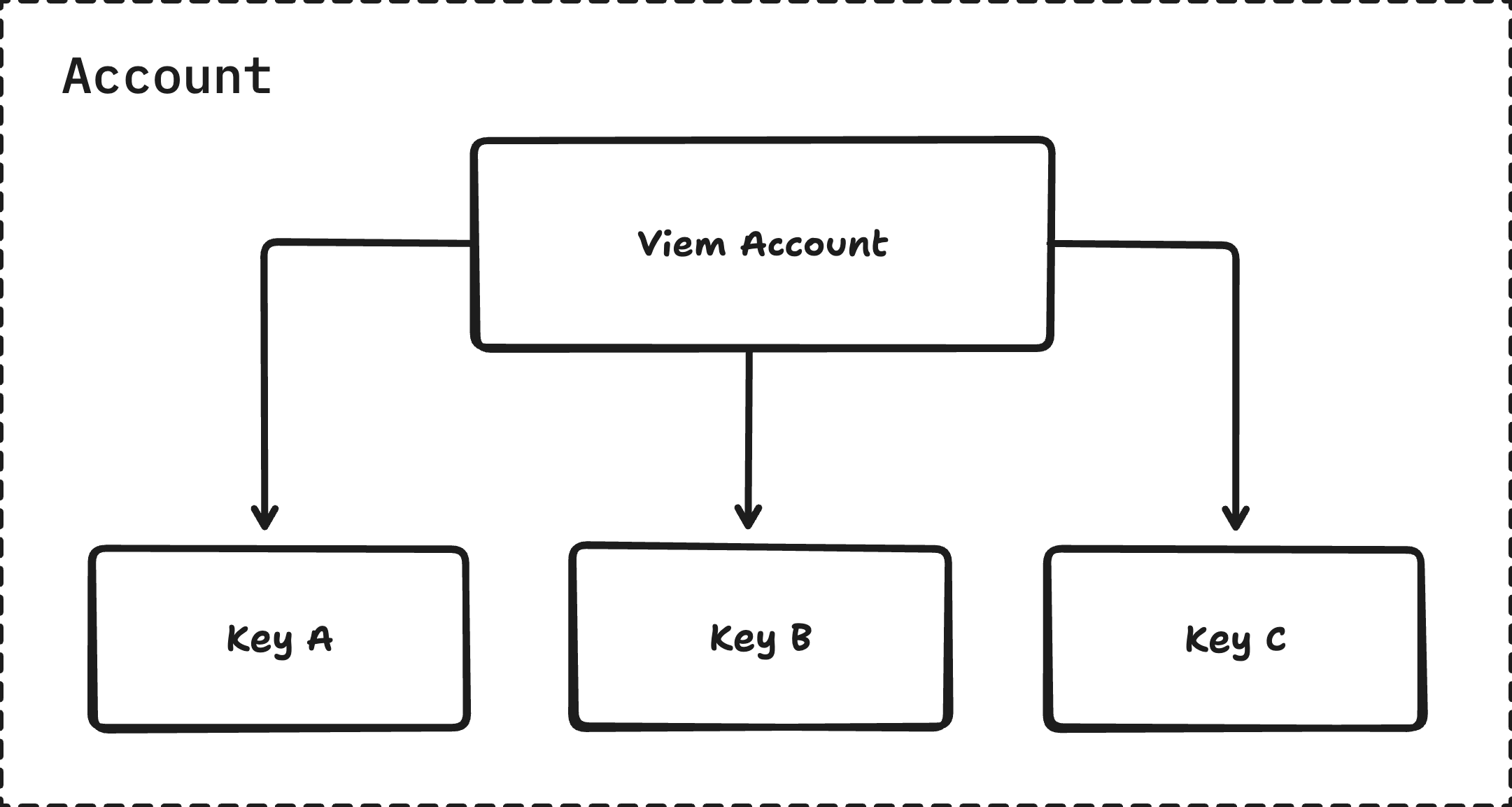
Tip sent!
{/* [!code ++] */}
// [!code ++]
) // [!code ++]
return (
)
}
```
```ts twoslash [abi.ts] filename="abi.ts"
// [!include ~/snippets/abi.ts:exp]
```
:::
::::
import { Example } from '../../../components/guides/Siwe'
import { GuideDemoContainer } from '../../../components/GuideDemoContainer'
## Fee Sponsoring
This guide will demonstrate how you can leverage Fee Sponsoring in your Application to cover
fees for your users.
### Template
We will base this guide off the following template:
```bash
pnpx gitpick ithacaxyz/porto/tree/main/examples/sponsoring-vite
```
:::note
We also have a [Next.js](https://nextjs.org) example at:
```bash
pnpx gitpick ithacaxyz/porto/tree/main/examples/sponsoring-next.js
```
:::
### Steps
::::steps
#### Connect Account
Follow the [Onboard & Discover Accounts](/sdk/guides/discover-accounts) guide to get this set up.
#### Set up Merchant Account
Run the following command to onboard a new Porto Merchant (Sponsor) Account.
```sh
pnpx porto onboard --admin-key --testnet
```
Place the address and private key of the merchant account into the `.env` file.
```sh
MERCHANT_ADDRESS=0x...
MERCHANT_PRIVATE_KEY=0x...
```
#### Set up Merchant API Route
Next, we will set up our [Merchant API Route](/sdk/api/route/merchant) at a `/porto/merchant` endpoint.
For this example, we will use a Cloudflare Worker, however, you could also use a
server framework of your choice (Next.js, Deno, Express, etc).
There are usages for each of the frameworks in the [`Router` API reference](/sdk/api/router#frameworks).
```ts
import { env } from 'cloudflare:workers'
import { Router, Route } from 'porto/server'
export default Router({ basePath: '/porto' })
.route('/merchant', Route.merchant({
address: env.MERCHANT_ADDRESS as `0x${string}`,
key: env.MERCHANT_PRIVATE_KEY as `0x${string}`,
// Optionally handle which requests should be sponsored.
// sponsor(request) {
// return true
// },
}),
) satisfies ExportedHandler
```
#### Hook up API
Now that we have our Merchant API Route set up, we need to hook it up to our app.
We will do this by passing the URL to it on `Porto.create(){:js}`.
```ts
const porto = await Porto.create({
merchantUrl: '/porto/merchant' // [!code focus]
})
```
:::note
If your server is at a different location to your app, you will need to pass the absolute URL
to it on `Porto.create(){:js}`.
```ts twoslash
import { Porto } from 'porto'
const porto = await Porto.create({
merchantUrl: 'https://myapi.com/porto/merchant' // [!code focus]
})
```
:::
#### Done
That's it! Now you can start sponsoring calls for your users.
::::
import { Example } from '../../../components/guides/Subscriptions'
import { GuideDemoContainer } from '../../../components/GuideDemoContainer'
## Subscriptions
### Example
### Steps
Coming soon. 🚧
:::tip
Check out [EXP-0003](https://github.com/ithacaxyz/exp-0003) for an experimental implementation of subscriptions.
We are working on a more concise interface to get up and running with subscriptions easily.
:::
import { GuideDemoContainer } from '../../../components/GuideDemoContainer'
import { Example } from '../../../components/guides/Theming'
## Theming
### Porto Themes
Porto allows customize the appearance of the dialog through its theming system. Themes contain various color properties targeting different parts of the dialog, such as the color of the various surfaces, text, buttons and more. See the [Theme API](/sdk/api/theme) to learn more about the available properties and in which context they are used.

### Steps
::::steps
#### Create the theme definition
A theme definition defines the colors and other styles you want to use in the Porto dialog. The only required property is `colorScheme`, to let Porto know if you intend to extend the full theme (`light dark`) or if your theme will only support one color scheme (`light` or `dark`).
```ts [custom-theme.ts]
import type { ThemeFragment } from 'porto/theme'
export const theme: ThemeFragment = {
colorScheme: 'light dark',
primaryBackground: ['#ff007a', '#ffffff'],
primaryContent: ['#ffffff', '#ff007a'],
}
```
:::tip
When defining a single `colorScheme` theme (using `light` or `dark`), colors must be passed as single values instead of color pairs. See the [Theme API](/sdk/api/theme) for more details.
:::
#### Initialize Porto with a theme
Pass your theme to the Porto dialog mode when creating the Porto instance. This applies the theme to all dialog interactions.
:::code-group
```ts [theming.ts]
import { Mode } from 'porto'
import { createConfig } from 'wagmi'
import { porto } from 'wagmi/connectors'
import { theme } from './custom-theme.js'
const connector = porto({
mode: Mode.dialog({ // [!code focus]
theme, // [!code focus] pass your theme to Mode.dialog()
}), // [!code focus]
})
const wagmiConfig = createConfig({
connectors: [connector],
})
```
```ts [custom-theme.ts]
import type { ThemeFragment } from 'porto/theme'
export const theme: ThemeFragment = {
colorScheme: 'light dark',
primaryBackground: ['#ff007a', '#ffffff'],
primaryContent: ['#ffffff', '#ff007a'],
}
```
:::
:::tip
See [Getting Started](/sdk) for more details on how to initialize Porto.
:::
::::
### Dynamic theme switching
You also have the possibility to switch themes dynamically without reinitializing Porto. This can be useful for implementing a theme switcher or similar functionality in your application.
:::code-group
```ts [theme-switching.ts]
import { Dialog, Mode, Porto } from 'porto'
import { theme1, theme2 } from './themes.js'
// create a theme controller
const themeController = Dialog.createThemeController()
// initialize Porto with the theme controller
const porto = Porto.create({
mode: Mode.dialog({
themeController,
}),
})
// switch to the first theme
themeController.setTheme(theme1)
// switch to the second theme
themeController.setTheme(theme2)
```
```ts [themes.ts]
export const theme1 = {
colorScheme: 'light',
primaryBackground: '#ff007a',
primaryContent: '#ffffff',
}
export const theme2 = {
colorScheme: 'light',
primaryBackground: '#337c99',
primaryContent: '#ffffff',
}
```
:::
### UI Customization
Beyond colors and styling, Porto supports customization of UI elements and text labels through the `Mode.dialog()` options.
#### Disabling UI Features
Control which UI elements are shown using the `features` option:
```ts [disable-features.ts]
import { Mode } from 'porto'
const connector = porto({
mode: Mode.dialog({
features: {
// When false, removes the bug report icon from the dialog header
// and disables the report feature on error screens
bugReporting: false, // Default: true
// When false, hides email input field
// Uses truncated wallet address as account label instead
emailInput: false, // Default: true
// When false, hides "Sign up" link in signed-in view
signUpLink: false, // Default: true
// When false, hides "Create account" button and "First time?" label
createAccount: false, // Default: true
},
}),
})
```
**Available features:**
* `bugReporting` - Show/hide bug report icon and error reporting UI
* `emailInput` - Show/hide email input field (uses wallet address when hidden)
* `signUpLink` - Show/hide sign up link
* `createAccount` - Show/hide create account button
#### Customizing Text Labels
Customize button text, prompts, and other labels using the `labels` option:
```ts [custom-labels.ts]
import { Mode } from 'porto'
const connector = porto({
mode: Mode.dialog({
labels: {
// Sign-in prompt text
signInPrompt: 'Use passkey to sign in to', // Default: "Use Porto to sign in to"
// Button labels (note: no "Button" suffix)
signIn: 'Sign in with passkey', // Default: "Sign in with Porto"
signUp: 'Sign up with passkey', // Default: "Sign up with Porto"
createAccount: 'Create passkey account', // Default: "Create Porto account"
signInAlt: 'Continue with passkey', // Default: "Continue with Porto"
// Account management links
switchAccount: 'Change account', // Default: "Switch"
signUpLink: 'Set up', // Default: "Sign up"
// Email and support
exampleEmail: 'user@example.com', // Default: "example@ithaca.xyz"
bugReportEmail: 'support@example.com', // Default: "support@ithaca.xyz"
// Frame title (not currently implemented)
dialogTitle: 'Passkey', // Default: "Porto"
},
}),
})
```
**Note**: Labels are only used when their corresponding UI elements are visible (controlled by `features`).
#### Combining Customizations
Combine theme colors, features, and labels for complete control:
```ts [complete-customization.ts]
import { Mode } from 'porto'
import type { ThemeFragment } from 'porto/theme'
// Define theme colors separately
const theme: ThemeFragment = {
colorScheme: 'light',
primaryBackground: '#007bff',
primaryContent: '#ffffff',
}
const connector = porto({
mode: Mode.dialog({
theme,
// Passkey-only authentication (no email collection)
features: {
emailInput: false,
signUpLink: false,
},
// Custom branding
labels: {
signInPrompt: 'Use your passkey to access',
signIn: 'Access with passkey',
bugReportEmail: 'help@myapp.com',
},
}),
})
```
This creates a streamlined, branded passkey authentication experience.
import { TryItOut } from '../../../components/TryItOut'
## Capabilities
Porto supports [EIP-5792 Capabilities](https://eips.ethereum.org/EIPS/eip-5792#wallet_getcapabilities).
Capabilites are extension features that allow for extra functionality to be requested on particular JSON-RPC requests such as `wallet_connect` and `wallet_sendCalls`, and also enable additional JSON-RPC methods. Such features could be requesting to [grant permissions](#permissions) on connection, or [setting a custom fee token](#feetoken).
Porto supports the following capabilities:
| Capability | Description | Standard |
| ------------------------------------------- | --------------------------------------------------------------------------------- | ------------ |
| [`feeToken`](#feetoken) | Indicates if custom fee tokens are supported. | Experimental |
| [`merchant`](#merchant) | Indicates if merchant functionality is supported. | Experimental |
| [`permissions`](#permissions) | Indicates if permissions can be requested by the app. | Experimental |
| [`requiredFunds`](#requiredfunds) | Indicates if required funds (sourcing funds from supported chains) are supported. | Experimental |
| [`signInWithEthereum`](#signinwithethereum) | Adds support for ERC-4361 Sign in with Ethereum. | Experimental |
### Fee Tokens
Porto allows for an application developer to use custom fee (gas) tokens to pay for the execution of a call bundle.
Custom fee tokens are indicated by the `feeToken` capability on [`wallet_getCapabilities`](/sdk/rpc/wallet_getCapabilities)
#### Discovery
Tokens can be discovered by the application via `feeToken.tokens` on the [`wallet_getCapabilities`](/sdk/rpc/wallet_getCapabilities) method.
```ts twoslash
import { Porto } from 'porto'
const { provider } = Porto.create()
const capabilities = await provider.request({ // [!code focus]
method: 'wallet_getCapabilities', // [!code focus]
}) // [!code focus]
const tokens = Object.values(capabilities)[0].feeToken.tokens // [!code focus]
```
{
const capabilities = await provider.request({ method: 'wallet_getCapabilities' })
const tokens = Object.values(capabilities)[0].feeToken.tokens
return tokens
}}
requireConnection={false}
transformResultCode={(code) => {
return 'const tokens = ' + code
}}
/>
#### Request Capabilities
##### `feeToken`
Custom fee token to use for the request.
The following JSON-RPC methods support the `feeToken` request capability:
* [`wallet_sendCalls`](/sdk/rpc/wallet_sendCalls)
* [`wallet_prepareCalls`](/sdk/rpc/wallet_prepareCalls)
* [`wallet_prepareUpgradeAccount`](#TODO)
* [`wallet_revokePermissions`](/sdk/rpc/wallet_revokePermissions)
```ts
type Capability = {
/** Custom fee token address or symbol. */
feeToken: `0x${string}` | string
}
```
##### Example
```ts twoslash
// @noErrors
const capabilities = await provider.request({
method: 'wallet_sendCalls',
params: [{
capabilities: { // [!code focus]
feeToken: 'USDC', // [!code focus]
}, // [!code focus]
/* ... */
}]
})
```
```ts twoslash
// @noErrors
const capabilities = await provider.request({
method: 'wallet_sendCalls',
params: [{
capabilities: { // [!code focus]
feeToken: '0x036cbd53842c5426634e7929541ec2318f3dcf7e', // USDC // [!code focus]
}, // [!code focus]
/* ... */
}]
})
```
### `permissions`
Porto supports account permission management.
#### Methods
The `permissions` capability enables the following methods:
* [`wallet_getPermissions`](/sdk/rpc/wallet_getPermissions)
* [`wallet_grantPermissions`](/sdk/rpc/wallet_grantPermissions)
* [`wallet_revokePermissions`](/sdk/rpc/wallet_revokePermissions)
#### Request Capabilities
##### `grantPermissions`
Requests for the wallet to grant permissions.
The following JSON-RPC methods support the `grantPermissions` request capability:
* [`wallet_connect`](/sdk/rpc/wallet_connect)
* [`wallet_prepareUpgradeAccount`](#TODO)
```ts
type Capability = {
/** Requests for the wallet to grant these permissions. */
grantPermissions: {
/** Expiry of the permissions. */
expiry: number
/**
* Fee token that will be used with these permissions.
*/
feeToken: {
/** Value of the limit in the symbols's unit (e.g. '1' = 1 USDC). */
limit: string
/** Symbol of the fee token. `undefined` for native token. */
symbol?: Token.Symbol | undefined
} | undefined,
/**
* Key to grant permissions to.
* Defaults to a wallet-managed key.
*/
key?: {
/**
* Public key.
* Accepts an address for `address` & `secp256k1` types.
*/
publicKey?: `0x${string}`,
/** Key type. */
type?: 'address' | 'p256' | 'secp256k1' | 'webauthn-p256',
}
/** Permissions. */
permissions: {
/** Call permissions. */
calls: {
/** Function signature or 4-byte signature. */
signature?: string
/** Authorized target address. */
to?: `0x${string}`
}[],
/** Spend permissions. */
spend: {
/** Spending limit (in wei) per period. */
limit: `0x${string}`,
/** Period of the spend limit. */
period: 'minute' | 'hour' | 'day' | 'week' | 'month' | 'year'
/**
* ERC20 token to set the limit on.
* If not provided, the limit will be set on the
* native token (e.g. ETH).
*/
token?: `0x${string}`
}[],
}
},
}
```
##### Example
```ts twoslash
// @noErrors
const capabilities = await provider.request({
method: 'wallet_connect',
params: [{
capabilities: { // [!code focus]
grantPermissions: { // [!code focus]
expiry: 1727078400, // [!code focus]
feeToken: { // [!code focus]
limit: '1', // [!code focus]
symbol: 'USDC', // [!code focus]
}, // [!code focus]
permissions: { // [!code focus]
calls: [{ signature: 'subscribe()' }], // [!code focus]
spend: [{ // [!code focus]
limit: '0x5f5e100', // 100 USDC // [!code focus]
period: 'day', // [!code focus]
token: '0xa0b86991c6218b36c1d19d4a2e9eb0ce3606eb48', // USDC // [!code focus]
}] // [!code focus]
} // [!code focus]
}, // [!code focus]
}, // [!code focus]
/* ... */
}]
})
```
##### `permissions`
Use a provided permission for the request.
The following JSON-RPC methods support the `permissions` request capability:
* [`wallet_prepareCalls`](/sdk/rpc/wallet_prepareCalls)
* [`wallet_sendCalls`](/sdk/rpc/wallet_sendCalls)
```ts
type Capability = {
/** Permission to use for the request. */
permissions: {
/** ID of the permission to use. */
id: `0x${string}`
}
}
```
##### Example
```ts twoslash
// @noErrors
const capabilities = await provider.request({
method: 'wallet_sendCalls',
params: [{
capabilities: { // [!code focus]
permissions: { // [!code focus]
id: '0x...', // [!code focus]
}, // [!code focus]
}, // [!code focus]
/* ... */
}]
})
```
#### Response Capabilities
##### `permissions`
Returns the permissions granted on the request.
The following JSON-RPC methods support the `permissions` response capability:
* [`wallet_connect`](/sdk/rpc/wallet_connect)
* [`wallet_upgradeAccount`](#TODO)
```ts
type Capability = {
permissions: {
expiry: number,
id: `0x${string}`,
key: {
publicKey: `0x${string}`,
type: 'address' | 'p256' | 'secp256k1' | 'webauthn-p256',
},
permissions: {
calls: {
signature?: string
to?: `0x${string}`
}[],
spend: {
limit: bigint
period: 'minute' | 'hour' | 'day' | 'week' | 'month' | 'year'
token?: `0x${string}`
}[]
}
publicKey: `0x${string}`,
type: 'address' | 'p256' | 'secp256k1' | 'webauthn-p256'
}[]
}
```
##### Example
```ts twoslash
// @noErrors
const capabilities = await provider.request({
method: 'wallet_connect',
params: [{
capabilities: {
grantPermissions: { /* ... */ },
},
/* ... */
}]
})
// @log: [{
// @log: address: '0x1234567890123456789012345678901234567890',
// @log: capabilities: {
// @log: permissions: [{
// @log: expiry: 1727078400,
// @log: id: '0x...',
// @log: key: {
// @log: publicKey: '0x...',
// @log: type: 'p256'
// @log: },
// @log: permissions: {
// @log: calls: [{
// @log: signature: 'subscribe()',
// @log: }],
// @log: spend: [{
// @log: limit: '0x5f5e100', // 100 USDC
// @log: period: 'day',
// @log: token: '0xa0b86991c6218b36c1d19d4a2e9eb0ce3606eb48', // USDC
// @log: }]
// @log: }
// @log: }]
// @log: },
// @log: }]
```
### `merchant`
A merchant server can be set up by the Application to sponsor actions on
behalf of their users.
#### Request Capabilities
##### `merchantUrl`
URL of the endpoint that will be used to front (and sponsor) call bundles for users.
The following JSON-RPC methods support the `merchantUrl` request capability:
* [`wallet_prepareCalls`](/sdk/rpc/wallet_prepareCalls)
* [`wallet_sendCalls`](/sdk/rpc/wallet_sendCalls)
```ts
type Capability = {
merchantUrl: string
}
```
##### Example
```ts twoslash
// @noErrors
const capabilities = await provider.request({
method: 'wallet_sendCalls',
params: [{
capabilities: {
merchantUrl: 'https://myapp.com/rpc'
},
/* ... */
}]
})
```
### `requiredFunds`
The `requiredFunds` capability allows an application to specify the funds required on the target chain.
Porto will automatically source funds from its supported chains to cover the required funds.
#### Discovery
Tokens can be discovered by the application via `requiredFunds.tokens` on the [`wallet_getCapabilities`](/sdk/rpc/wallet_getCapabilities) method.
```ts twoslash
import { Porto } from 'porto'
const { provider } = Porto.create()
const capabilities = await provider.request({ // [!code focus]
method: 'wallet_getCapabilities', // [!code focus]
}) // [!code focus]
const tokens = Object.values(capabilities)[0].requiredFunds.tokens // [!code focus]
```
{
const capabilities = await provider.request({ method: 'wallet_getCapabilities' })
const tokens = Object.values(capabilities)[0].requiredFunds.tokens
return tokens
}}
requireConnection={false}
transformResultCode={(code) => {
return 'const tokens = ' + code
}}
/>
#### Request Capabilities
##### `requiredFunds`
Funds required on the target chain.
The following JSON-RPC methods support the `requiredFunds` request capability:
* [`wallet_prepareCalls`](/sdk/rpc/wallet_prepareCalls)
* [`wallet_sendCalls`](/sdk/rpc/wallet_sendCalls)
```ts
type Capability = {
requiredFunds?: ({
/** Address of the token. */
address: `0x${string}`;
/** Value of the token. */
value: `0x${string}`;
} | {
/** Symbol of the token. */
symbol: string;
/** Value of the token. */
value: string;
})[]
}
```
##### Example
```ts twoslash
// @noErrors
const capabilities = await provider.request({
method: 'wallet_sendCalls',
params: [{
capabilities: {
requiredFunds: [{ // [!code focus]
symbol: 'USDC', // [!code focus]
value: '100', // [!code focus]
}] // [!code focus]
},
/* ... */
}]
})
```
```ts twoslash
// @noErrors
const capabilities = await provider.request({
method: 'wallet_sendCalls',
params: [{
capabilities: {
requiredFunds: [{ // [!code focus]
address: '0xaf3b0a5b4becc4fa1dfafe74580efa19a2ea49fa', // USDC // [!code focus]
value: '0x5f5e100', // 100 USDC // [!code focus]
}] // [!code focus]
},
/* ... */
}]
})
```
### `signInWithEthereum`
Adds support for [ERC-4361](https://eips.ethereum.org/EIPS/eip-4361) Sign-In with Ethereum.
#### Request Capabilities
##### `signInWithEthereum`
[ERC-4361](https://eips.ethereum.org/EIPS/eip-4361) Sign-In with Ethereum options.
The following JSON-RPC methods support the `signInWithEthereum` request capability:
* [`wallet_connect`](/sdk/rpc/wallet_connect)
```ts
type Capability = {
signInWithEthereum: {
/* Required fields */
authUrl: string | {
logout: string
nonce: string
verify: string
}
// OR
nonce: string
/* Optional fields */
chainId?: number | undefined
domain?: string | undefined // Defaults to window/iframe parent
expirationTime?: Date | undefined
issuedAt?: Date | undefined
notBefore?: Date | undefined
requestId?: string | undefined
resources?: string[] | undefined
scheme?: string | undefined
statement?: string | undefined
uri?: string | undefined // Defaults to window/iframe parent
version?: '1' | undefined
}
}
```
##### Example
```ts twoslash
// @noErrors
const capabilities = await provider.request({
method: 'wallet_connect',
params: [{
capabilities: {
signInWithEthereum: {
nonce: await fetch("/api/nonce"),
}
},
/* ... */
}]
})
```
#### Response Capabilities
##### `signInWithEthereum`
The following JSON-RPC methods support the `signInWithEthereum` request capability:
* [`wallet_connect`](/sdk/rpc/wallet_connect)
```ts
type Capability = {
message: string
signature: `0x${string}`
}
```
##### Example
```ts twoslash
// @noErrors
const capabilities = await provider.request({
method: 'wallet_connect',
params: [{
capabilities: {
signInWithEthereum: {
nonce: await fetch("/api/nonce"),
}
},
/* ... */
}]
})
```
import { TryItOut } from '../../../components/TryItOut'
## `eth_accounts`
Returns an array of all **connected** Account addresses.
provider.request({ method: 'eth_accounts' })}
transformResultCode={(code) => {
return 'const accounts = ' + code
}}
/>
### Request
```ts
type Request = {
method: 'eth_accounts',
}
```
### Response
Array of connected Account addresses.
```ts
type Response = `0x${string}`[]
```
### Example
```ts twoslash
import { Porto } from 'porto'
const { provider } = Porto.create()
const accounts = await provider.request({ method: 'eth_accounts' }) // [!code focus]
```
provider.request({ method: 'eth_accounts' })}
transformResultCode={(code) => {
return 'const accounts = ' + code
}}
/>
import { TryItOut } from '../../../components/TryItOut'
## `eth_requestAccounts`
Requests access to Account addresses.
:::tip
The `eth_requestAccounts` methods effectively "connects" an Application to a Wallet.
:::
provider.request({ method: 'eth_requestAccounts' })}
requireConnection={false}
transformResultCode={(code) => {
return 'const accounts = ' + code
}}
/>
### Request
```ts
type Request = {
method: 'eth_requestAccounts',
}
```
### Response
Array of connected Account addresses.
```ts
type Response = `0x${string}`[]
```
### Example
```ts twoslash
import { Porto } from 'porto'
const { provider } = Porto.create()
const accounts = await provider.request({ method: 'eth_requestAccounts' }) // [!code focus]
```
provider.request({ method: 'eth_requestAccounts' })}
requireConnection={false}
transformResultCode={(code) => {
return 'const accounts = ' + code
}}
/>
import { encodeFunctionData, parseAbi, parseEther } from 'viem'
import { TryItOut } from '../../../components/TryItOut'
## `eth_sendTransaction`
Instructs the Wallet to broadcast a transaction to the network.
:::warning
This method is deprecated and exists for compatibility. Please [use `wallet_sendCalls` instead](/sdk/rpc/wallet_sendCalls).
:::
{
const exp = {
address: '0xaf3b0a5b4becc4fa1dfafe74580efa19a2ea49fa',
abi: parseAbi([
'function mint(address, uint256)',
]),
}
const [account] = await provider.request({
method: 'eth_accounts',
})
const hash = await provider.request({
method: 'eth_sendTransaction',
params: [{
from: account,
// @ts-expect-error
to: exp.address,
data: encodeFunctionData({
abi: exp.abi,
functionName: 'mint',
args: [account, parseEther('100')],
}),
}],
})
return hash
}}
transformResultCode={(code) => {
return 'const hash = ' + code
}}
/>
### Request
```ts
type Request = {
method: 'eth_sendTransaction',
params: [{
/** Target chain ID. Defaults to the connected chain. */
chainId?: `0x${string}`,
/** Calldata to send with the transaction. */
data?: `0x${string}`,
/** Address of the sender. */
from: `0x${string}`,
/** Address of the recipient. */
to: `0x${string}`,
/** Value to transfer. Defaults to 0. */
value?: `0x${string}`,
}]
}
```
### Response
Transaction hash.
```ts
type Response = `0x${string}`
```
### Example
```ts twoslash
import { Porto } from 'porto'
const { provider } = Porto.create()
const hash = await provider.request({ // [!code focus]
method: 'eth_sendTransaction', // [!code focus]
params: [{ // [!code focus]
from: '0xdeadbeefdeadbeefdeadbeefdeadbeefdeadbeef', // [!code focus]
to: '0xcafebabecafebabecafebabecafebabecafebabe', // [!code focus]
value: '0x1', // [!code focus]
}], // [!code focus]
}) // [!code focus]
```
#### Mint ERC20 Tokens
The example below demonstrates minting 100 EXP on the Odyssey testnet.
```ts twoslash
import { Porto } from 'porto'
const { provider } = Porto.create()
// ---cut---
import { encodeFunctionData, parseAbi, parseEther } from 'viem'
const [account] = await provider.request({
method: 'eth_accounts',
})
const hash = await provider.request({ // [!code focus]
method: 'eth_sendTransaction', // [!code focus]
params: [{ // [!code focus]
from: account, // [!code focus]
to: '0xaf3b0a5b4becc4fa1dfafe74580efa19a2ea49fa', // [!code focus]
data: encodeFunctionData({ // [!code focus]
abi: parseAbi([ // [!code focus]
'function mint(address, uint256)', // [!code focus]
]), // [!code focus]
functionName: 'mint', // [!code focus]
args: [account, parseEther('100')], // [!code focus]
}), // [!code focus]
}], // [!code focus]
}) // [!code focus]
```
{
const exp = {
address: '0xaf3b0a5b4becc4fa1dfafe74580efa19a2ea49fa',
abi: parseAbi([
'function mint(address, uint256)',
]),
}
const [account] = await provider.request({
method: 'eth_accounts',
})
const hash = await provider.request({
method: 'eth_sendTransaction',
params: [{
from: account,
// @ts-expect-error
to: exp.address,
data: encodeFunctionData({
abi: exp.abi,
functionName: 'mint',
args: [account, parseEther('100')],
}),
}],
})
return hash
}}
transformResultCode={(code) => {
return 'const hash = ' + code
}}
/>
## `eth_signTypedData_v4`
Signs [EIP-712](https://eips.ethereum.org/EIPS/eip-712) typed data.
### Request
```ts
type Request = {
method: 'eth_signTypedData_v4',
params: [
/** Address of the signer. */
address: `0x${string}`,
/** Serialized typed data to sign. */
data: string,
],
}
```
### Response
Signature.
```ts
type Response = `0x${string}`
```
### Example
```ts twoslash
import { Porto } from 'porto'
const { provider } = Porto.create()
const signature = await provider.request({ // [!code focus]
method: 'eth_signTypedData_v4', // [!code focus]
params: ['0xdeadbeefdeadbeefdeadbeefdeadbeefdeadbeef', '...'], // [!code focus]
}) // [!code focus]
```
## Overview
### Methods
| Method | Description | Standard |
| --------------------------------------------------------------- | ---------------------------------------------------------------------------------- | --------------------------------------------------- |
| [`eth_accounts`](/sdk/rpc/eth_accounts) | Returns an array of all **connected** Account addresses. | [EIP-1474](https://eips.ethereum.org/EIPS/eip-1474) |
| [`eth_requestAccounts`](/sdk/rpc/eth_requestAccounts) | Requests access to Account addresses. | |
| [`eth_sendTransaction`](/sdk/rpc/eth_sendTransaction) | Broadcasts a transaction to the network. | [EIP-1474](https://eips.ethereum.org/EIPS/eip-1474) |
| [`eth_signTypedData_v4`](/sdk/rpc/eth_signTypedData_v4) | Signs [EIP-712](https://eips.ethereum.org/EIPS/eip-712) typed data. | [EIP-712](https://eips.ethereum.org/EIPS/eip-712) |
| [`personal_sign`](/sdk/rpc/personal_sign) | Signs an [EIP-191](https://eips.ethereum.org/EIPS/eip-191) personal message. | [EIP-191](https://eips.ethereum.org/EIPS/eip-191) |
| [`wallet_connect`](/sdk/rpc/wallet_connect) | Requests to connect account(s) with optional capabilities. | [ERC-7846](https://eips.ethereum.org/EIPS/eip-7846) |
| [`wallet_disconnect`](/sdk/rpc/wallet_disconnect) | Disconnects the Application from Porto. | [ERC-7846](https://eips.ethereum.org/EIPS/eip-7846) |
| [`wallet_getCapabilities`](/sdk/rpc/wallet_getCapabilities) | Gets supported capabilities of Porto.. | [ERC-5792](https://eips.ethereum.org/EIPS/eip-5792) |
| [`wallet_getCallsStatus`](/sdk/rpc/wallet_getCallsStatus) | Gets the status of a call bundle. | [ERC-5792](https://eips.ethereum.org/EIPS/eip-5792) |
| [`wallet_getCallsHistory`](/sdk/rpc/wallet_getCallsHistory) | Gets the historical call bundles for an account. | Experimental |
| [`wallet_getPermissions`](/sdk/rpc/wallet_getPermissions) | Returns the active permissions for an account. | Experimental |
| [`wallet_grantPermissions`](/sdk/rpc/wallet_grantPermissions) | Grants permissions for an Application to perform actions on behalf of the account. | Experimental |
| [`wallet_revokePermissions`](/sdk/rpc/wallet_revokePermissions) | Revokes a permission. | Experimental |
| [`wallet_prepareCalls`](/sdk/rpc/wallet_prepareCalls) | Prepares a call bundle. | [ERC-7836](https://eips.ethereum.org/EIPS/eip-7836) |
| [`wallet_sendCalls`](/sdk/rpc/wallet_sendCalls) | Broadcast a bundle of calls to the network. | [ERC-5792](https://eips.ethereum.org/EIPS/eip-5792) |
| [`wallet_sendPreparedCalls`](/sdk/rpc/wallet_sendPreparedCalls) | Executes a signed and prepared call bundle. | [ERC-7836](https://eips.ethereum.org/EIPS/eip-7836) |
import { TryItOut } from '../../../components/TryItOut'
## `personal_sign`
Signs an [EIP-191](https://eips.ethereum.org/EIPS/eip-191) personal message.
{
const [account] = await provider.request({ method: 'eth_accounts' })
return await provider.request({ method: 'personal_sign', params: ['0x68656c6c6f', account] })
}}
transformResultCode={(code) => {
return 'const signature = ' + code
}}
/>
### Request
```ts
type Request = {
method: 'personal_sign',
params: [
/** Message to sign. */
message: string,
/** Address of the signer. */
address: `0x${string}`,
],
}
```
### Response
Signature.
```ts
type Response = `0x${string}`
```
### Example
```ts twoslash
import { Porto } from 'porto'
const { provider } = Porto.create()
const signature = await provider.request({ // [!code focus]
method: 'personal_sign', // [!code focus]
params: [ // [!code focus]
'0xcafebabe', // [!code focus]
'0xdeadbeefdeadbeefdeadbeefdeadbeefdeadbeef', // [!code focus]
], // [!code focus]
}) // [!code focus]
```
{
const [account] = await provider.request({ method: 'eth_accounts' })
return await provider.request({ method: 'personal_sign', params: ['0x68656c6c6f', account] })
}}
transformResultCode={(code) => {
return 'const signature = ' + code
}}
/>
import { TryItOut } from '../../../components/TryItOut'
import { parseEther, toHex } from 'viem'
## `wallet_connect`
Requests to connect account(s) with optional capabilities.
{
const accounts = await provider.request({
method: 'wallet_connect',
})
return accounts
}}
requireConnection={false}
transformResultCode={(code) => {
return 'const response = ' + code
}}
/>
### Request
```ts
type Request = {
method: 'wallet_connect',
params: [{
/** Optional capabilities to request. */
capabilities?: {
/** Hide/show email optional email input when creating accounts. */
email?: boolean
/** Grant permissions. */
grantPermissions?: PermissionsRequestCapabilities['grantPermissions']
/** ERC-4361: Sign-In with Ethereum support. */
signInWithEthereum?: PermissionsRequestCapabilities['signInWithEthereum']
}
}]
}
```
Capabilities:
* [`PermissionsRequestCapabilities`](/sdk/rpc/capabilities#request-capabilities-1)
### Response
List of connected accounts.
```ts
type Response = {
accounts: {
/** Address of the account. */
address: `0x${string}`,
/** Capabilities of the account. */
capabilities: {
/** Permissions that were granted. */
permissions: PermissionsResponseCapabilities['permissions']
/** ERC-4361 message and signature. */
signInWithEthereum: PermissionsResponseCapabilities['signInWithEthereum']
}
}[]
}
```
Capabilities:
* [`PermissionsResponseCapabilities`](/sdk/rpc/capabilities#response-capabilities)
### Example
```ts twoslash
import { Porto } from 'porto'
const { provider } = Porto.create()
const response = await provider.request({ // [!code focus]
method: 'wallet_connect', // [!code focus]
}) // [!code focus]
```
{
const accounts = await provider.request({
method: 'wallet_connect',
})
return accounts
}}
requireConnection={false}
transformResultCode={(code) => {
return 'const response = ' + code
}}
/>
#### Grant Permissions
You can grant permissions for an Application to perform actions on behalf of the account
by providing the `grantPermissions` capability with a value.
In the example below, the Application is granted permission to perform `transfer` calls on the EXP ERC20 contract,
with a spending limit of up to `50 EXP` per minute.
```ts twoslash
import { Porto } from 'porto'
const { provider } = Porto.create()
// ---cut---
import { parseEther, toHex } from 'viem'
const token = '0xaf3b0a5b4becc4fa1dfafe74580efa19a2ea49fa'
const response = await provider.request({
method: 'wallet_connect',
params: [{
capabilities: {
grantPermissions: {
expiry: Math.floor(Date.now() / 1000) + 60 * 60, // 1 hour
feeToken: {
limit: '1',
symbol: 'USDC',
},
permissions: {
calls: [{
signature: 'transfer(address,uint256)',
to: token,
}],
spend: [{
limit: toHex(parseEther('50')), // 50 EXP
period: 'minute',
token: token,
}],
},
},
},
}],
})
```
{
const token = '0xaf3b0a5b4becc4fa1dfafe74580efa19a2ea49fa'
const response = await provider.request({
method: 'wallet_connect',
params: [{
capabilities: {
grantPermissions: {
expiry: Math.floor(Date.now() / 1000) + 60 * 60, // 1 hour
feeToken: {
limit: '1',
symbol: 'EXP',
},
permissions: {
calls: [{ to: token }],
spend: [{
limit: toHex(parseEther('50')), // 50 EXP
period: 'minute',
token: token,
}],
},
},
},
}]
})
return response
}}
requireConnection={false}
transformResultCode={(code) => {
return 'const response = ' + code
}}
/>
import { TryItOut } from '../../../components/TryItOut'
## `wallet_disconnect`
Disconnects the Application from Porto.
{
await provider.request({
method: 'wallet_disconnect',
})
}}
/>
### Request
```ts
type Request = {
method: 'wallet_disconnect',
}
```
### Example
```ts twoslash
import { Porto } from 'porto'
const { provider } = Porto.create()
await provider.request({ // [!code focus]
method: 'wallet_disconnect', // [!code focus]
}) // [!code focus]
```
{
await provider.request({
method: 'wallet_disconnect',
})
}}
/>
import { TryItOut } from '../../../components/TryItOut'
## `wallet_getAssets`
Returns the assets for an account.
{
const [account] = await provider.request({ method: 'eth_requestAccounts' })
return provider.request({
method: 'wallet_getAssets',
params: [{ account }],
})
}}
transformResultCode={(code) => {
return 'const assets = ' + code
}}
/>
### Request
```ts
type Request = {
method: 'wallet_getAssets',
params: [{
/** Address of the account to get assets for. */
account: `0x${string}`,
/** Filter assets by chain. If not provided, all chains will be included. */
chainFilter?: Hex[],
/** Filter assets by type. If not provided, all asset types will be included. */
assetTypeFilter?: AssetType[],
/** Filter assets by name. If not provided, all assets will be included. */
assetFilter?: string[],
/** Filter assets by symbol. If not provided, all assets will be included. */
}]
}
```
### Response
```ts
type Response = {
[chainId: Hex]: {
address: Address | null
balance: Hex
metadata: {
decimals: number
name: string
symbol: string
} | null
type: 'native' | 'erc20'
}[]
}
```
### Example
```ts twoslash
import { Porto } from 'porto'
const { provider } = Porto.create()
const [account] = await provider.request({ method: 'eth_requestAccounts' })
const assets = await provider.request({ // [!code focus]
method: 'wallet_getAssets', // [!code focus]
params: [{ account }], // [!code focus]
}) // [!code focus]
```
{
const [account] = await provider.request({ method: 'eth_requestAccounts' })
return provider.request({
method: 'wallet_getAssets',
params: [{ account }],
})
}}
/>
import { TryItOut } from '../../../components/TryItOut'
## `wallet_getCallsHistory`
Returns a paginated list of call bundles for an account.
{
const [address] = await provider.request({ method: 'eth_requestAccounts' })
return provider.request({
method: 'wallet_getCallsHistory',
params: [{
address,
limit: 5,
sort: 'desc',
}],
})
}}
transformResultCode={(code) => {
return 'const history = ' + code
}}
/>
### Request
```ts
type Request = {
method: 'wallet_getCallsHistory'
params: [{
/** Address to fetch call bundles for. */
address: `0x${string}`
/** Optional index cursor. */
index?: number
/** Maximum number of bundles to return. */
limit: number
/** Sort direction. */
sort: 'asc' | 'desc'
}]
}
```
### Response
```ts
type Response = {
capabilities: {
assetDiffs?: AssetDiffs
feeTotals?: FeeTotals
quotes?: Quote[]
}
id: `0x${string}`
index: number
keyHash: `0x${string}`
status: number
timestamp: number
transactions: {
chainId: number
transactionHash: `0x${string}`
}[]
}[]
```
Refer to [`wallet_prepareCalls`](/sdk/rpc/wallet_prepareCalls#response) for the `AssetDiffs`, `FeeTotals`, and `Quote` structures.
### Example
```ts twoslash
import { Porto } from 'porto'
const { provider } = Porto.create()
const [address] = await provider.request({ method: 'eth_requestAccounts' })
const history = await provider.request({ // [!code focus]
method: 'wallet_getCallsHistory', // [!code focus]
params: [{ // [!code focus]
address, // [!code focus]
limit: 10, // [!code focus]
sort: 'desc', // [!code focus]
}], // [!code focus]
}) // [!code focus]
```
{
const [address] = await provider.request({ method: 'eth_requestAccounts' })
return provider.request({
method: 'wallet_getCallsHistory',
params: [{
address,
limit: 10,
sort: 'desc',
}],
})
}}
/>
## `wallet_getCallsStatus`
Gets the status of a call bundle.
### Request
```ts
type Request = {
method: 'wallet_getCallsStatus',
params: [
/** ID of the call bundle. */
id: `0x${string}`
]
}
```
### Response
```ts
type Response = {
/** Whether the calls were submitted atomically. */
atomic: true
/** Chain ID the calls were submitted to. */
chainId: `0x${string}`,
/** ID of the call bundle. */
id: `0x${string}`,
/** Transaction receipts of the calls. */
receipts: {
/** Block hash. */
blockHash: `0x${string}`,
/** Block number. */
blockNumber: `0x${string}`,
/** Gas used by the transaction. */
gasUsed: `0x${string}`,
/** Logs of the call. */
logs: {
/** Address of the contract that emitted the log. */
address: `0x${string}`,
/** Data of the log. */
data: `0x${string}`,
/** Topics of the log. */
topics: `0x${string}`[],
}[],
/** Status. */
status: `0x${string}`,
/** Transaction hash. */
transactionHash: `0x${string}`,
}[],
/** Status code. See "Status Codes" below. */
status: number
}
```
### Example
```ts twoslash
import { Porto } from 'porto'
const { provider } = Porto.create()
const status = await provider.request({ // [!code focus]
method: 'wallet_getCallsStatus', // [!code focus]
params: ['0xdeadbeefdeadbeefdeadbeefdeadbeefdeadbeefdeadbeefdeadbeefdeadbeef'], // [!code focus]
}) // [!code focus]
```
### Status Codes
| Code | Status Text | Description |
| ----- | ----------- | ------------------------------------------------------------------------------------------------------------------------------ |
| `100` | `pending` | Batch has been received by the wallet but has not completed execution onchain (pending). |
| `200` | `success` | Batch has been included onchain without reverts, receipts array contains info of all calls (confirmed). |
| `400` | `failure` | Batch has not been included onchain and wallet will not retry (offchain failure). |
| `500` | `failure` | Batch reverted completely and only changes related to gas charge may have been included onchain (chain rules failure). |
| `600` | `failure` | Batch reverted partially and some changes related to batch calls may have been included onchain (partial chain rules failure). |
import { TryItOut } from '../../../components/TryItOut'
## `wallet_getCapabilities`
Gets supported [capabilities](/sdk/rpc/capabilities) of Porto.
provider.request({ method: 'wallet_getCapabilities' })}
requireConnection={false}
transformResultCode={(code) => {
return 'const capabilities = ' + code
}}
/>
### Request
```ts
type Request = {
method: 'wallet_getCapabilities',
params: [
/** Account address to get the capabilities for. */
account?: `0x${string}`
/** Chain IDs to get the capabilities for. */
chainIds?: `0x${string}`[],
]
}
```
### Response
[See list of Capabilities](/sdk/rpc/capabilities)
```ts
type Response = {
capabilities: {
atomic: {
status: "supported" | "unsupported"
}
feeToken: {
supported: true,
tokens: {
address: `0x${string}`,
decimals: number,
nativeRate: `0x${string}`,
symbol: string,
uid: string,
}[]
},
merchant: {
supported: true
}
permissions: {
supported: true
},
}
}
```
### Example
```ts twoslash
import { Porto } from 'porto'
const { provider } = Porto.create()
const capabilities = await provider.request({ // [!code focus]
method: 'wallet_getCapabilities', // [!code focus]
}) // [!code focus]
```
provider.request({ method: 'wallet_getCapabilities' })}
requireConnection={false}
transformResultCode={(code) => {
return 'const capabilities = ' + code
}}
/>
import { TryItOut } from '../../../components/TryItOut'
## `wallet_getPermissions`
Returns the active permissions for an account.
provider.request({ method: 'wallet_getPermissions' })}
transformResultCode={(code) => {
return 'const permissions = ' + code
}}
/>
### Request
```ts
type Request = {
method: 'wallet_getPermissions',
params: [{
/** Address of the account to list permissions on. */
address?: `0x${string}`
}]
}
```
### Response
```ts
type Response = {
address: `0x${string}`,
chainId: `0x${string}`,
expiry: number,
id: `0x${string}`,
key: {
publicKey: `0x${string}`,
type: 'address' | 'p256' | 'secp256k1' | 'webauthn-p256',
},
permissions: {
calls: {
signature?: string
to?: `0x${string}`
}[],
spend: {
limit: bigint
period: 'minute' | 'hour' | 'day' | 'week' | 'month' | 'year'
token?: `0x${string}`
}[],
}
publicKey: `0x${string}`,
type: 'address' | 'p256' | 'secp256k1' | 'webauthn-p256'
}[]
```
### Example
```ts twoslash
import { Porto } from 'porto'
const { provider } = Porto.create()
const permissions = await provider.request({ // [!code focus]
method: 'wallet_getPermissions', // [!code focus]
}) // [!code focus]
```
provider.request({ method: 'wallet_getPermissions' })}
transformResultCode={(code) => {
return 'const permissions = ' + code
}}
/>
import { TryItOut } from '../../../components/TryItOut'
import { parseEther, toHex } from 'viem'
import { privateKeyToAccount, generatePrivateKey } from 'viem/accounts'
## `wallet_grantPermissions`
Grants permissions for an Application to perform actions on behalf of the account.
Applications MUST provide at least one spend permission and one scoped call permission.
:::warning
Alternative to the draft [ERC-7715](https://github.com/ethereum/ERCs/blob/23fa3603c6181849f61d219f75e8a16d6624ac60/ERCS/erc-7715.md) specification with a tighter API. We hope to upstream concepts from this method and eventually use ERC-7715 or similar.
:::
{
const token = '0xaf3b0a5b4becc4fa1dfafe74580efa19a2ea49fa'
const response = await provider.request({
method: 'wallet_grantPermissions',
params: [{
expiry: Math.floor(Date.now() / 1000) + 60 * 60, // 1 hour
permissions: {
calls: [{ to: token }],
spend: [{
limit: toHex(parseEther('50')), // 50 EXP
period: 'minute',
token: token,
}],
},
}]
})
return response
}}
transformResultCode={(code) => {
return 'const permissions = ' + code
}}
/>
### Request
```ts
type Request = {
method: 'wallet_grantPermissions',
params: [{
/**
* Address of the account to grant permissions on.
* Defaults to the current account.
*/
address?: `0x${string}`
/** Chain ID to grant permissions on. */
chainId?: `0x${string}`
/** Expiry of the permissions. */
expiry: number
/**
* Fee token that will be used with these permissions.
*/
feeToken: {
/** Value of the limit in the symbols's unit (e.g. '1' = 1 USDC). */
limit: string
/** Symbol of the fee token. `undefined` for native token. */
symbol?: Token.Symbol | undefined
} | undefined,
/** Key to grant permissions to. Defaults to a wallet-managed key. */
key?: {
/**
* Public key.
* Accepts an address for `address` & `secp256k1` types.
*/
publicKey?: `0x${string}`,
/** Key type. */
type?: 'address' | 'p256' | 'secp256k1' | 'webauthn-p256',
}
/** Permissions to grant. */
permissions: {
/** Call permissions. */
calls: {
/** Function signature or 4-byte signature. */
signature?: string
/** Authorized target address. */
to?: `0x${string}`
}[],
/** Fee limit permission. */
feeToken?: {
/** Currency of the fee limit. */
currency: 'ETH' | 'USDC' | 'USDT'
/** Value of the fee limit. */
value: string
} | undefined,
/** Spend permissions. */
spend: {
/** Spending limit (in wei) per period. */
limit: `0x${string}`,
/** Period of the spend limit. */
period: 'minute' | 'hour' | 'day' | 'week' | 'month' | 'year'
/**
* ERC20 token to set the limit on.
* If not provided, the limit will be set on the
* native token (e.g. ETH).
*/
token?: `0x${string}`
}[],
},
}]
}
```
### Response
```ts
type Response = {
address: `0x${string}`,
chainId: `0x${string}`,
expiry: number,
id: `0x${string}`,
key: {
publicKey: `0x${string}`,
type: 'address' | 'p256' | 'secp256k1' | 'webauthn-p256',
},
permissions: {
calls: {
signature?: string,
to?: `0x${string}`,
}[],
spend: {
limit: `0x${string}`,
period: 'minute' | 'hour' | 'day' | 'week' | 'month' | 'year',
token?: `0x${string}`,
}[],
},
}
```
### Example
The example below demonstrates granting permissions for an Application to perform `transfer` calls on the EXP ERC20 contract,
with a spending limit of up to `50 EXP` per day.
:::tip
Once permissions have been granted, they will be automatically applied to any calls made by the Application
via [`wallet_sendCalls`](/sdk/rpc/wallet_sendCalls) or [`eth_sendTransaction`](/sdk/rpc/eth_sendTransaction).
:::
```ts twoslash
import { Porto } from 'porto'
import { parseEther, toHex } from 'viem'
const { provider } = Porto.create()
const token = '0xaf3b0a5b4becc4fa1dfafe74580efa19a2ea49fa'
const permissions = await provider.request({
method: 'wallet_grantPermissions',
params: [{
expiry: Math.floor(Date.now() / 1000) + 7 * 24 * 60 * 60, // 1 week
feeToken: {
limit: '1',
symbol: 'USDC',
},
permissions: {
calls: [{
signature: 'transfer(address,uint256)',
to: token
}],
spend: [{
limit: toHex(parseEther('50')), // 50 EXP
period: 'day',
token: token,
}]
},
}],
})
```
{
const token = '0xaf3b0a5b4becc4fa1dfafe74580efa19a2ea49fa'
const response = await provider.request({
method: 'wallet_grantPermissions',
params: [{
expiry: Math.floor(Date.now() / 1000) + 60 * 60, // 1 hour
permissions: {
calls: [{ to: token }],
spend: [{
limit: toHex(parseEther('50')), // 50 EXP
period: 'minute',
token: token,
}],
},
}]
})
return response
}}
transformResultCode={(code) => {
return 'const permissions = ' + code
}}
/>
#### App-managed Keys
Applications can also grant permissions to a specific signing key by providing the `key` parameter.
This is useful for when the Application wants to perform signing themself, instead of the Wallet.
:::tip
Permissions granted to a specific `key` will not be applied to future calls made by the Wallet.
If the Application performs the signing themself, it is intended that they will subsequently use
[`wallet_prepareCalls`](/sdk/rpc/wallet_prepareCalls) & [`wallet_sendPreparedCalls`](/sdk/rpc/wallet_sendPreparedCalls)
to send the calls on behalf of the user.
:::
```ts twoslash
import { Porto } from 'porto'
import { parseEther, toHex } from 'viem'
import { privateKeyToAccount } from 'viem/accounts'
const { provider } = Porto.create()
const account = privateKeyToAccount('0x...') // [!code focus]
const token = '0xaf3b0a5b4becc4fa1dfafe74580efa19a2ea49fa'
const permissions = await provider.request({
method: 'wallet_grantPermissions',
params: [{
expiry: Math.floor(Date.now() / 1000) + 7 * 24 * 60 * 60, // 1 week
feeToken: {
limit: '1',
symbol: 'USDC',
},
key: { // [!code focus]
publicKey: account.address, // [!code focus]
type: 'secp256k1', // [!code focus]
}, // [!code focus]
permissions: {
calls: [{
signature: 'transfer(address,uint256)',
to: token
}],
spend: [{
limit: toHex(parseEther('50')), // 50 EXP
period: 'day',
token: token,
}]
},
}],
})
```
{
const token = '0xaf3b0a5b4becc4fa1dfafe74580efa19a2ea49fa'
const account = privateKeyToAccount(generatePrivateKey())
const response = await provider.request({
method: 'wallet_grantPermissions',
params: [{
expiry: Math.floor(Date.now() / 1000) + 60 * 60, // 1 hour
feeToken: {
limit: '1',
symbol: 'USDC',
},
key: {
publicKey: account.address,
type: 'secp256k1',
},
permissions: {
calls: [{ to: token }],
spend: [{
limit: toHex(parseEther('50')), // 50 EXP
period: 'minute',
token: token,
}],
},
}]
})
return response
}}
transformResultCode={(code) => {
return 'const permissions = ' + code
}}
/>
## `wallet_prepareCalls`
Prepares a call bundle.
It returns a `digest` of the call bundle to sign over, as well as the parameters required to fulfil a [`wallet_sendPreparedCalls`](/sdk/rpc/wallet_sendPreparedCalls) request (`context`).
:::tip
This method is intended to be used in conjunction with [`wallet_sendPreparedCalls`](/sdk/rpc/wallet_sendPreparedCalls).
:::
### Request
:::info
The request is identical to that of [`wallet_sendCalls`](/sdk/rpc/wallet_sendCalls).
:::
```ts
type Request = {
method: 'wallet_prepareCalls',
params: [{
/** Calls to prepare. */
calls: {
/** Recipient. */
to: `0x${string}`;
/** Calldata. */
data?: `0x${string}`;
/** Value to transfer. */
value?: `0x${string}`;
}[];
/** Capabilities to use for this request. */
capabilities?: {
/** Custom fee token to use. */
feeToken?: 'native' | Token.Symbol | Address.Address;
/** URL of the merchant endpoint that will front the request. */
merchantUrl?: string
/** Permissions to use for this request. */
permissions?: {
/** ID of the permission. */
id?: `0x${string}`;
};
/** Required funds on the target chain. */
requiredFunds?: ({
address: `0x${string}`;
value: `0x${string}`;
} | {
symbol: string;
value: string;
})[]
};
/**
* Chain ID to send the calls to.
* If not provided, the current chain will be used.
*/
chainId?: `0x${string}`;
/**
* Key that will be used to sign over the digest.
*/
key: {
/** Whether the key prehashes digests before signing (e.g. WebCrypto P256). */
prehash?: boolean;
/** Public key. Accepts an address for `address` & `secp256k1` types. */
publicKey: `0x${string}`,
/** Key type. */
type: 'address' | 'secp256k1' | 'p256' | 'webauthn-256'
};
/**
* Address of the account to send the calls from.
* If not provided, the Account will be filled by the Wallet.
*/
from?: `0x${string}`;
}]
}
```
### Response
:::info
The response is intended to be forwarded to [`wallet_sendPreparedCalls`](/sdk/rpc/wallet_sendPreparedCalls) (minus the `digest`).
:::
```ts
type Response = {
/** Chain ID the calls were prepared for. */
chainId: `0x${string}`;
/**
* Data to be forwarded to `wallet_sendPreparedCalls`.
*/
context: unknown;
/** Digest to sign over. */
digest: `0x${string}`;
/**
* Key that will be used to sign over the digest.
*/
key: {
publicKey: `0x${string}`;
type: 'address' | 'secp256k1' | 'p256' | 'webauthn-256';
};
}
```
### Example
```ts twoslash
import { Porto } from 'porto'
const { provider } = Porto.create()
const response = await provider.request({ // [!code focus]
method: 'wallet_prepareCalls', // [!code focus]
params: [{ // [!code focus]
calls: [{ // [!code focus]
to: '0xcafebabecafebabecafebabecafebabecafebabe', // [!code focus]
value: '0x12345678', // [!code focus]
}], // [!code focus]
key: { // [!code focus]
publicKey: '0xdeadbeefdeadbeefdeadbeefdeadbeefdeadbeefdeadbeefdeadbeefdeadbeef', // [!code focus]
type: 'p256' // [!code focus]
}, // [!code focus]
}] // [!code focus]
}) // [!code focus]
```
## `wallet_prepareUpgradeAccount`
Requests to prepare an Externally-Owned Account (EOA) to be upgraded into a Porto Account.
:::tip
This method is intended to be used in conjunction with [`wallet_upgradeAccount`](/sdk/rpc/wallet_upgradeAccount).
:::
### Request
```ts twoslash
// @noErrors
import { Hex } from 'viem'
// ---cut---
type Request = {
method: 'wallet_prepareUpgradeAccount',
params: [{
/** Address of the EOA to upgrade. */
address: Hex,
/**
* Optional chain ID to upgrade on. If not specified, Porto
* will handle what chain to upgrade on. This chain will
* be the "source"/"home" chain of the account.
*/
chainId?: Hex,
/** Optional capabilities to request. */
capabilities?: {
/** Grant permissions. */
grantPermissions?: PermissionsRequestCapabilities['grantPermissions']
}
}]
}
```
Capabilities:
* [`PermissionsRequestCapabilities`](/sdk/rpc/capabilities#request-capabilities-1)
### Response
```ts twoslash
import { Hex } from 'viem'
// ---cut---
type Response = {
/** Context to pass to `wallet_upgradeAccount`. */
context: unknown
/** Digests the EOA must sign to upgrade. */
digests: {
auth: Hex
exec: Hex
}
}
```
### Example
```ts twoslash
import { Porto } from 'porto'
import { privateKeyToAccount } from 'viem/accounts'
const { provider } = Porto.create()
const eoa = privateKeyToAccount('0x...')
const { context, digests } = await provider.request({ // [!code focus]
method: 'wallet_prepareUpgradeAccount', // [!code focus]
params: [{ // [!code focus]
address: eoa.address, // [!code focus]
}], // [!code focus]
}) // [!code focus]
const signatures = {
auth: await eoa.sign({ hash: digests.auth }),
exec: await eoa.sign({ hash: digests.exec }),
} as const
const response = await provider.request({
method: 'wallet_upgradeAccount',
params: [{
context,
signatures,
}],
})
```
#### Grant Permissions
You can grant permissions for an Application to perform actions on behalf of the account
by providing the `grantPermissions` capability with a value.
In the example below, the Application is granted permission to perform `transfer` calls on the EXP ERC20 contract,
with a spending limit of up to `50 EXP` per minute.
```ts twoslash
import { Porto } from 'porto'
const { provider } = Porto.create()
// ---cut---
import { privateKeyToAccount } from 'viem/accounts'
import { parseEther, toHex } from 'viem'
const eoa = privateKeyToAccount('0x...')
const token = '0xaf3b0a5b4becc4fa1dfafe74580efa19a2ea49fa'
const { context, digests } = await provider.request({
method: 'wallet_prepareUpgradeAccount',
params: [{
address: eoa.address,
capabilities: {
grantPermissions: {
expiry: Math.floor(Date.now() / 1000) + 60 * 60, // 1 hour
feeToken: {
limit: '1',
symbol: 'USDC',
},
permissions: {
calls: [{
signature: 'transfer(address,uint256)',
to: token,
}],
spend: [{
limit: toHex(parseEther('50')), // 50 EXP
period: 'minute',
token: token,
}],
},
},
},
}],
})
```
## `wallet_revokePermissions`
Revokes a permission.
### Request
```ts
type Request = {
method: 'wallet_revokePermissions',
params: [{
/** Address of the account to revoke a permission on. */
address?: `0x${string}`
/** ID of the permission to revoke. */
id: `0x${string}`
}]
}
```
### Example
```ts twoslash
import { Porto } from 'porto'
const { provider } = Porto.create()
await provider.request({ // [!code focus]
method: 'wallet_revokePermissions', // [!code focus]
params: [{ id: '0x...' }], // [!code focus]
}) // [!code focus]
```
import { encodeFunctionData, parseAbi, parseEther } from 'viem'
import { TryItOut } from '../../../components/TryItOut'
## `wallet_sendCalls`
Requests for the Wallet to broadcast a bundle of calls to the network.
{
const exp = {
address: '0xaf3b0a5b4becc4fa1dfafe74580efa19a2ea49fa',
abi: parseAbi([
'function mint(address, uint256)',
]),
}
const [account] = await provider.request({
method: 'eth_accounts',
})
const response = await provider.request({
method: 'wallet_sendCalls',
params: [{
calls: [{
// @ts-expect-error
to: exp.address,
data: encodeFunctionData({
abi: exp.abi,
functionName: 'mint',
args: [account, parseEther('100')],
}),
}]
}],
})
return response
}}
transformResultCode={(code) => {
return 'const response = ' + code
}}
/>
### Request
```ts
type Request = {
method: 'wallet_sendCalls',
params: [{
/** Calls to prepare. */
calls: {
/** Recipient. */
to: `0x${string}`;
/** Calldata. */
data?: `0x${string}`;
/** Value to transfer. */
value?: `0x${string}`;
}[];
/** Capabilities. */
capabilities?: {
/** Custom fee token to use. */
feeToken?: 'native' | Token.Symbol | Address.Address;
/** URL of the merchant endpoint that will front the request. */
merchantUrl?: string
/** Permissions to use for this request. */
permissions?: {
/** ID of the permission to use. */
id: `0x${string}`;
};
/** Required funds on the target chain. */
requiredFunds?: ({
address: `0x${string}`;
value: `0x${string}`;
} | {
symbol: string;
value: string;
})[]
};
/**
* Chain ID to send the calls to.
* If not provided, the current chain will be used.
*/
chainId?: `0x${string}`;
/**
* Address of the account to send the calls from.
* If not provided, the Account will be filled by the Wallet.
*/
from?: `0x${string}`;
}]
}
```
### Response
```ts
type Response = {
/** ID of the bundle. */
id: string;
}
```
### Example
```ts twoslash
import { Porto } from 'porto'
const { provider } = Porto.create()
const response = await provider.request({ // [!code focus]
method: 'wallet_sendCalls', // [!code focus]
params: [{ // [!code focus]
calls: [{ // [!code focus]
to: '0xcafebabecafebabecafebabecafebabecafebabe', // [!code focus]
value: '0x12345678', // [!code focus]
}], // [!code focus]
}] // [!code focus]
}) // [!code focus]
```
#### Mint ERC20 Tokens
The example below demonstrates minting 100 EXP on the Odyssey testnet.
```ts twoslash
import { Porto } from 'porto'
const { provider } = Porto.create()
// ---cut---
import { encodeFunctionData, parseAbi, parseEther } from 'viem'
const [account] = await provider.request({
method: 'eth_accounts',
})
const hash = await provider.request({ // [!code focus]
method: 'wallet_sendCalls', // [!code focus]
params: [{ // [!code focus]
calls: [{ // [!code focus]
to: '0xaf3b0a5b4becc4fa1dfafe74580efa19a2ea49fa', // [!code focus]
data: encodeFunctionData({ // [!code focus]
abi: parseAbi([ // [!code focus]
'function mint(address, uint256)', // [!code focus]
]), // [!code focus]
functionName: 'mint', // [!code focus]
args: [account, parseEther('100')], // [!code focus]
}), // [!code focus]
}], // [!code focus]
}) // [!code focus]
```
{
const exp = {
address: '0xaf3b0a5b4becc4fa1dfafe74580efa19a2ea49fa',
abi: parseAbi([
'function mint(address, uint256)',
]),
}
const [account] = await provider.request({
method: 'eth_accounts',
})
const response = await provider.request({
method: 'wallet_sendCalls',
params: [{
calls: [{
// @ts-expect-error
to: exp.address,
data: encodeFunctionData({
abi: exp.abi,
functionName: 'mint',
args: [account, parseEther('100')],
}),
}]
}],
})
return response
}}
transformResultCode={(code) => {
return 'const response = ' + code
}}
/>
## `wallet_sendPreparedCalls`
Executes a signed and prepared call bundle.
:::tip
This method is intended to be used in conjunction with [`wallet_prepareCalls`](/sdk/rpc/wallet_prepareCalls).
:::
### Request
:::info
The request is identical to the response of [`wallet_prepareCalls`](/sdk/rpc/wallet_prepareCalls), except that it includes a signature.
:::
```ts
type Request = {
method: 'wallet_sendPreparedCalls',
params: [{
/** Chain ID to send the calls to. */
chainId: `0x${string}`;
/** Data to be forwarded from `wallet_prepareCalls`. */
context: { quote: unknown };
/** Key that signed the digest and produced the signature. Optional when using EOA accounts with built-in signing. */
key?: {
prehash?: boolean
publicKey: `0x${string}`;
type: 'address' | 'secp256k1' | 'p256' | 'webauthn-256';
};
/** Signature. */
signature: `0x${string}`;
}]
}
```
### Response
```ts
type Response = {
/** ID of the bundle. */
id: string;
}[]
```
### Example
```ts twoslash
import { Porto } from 'porto'
import { PublicKey, Signature, WebCryptoP256 } from 'ox'
const { provider } = Porto.create()
const { publicKey, privateKey } = await WebCryptoP256.createKeyPair()
const { digest, ...request } = await provider.request({
method: 'wallet_prepareCalls',
params: [{
calls: [{
to: '0xcafebabecafebabecafebabecafebabecafebabe',
value: '0x12345678',
}],
key: {
publicKey: PublicKey.toHex(publicKey),
type: 'p256'
}
}]
})
const signature = await WebCryptoP256.sign({
payload: digest,
privateKey,
})
const response = await provider.request({ // [!code focus]
method: 'wallet_sendPreparedCalls', // [!code focus]
params: [{ // [!code focus]
...request, // [!code focus]
signature: Signature.toHex(signature) // [!code focus]
}] // [!code focus]
}) // [!code focus]
```
## `wallet_upgradeAccount`
Completes the upgrade of a counterfactual¹ Porto Account.
¹: The upgrade is not performed on-chain immediately, sparing the user the gas cost. Instead, the signed upgrade is sent to the Relay, which stores it and automatically executes and finalizes the upgrade when the user submits their next transaction (e.g., a send call).
:::tip
This method is intended to be used in conjunction with [`wallet_prepareUpgradeAccount`](/sdk/rpc/wallet_prepareUpgradeAccount).
:::
### Request
```ts twoslash
// @noErrors
import { Hex } from 'viem'
// ---cut---
type Request = {
method: 'wallet_upgradeAccount',
params: [{
/** Context from `wallet_prepareUpgradeAccount`. */
context: unknown
/** Signatures that the EOA signed. */
signatures: {
auth: Hex
exec: Hex
}
}]
}
```
### Response
```ts twoslash
import { Address } from 'viem'
// ---cut---
type Response = {
/** Address of the EOA. */
address: Address
}
```
### Example
```ts twoslash
import { Porto } from 'porto'
import { privateKeyToAccount } from 'viem/accounts'
const { provider } = Porto.create()
const eoa = privateKeyToAccount('0x...')
const { context, digests } = await provider.request({
method: 'wallet_prepareUpgradeAccount',
params: [{
address: eoa.address,
}],
})
const signatures = {
auth: await eoa.sign({ hash: digests.auth }),
exec: await eoa.sign({ hash: digests.exec }),
} as const
const response = await provider.request({ // [!code focus]
method: 'wallet_upgradeAccount', // [!code focus]
params: [{ // [!code focus]
context, // [!code focus]
signatures, // [!code focus]
}], // [!code focus]
}) // [!code focus]
```
## Account
The Porto `Account` is a light wrapper around the Viem Account that adds support
for [Porto `Key`s](/sdk/viem/Key).
:::tip
This abstraction is built for [Wallet Developers](/sdk/viem#wallet-developers) interacting with the
Relay directly. If you are an [Application Developer](/sdk/viem#application-developers)
that uses Porto via Wagmi or the EIP-1193 Provider (`porto.provider`), you probably don't need to use this.
:::
### Usage
:::code-group
```ts twoslash [example.ts]
import { Account, Key, RelayActions } from 'porto/viem'
import { client } from './config'
const passkey = await Key.createWebAuthnP256({
label: 'My Passkey',
})
const account = Account.fromPrivateKey('0x...', { // [!code hl]
keys: [passkey] // [!code hl]
}) // [!code hl]
await RelayActions.upgradeAccount(client, {
account,
})
```
```ts twoslash [config.ts] filename="config.ts"
// [!include ~/snippets/viem/config.ts]
```
:::
## Key
The Porto `Key` provides key management for [Porto `Account`s](/sdk/viem/Account) with support
for various key types including [WebAuthn (passkeys)](https://developer.mozilla.org/en-US/docs/Web/API/Web_Authentication_API),
[WebCrypto-P256](https://developer.mozilla.org/en-US/docs/Web/API/Web_Crypto_API), P256, and Secp256k1.
:::tip
This abstraction is built for [Wallet Developers](/sdk/viem#wallet-developers) interacting with the
Relay directly. If you are an [Application Developer](/sdk/viem#application-developers)
that uses Porto via Wagmi or the EIP-1193 Provider (`porto.provider`), you probably don't need to use this.
:::
### Usage
:::code-group
```ts twoslash [example.ts]
import { Account, Key, RelayActions } from 'porto/viem'
import { client } from './config'
const passkey = await Key.createWebAuthnP256({ // [!code hl]
label: 'My Passkey', // [!code hl]
}) // [!code hl]
const account = Account.fromPrivateKey('0x...', {
keys: [passkey] // [!code hl]
})
await RelayActions.upgradeAccount(client, {
account,
})
```
```ts twoslash [config.ts] filename="config.ts"
// [!include ~/snippets/viem/config.ts]
```
:::
## Server Actions
Porto provides a set of Server Actions for **Wallet & Account Developers**. These Actions are designed to be used with
a Viem Client that is connected to the [Porto Relay](/relay).
```ts twoslash
import { createClient, http } from 'viem'
import { Chains } from 'porto'
import { Key, RelayActions } from 'porto/viem'
// Instantiate a Viem Client with Porto-compatible Chain.
const client = createClient({
chain: Chains.baseSepolia,
transport: http(),
})
const account = await RelayActions.createAccount(client, { // [!code focus]
authorizeKeys: [Key.createSecp256k1()], // [!code focus]
}) // [!code focus]
```
***
| Action | Description |
| ----------------------------------------------------------------------- | ------------------------------------------------- |
| [`createAccount`](/sdk/viem/RelayActions/createAccount) | Create a new Porto Account. |
| [`getCallsHistory`](/sdk/viem/RelayActions/getCallsHistory) | Retrieve historical call bundles for an account. |
| [`getCallsStatus`](/sdk/viem/RelayActions/getCallsStatus) | Retrieve the status of a call bundle. |
| [`getCapabilities`](/sdk/viem/RelayActions/getCapabilities) | Retrieve the capabilities of the Relay. |
| [`getKeys`](/sdk/viem/RelayActions/getKeys) | Retrieve all keys associated with an account. |
| [`health`](/sdk/viem/RelayActions/health) | Retrieve the health of the server. |
| [`prepareCalls`](/sdk/viem/RelayActions/prepareCalls) | Prepare a bundle of calls for execution. |
| [`prepareUpgradeAccount`](/sdk/viem/RelayActions/prepareUpgradeAccount) | Prepare an EOA to be upgraded to a Porto Account. |
| [`sendPreparedCalls`](/sdk/viem/RelayActions/sendPreparedCalls) | Send a prepared and signed call bundle. |
| [`upgradeAccount`](/sdk/viem/RelayActions/upgradeAccount) | Upgrade an EOA to a Porto Account. |
## Wallet Actions
Porto provides a set of Wallet Actions for **Application Developers**. These Actions are designed to be used with
a Viem Client that is connected to a Porto's EIP-1193 Provider.
```ts twoslash
import { createClient, custom } from 'viem'
import { Porto } from 'porto'
import { WalletActions } from 'porto/viem'
// Instantiate a Porto instance.
const porto = Porto.create()
// Instantiate a Viem Client with Porto's EIP-1193 provider.
const client = createClient({
transport: custom(porto.provider),
})
const { accounts } = await WalletActions.connect(client) // [!code focus]
```
***
:::info
The end-goal is for these Actions to be upstreamed into Viem itself once
more concepts become standardized (e.g. authorizing permissions, Porto Server JSON-RPC methods, etc).
:::
| Action | Description | Standard |
| ---------------------------------------------------------------- | ------------------------------------------- | ----------------------------------------------------- |
| [`connect`](/sdk/viem/WalletActions/connect) | Connect to a Porto Account. | [ERC-7846](https://github.com/ethereum/ERCs/pull/779) |
| [`disconnect`](/sdk/viem/WalletActions/disconnect) | Disconnect an account. | [ERC-7846](https://github.com/ethereum/ERCs/pull/779) |
| [`grantPermissions`](/sdk/viem/WalletActions/grantPermissions) | Grant permissions to an application. | Experimental |
| [`getPermissions`](/sdk/viem/WalletActions/getPermissions) | Get permissions attached to an account. | Experimental |
| [`revokePermissions`](/sdk/viem/WalletActions/revokePermissions) | Revoke a permission attached to an account. | Experimental |
## Overview
Porto ships with first-class modules that extend and compose with [Viem](https://viem.sh),
such as: [Wallet Actions](/sdk/viem/WalletActions), [Relay Actions](/sdk/viem/RelayActions), a Porto-specific
[Account implementation](/sdk/viem/Account), and more.
:::info
The end-goal is for most of this functionality to be upstreamed into Viem itself once
more concepts become standardized (e.g. authorizing permissions, Porto Server JSON-RPC methods, etc).
:::
### Getting Started
#### Application Developers
Application Developers can use the [Porto Dialog](/sdk/api/mode#modedialog) with Viem by passing Porto's EIP-1193 `provider` as
a transport to a [Viem Client](https://viem.sh/docs/clients/intro).
Once instantiated, you can utilize Viem's [Wallet Actions](https://viem.sh/docs/actions/wallet/introduction) to interact with Porto, or Porto's
custom [`WalletActions`](/sdk/viem/WalletActions) module.
```ts twoslash
import { createClient, custom, parseEther } from 'viem' // [!code focus]
import { Porto } from 'porto' // [!code focus]
import { WalletActions } from 'porto/viem'
import * as Actions from 'viem/actions'
// Instantiate a Porto instance. // [!code focus]
const porto = Porto.create() // [!code focus]
// Instantiate a Viem Client with Porto's EIP-1193 provider. // [!code focus]
const client = createClient({ // [!code focus]
transport: custom(porto.provider), // [!code focus]
}) // [!code focus]
const { accounts } = await WalletActions.connect(client)
const { id } = await Actions.sendCalls(client, {
account: '0x',
calls: [{ to: '0x...', value: parseEther('0.001') }],
})
```
#### Wallet Developers
Wallet and Account Developers can use the [Porto Relay](https://porto.sh/relay) with Viem by instantiating
a [Viem Client](https://viem.sh/docs/clients/intro) with a Porto-compatible Chain.
Once instantiated, you can utilize Viem's [Public Actions](https://viem.sh/docs/actions/public/introduction) or the
custom [`RelayActions`](/sdk/viem/RelayActions) module to interact with the Relay.
```ts twoslash
import { createClient, http } from 'viem' // [!code focus]
import { Chains } from 'porto' // [!code focus]
import { Key, RelayActions } from 'porto/viem'
import * as Actions from 'viem/actions'
const client = createClient({ // [!code focus]
chain: Chains.baseSepolia, // [!code focus]
transport: http(), // [!code focus]
}) // [!code focus]
const account = await RelayActions.createAccount(client, {
authorizeKeys: [Key.createSecp256k1()],
})
const chainId = await Actions.getChainId(client)
```
## `Actions.connect`
VanillaJS action for connecting an account. Uses Viem's [`connect`](/sdk/viem/WalletActions/connect) under the hood.
### Usage
:::code-group
```ts twoslash [example.ts]
import { Actions } from 'porto/wagmi'
import { porto } from 'wagmi/connectors'
import { config } from './config'
const result = await Actions.connect(config, { // [!code focus]
connector: porto(), // [!code focus]
}) // [!code focus]
```
```ts twoslash [config.ts] filename="config.ts"
// [!include ~/snippets/wagmi/config.ts]
```
:::
#### Grant Permissions
You can grant permissions for an application to perform actions on behalf of the account by providing the `grantPermissions` parameter.
:::code-group
```ts twoslash [example.ts]
import { Actions } from 'porto/wagmi'
import { porto } from 'wagmi/connectors'
import { parseEther, toHex } from 'viem'
import { config } from './config'
const token = '0xaf3b0a5b4becc4fa1dfafe74580efa19a2ea49fa'
const result = await Actions.connect(config, {
connector: porto(),
grantPermissions: { // [!code focus]
expiry: Math.floor(Date.now() / 1_000) + 60 * 60, // 1 hour // [!code focus]
permissions: { // [!code focus]
calls: [{ // [!code focus]
signature: 'transfer(address,uint256)', // [!code focus]
to: token, // [!code focus]
}], // [!code focus]
spend: [{ // [!code focus]
limit: toHex(parseEther('50')), // 50 EXP // [!code focus]
period: 'day', // [!code focus]
token: token, // [!code focus]
}], // [!code focus]
}, // [!code focus]
}, // [!code focus]
})
```
```ts twoslash [config.ts] filename="config.ts"
// [!include ~/snippets/wagmi/config.ts]
```
:::
### Parameters
#### connector
`Connector | CreateConnectorFn`
The connector to use for the connection.
#### chainId
`number | undefined`
Chain ID to connect to.
#### email
`boolean`
* Show optional email input during account creation.
* Defaults to `true`
#### force
`boolean`
Force connect even if already connected to the connector.
#### grantPermissions
Permissions to grant to the account.
```ts
type GrantPermissions = {
/** Expiry timestamp for the permissions */
expiry: number
/**
* Fee token that will be used with these permissions.
*/
feeToken: {
/** Value of the limit in the symbols's unit (e.g. '1' = 1 USDC). */
limit: string
/** Symbol of the fee token. `undefined` for native token. */
symbol?: Token.Symbol | undefined
} | undefined,
/** Key to grant permissions to. Defaults to a wallet-managed key. */
key?: {
/** Public key. Accepts an address for `address` & `secp256k1` types. */
publicKey?: `0x${string}`
/** Key type. */
type?: 'address' | 'p256' | 'secp256k1' | 'webauthn-p256'
}
/** Permissions to grant */
permissions: {
/** Call permissions */
calls: {
/** Function signature or 4-byte signature */
signature?: string
/** Authorized target address */
to?: `0x${string}`
}[]
/** Spend permissions */
spend: {
/** Spending limit (in wei) per period */
limit: `0x${string}`
/** Period of the spend limit */
period: 'minute' | 'hour' | 'day' | 'week' | 'month' | 'year'
/** ERC20 token to set the limit on (defaults to native token) */
token?: `0x${string}`
}[]
}
}
```
#### signInWithEthereum
[ERC-4361](https://eips.ethereum.org/EIPS/eip-4361) Sign-In with Ethereum options.
```ts
type SignInWithEthereum = {
/* Required fields */
authUrl: string | {
logout: string
nonce: string
verify: string
}
// OR
nonce: string
/* Optional fields */
chainId?: number | undefined
domain?: string | undefined // Defaults to window/iframe parent
expirationTime?: Date | undefined
issuedAt?: Date | undefined
notBefore?: Date | undefined
requestId?: string | undefined
resources?: string[] | undefined
scheme?: string | undefined
statement?: string | undefined
uri?: string | undefined // Defaults to window/iframe parent
version?: '1' | undefined
}
```
### Return Value
#### accounts
``readonly [`0x${string}`, ...`0x${string}`[]]``
Connected accounts.
#### chainId
`number`
Connected chain ID.
## Connector
Porto connector is a [Wagmi](https://wagmi.sh) compatible connector for using Porto with [Wagmi `Config`](https://wagmi.sh/core/api/createConfig).
### Usage
```tsx twoslash
import { createConfig, http } from 'wagmi'
import { baseSepolia } from 'wagmi/chains'
import { porto } from 'wagmi/connectors' // [!code hl]
export const config = createConfig({
chains: [baseSepolia],
connectors: [porto()], // [!code hl]
transports: {
[baseSepolia.id]: http(),
},
})
```
### Parameters
#### authUrl
`string | { logout: string; nonce: string; verify: string } | undefined`
URL(s) to use for [SIWE authentication](/sdk/guides/authentication).
#### feeToken
`'native' | string | undefined`
Token to use to pay for fees. Accepts:
* `"native"` (Default): The native token of the chain.
* Symbol: Symbol of the fee token (e.g. `"USDC"`).
* Address: Address of the fee token (e.g. `"0xdeadbeefdeadbeefdeadbeefdeadbeefdeadbeef"`).
#### mode
`Mode.Mode | null | undefined`
Mode to use for the connector.
**Default:** `Mode.dialog()`
#### merchantUrl
`string | undefined`
URL to use for merchant functionality (e.g. [fee sponsorship](/sdk/guides/sponsoring), subsidizing, etc).
#### storage
`Storage.Storage | undefined`
Storage to use for persisting data.
**Default:** `Storage.idb()`
#### storageKey
`string | undefined`
Key to use for store.
### Return Type
`CreateConnectorFn>`
Returns a Wagmi connector function that can be used with `createConfig`.
## `Actions.disconnect`
VanillaJS action for disconnecting an account. Uses Viem's [`disconnect`](/sdk/viem/WalletActions/disconnect) under the hood.
### Usage
:::code-group
```ts twoslash [example.ts]
import { Actions } from 'porto/wagmi'
import { porto } from 'wagmi/connectors'
import { config } from './config'
// Disconnect from the current account
await Actions.disconnect(config)
// Disconnect from a specific connector
await Actions.disconnect(config, {
connector: porto(),
})
```
```ts twoslash [config.ts] filename="config.ts"
// [!include ~/snippets/wagmi/config.ts]
```
:::
### Parameters
#### connector
`Connector | CreateConnectorFn`
The connector to disconnect from. If not provided, the current connector will be used.
### Return Value
`void`
## Actions.getAssets
VanillaJS action for retrieving assets for an account. Uses Viem's [`getAssets`](/sdk/viem/WalletActions/getAssets) under the hood.
### Usage
:::code-group
```ts twoslash [example.ts]
import { Actions } from 'porto/wagmi'
import { config } from './config'
const assets = await Actions.getAssets(config, {
account: '0x...',
})
```
```ts twoslash [config.ts] filename="config.ts"
// [!include ~/snippets/wagmi/config.ts]
```
:::
### Parameters
#### account
`Address`
Account address to get assets for.
#### chainFilter
`number[] | undefined`
Filter assets by chain. If not provided, all chains will be included.
#### assetTypeFilter
`AssetType[] | undefined`
Filter assets by type. If not provided, all asset types will be included.
#### assetFilter
`Record | undefined`
Filter assets by address and type. If not provided, all assets will be included.
### Return value
`Record`
Assets for the account.
## Actions.getCallsHistory
VanillaJS action for retrieving call bundle history for an account. Uses Viem's [`getCallsHistory`](/sdk/viem/RelayActions/getCallsHistory) under the hood.
### Usage
:::code-group
```ts twoslash [example.ts]
import { Actions } from 'porto/wagmi'
import { config } from './config'
const history = await Actions.getCallsHistory(config, {
account: '0x...',
limit: 20,
sort: 'desc',
})
```
```ts twoslash [config.ts] filename="config.ts"
// [!include ~/snippets/wagmi/config.ts]
```
:::
### Parameters
#### account
`Address | undefined`
Account address to fetch history for. Defaults to the connected account if omitted.
#### connector
`Connector | undefined`
Connector instance to use. Defaults to the currently connected connector.
#### index
`number | undefined`
Optional cursor. Defaults to `0` for ascending and the most recent index for descending.
#### limit
`number`
Maximum number of bundles to return.
#### sort
`'asc' | 'desc'`
Ordering of the returned bundles.
### Return value
`CallHistoryEntry[]`
See [`wallet_getCallsHistory`](/relay/wallet_getCallsHistory#response) for the shape.
## `Actions.getPermissions`
VanillaJS action for retrieving active permissions for an account. Uses Viem's [`getPermissions`](/sdk/viem/WalletActions/getPermissions) under the hood.
### Usage
:::code-group
```ts twoslash [example.ts]
import { Actions } from 'porto/wagmi'
import { config } from './config'
const permissions = await Actions.getPermissions(config)
```
```ts twoslash [config.ts] filename="config.ts"
// [!include ~/snippets/wagmi/config.ts]
```
:::
### Parameters
#### address
`Address | undefined`
Address of the account to get permissions for.
#### chainId
`number | undefined`
Chain ID to get permissions for.
#### connector
`Connector | CreateConnectorFn`
The connector to use.
### Return Value
#### address
`Address`
Address of the account.
#### chainId
`number`
Chain ID of the account.
#### expiry
`number`
Expiry timestamp of the permissions.
#### id
`string`
Permission ID.
#### key
Key assigned to the permission.
```ts
type Key = {
/** Public key */
publicKey: `0x${string}`
/** Key type */
type: 'address' | 'p256' | 'secp256k1' | 'webauthn-p256'
}
```
#### permissions
Permissions granted to the account.
```ts
type Permissions = {
/** Call permissions */
calls: {
/** Function signature or 4-byte signature */
signature?: string
/** Authorized target address */
to: `0x${string}`
}[]
/** Spend permissions */
spend: {
/** Spending limit */
limit: `0x${string}`
/** Period of the spend limit */
period: 'minute' | 'hour' | 'day' | 'week' | 'month' | 'year'
/** ERC20 token to set the limit on (defaults to native token) */
token?: `0x${string}`
}[]
}
```
## `Actions.grantPermissions`
VanillaJS action for granting permissions to an application. Uses Viem's [`grantPermissions`](/sdk/viem/WalletActions/grantPermissions) under the hood.
### Usage
:::code-group
```ts twoslash [example.ts]
import { toHex, parseEther } from 'viem'
import { Actions } from 'porto/wagmi'
import { config } from './config'
const token = '0xaf3b0a5b4becc4fa1dfafe74580efa19a2ea49fa'
const permissions = await Actions.grantPermissions(config, {
expiry: Math.floor(Date.now() / 1_000) + 60 * 60, // 1 hour
feeToken: {
limit: '1',
symbol: 'USDC',
},
permissions: {
calls: [{
signature: 'transfer(address,uint256)',
to: token
}],
spend: [{
limit: parseEther('50'), // 50 EXP
period: 'day',
token: token,
}]
},
})
```
```ts twoslash [config.ts] filename="config.ts"
// [!include ~/snippets/wagmi/config.ts]
```
:::
#### App-managed Keys
Applications can also grant permissions to a specific signing key by providing the `key` parameter.
:::code-group
```ts twoslash [example.ts]
import { privateKeyToAccount, toHex, parseEther } from 'viem'
import { Actions } from 'porto/wagmi'
import { config } from './config'
const token = '0xaf3b0a5b4becc4fa1dfafe74580efa19a2ea49fa'
const account = privateKeyToAccount('0x...') // [!code focus]
// Grant permissions with custom key
const permission = await Actions.grantPermissions(config, {
expiry: Math.floor(Date.now() / 1000) + 7 * 24 * 60 * 60, // 1 week
key: { // [!code focus]
publicKey: account.address, // [!code focus]
type: 'secp256k1', // [!code focus]
}, // [!code focus]
permissions: {
calls: [{
signature: 'transfer(address,uint256)',
to: token
}],
spend: [{
limit: parseEther('50'), // 50 EXP
period: 'day',
token: token,
}]
},
})
```
```ts twoslash [config.ts] filename="config.ts"
// [!include ~/snippets/wagmi/config.ts]
```
:::
### Parameters
#### address
`Address | undefined`
Address of the account to grant permissions on. Defaults to the current account.
#### chainId
`number | undefined`
Chain ID to grant permissions on.
#### connector
`Connector | CreateConnectorFn`
The connector to use.
#### expiry
`number`
Expiry timestamp of the permissions.
#### feeToken
`{ limit: string, symbol?: Token.Symbol | undefined }`
Fee token that will be used with these permissions.
If `symbol` is `undefined`, the native token will be used.
#### key
Key to grant permissions to. Defaults to a wallet-managed key.
```ts
type Key = {
/** Public key */
publicKey: `0x${string}`
/** Key type */
type: 'address' | 'p256' | 'secp256k1' | 'webauthn-p256'
}
```
#### permissions
Permissions to grant.
```ts
type Permissions = {
/** Call permissions */
calls: {
/** Function signature or 4-byte signature */
signature?: string
/** Authorized target address */
to?: `0x${string}`
}[]
/** Spend permissions */
spend: {
/** Spending limit (in wei) per period */
limit: bigint
/** Period of the spend limit */
period: 'minute' | 'hour' | 'day' | 'week' | 'month' | 'year'
/** ERC20 token to set the limit on (defaults to native token) */
token?: `0x${string}`
}[]
}
```
### Return Value
#### address
`Address`
Address of the account.
#### chainId
`number`
Chain ID of the account.
#### expiry
`number`
Expiry timestamp of the permissions.
#### id
`string`
Permission ID.
#### key
Key to grant permissions to.
```ts
type Key = {
/** Public key */
publicKey: `0x${string}`
/** Key type */
type: 'address' | 'p256' | 'secp256k1' | 'webauthn-p256'
}
```
#### permissions
Permissions to grant to the account.
```ts
type Permissions = {
/** Call permissions */
calls: {
/** Function signature or 4-byte signature */
signature?: string
/** Authorized target address */
to?: `0x${string}`
}[]
/** Spend permissions */
spend: {
/** Spending limit (in wei) per period */
limit: bigint
/** Period of the spend limit */
period: 'minute' | 'hour' | 'day' | 'week' | 'month' | 'year'
/** ERC20 token to set the limit on (defaults to native token) */
token?: `0x${string}`
}[]
}
```
### Overview
Porto implements the following [Wagmi](https://github.com/wevm/wagmi) Connector, VanillaJS Actions, and React Hooks that map directly to the [experimental JSON-RPC methods](#json-rpc-reference).
:::info
Porto only supports the React version of Wagmi at the moment. If you are interested in adding support for other Wagmi Adapters, please create a Pull Request.
:::
#### Connector
Import the `porto` connector from the `'porto/wagmi'` entrypoint and add to your Wagmi Config.
```ts
import { createConfig, http } from 'wagmi'
import { baseSepolia } from 'wagmi/chains'
import { porto } from 'wagmi/connectors' // [!code focus]
export const config = createConfig({
chains: [baseSepolia],
connectors: [porto()], // [!code focus]
ssr: true,
transports: {
[baseSepolia.id]: http(),
},
})
```
#### VanillaJS Actions
Import via named export or `Actions` namespace (better autocomplete DX and does not impact tree shaking).
* `addFunds`
* `createAccount`
* `connect`
* `disconnect`
* `getAssets`
* `getCallsHistory`
* `getPermissions`
* `grantPermissions`
* `revokePermissions`
* `upgradeAccount`
```ts
import { Actions } from 'porto/wagmi' // Actions.getPermissions()
import { connect } from 'porto/wagmi/Actions'
```
#### React Hooks
Import via named export or `Hooks` namespace (better autocomplete DX and does not impact tree shaking).
* `useAssets`
* `useAddFunds`
* `useCallsHistory`
* `useCreateAccount`
* `useGrantPermissions`
* `usePermissions`
* `useRevokePermissions`
* `useUpgradeAccount`
```ts
import { Hooks } from 'porto/wagmi' // Hooks.usePermissions()
import { usePermissions } from 'porto/wagmi/Hooks'
```
## `Actions.revokePermissions`
VanillaJS action for revoking permissions. Uses [`wallet_revokePermissions`](/sdk/rpc/wallet_revokePermissions) under the hood.
### Usage
:::code-group
```ts twoslash [example.ts]
import { Actions } from 'porto/wagmi'
import { config } from './config'
await Actions.revokePermissions(config, {
id: '0x...', // Permission ID to revoke
})
```
```ts twoslash [config.ts] filename="config.ts"
// [!include ~/snippets/wagmi/config.ts]
```
:::
### Parameters
#### address
`Address | undefined`
Address of the account to revoke permissions for. Defaults to the current account.
#### chainId
`number | undefined`
Chain ID to revoke permissions on.
#### connector
`Connector | CreateConnectorFn`
The connector to use.
#### feeToken
* **Type:** `'native' | Token.Symbol | Address.Address`
Token to use to cover fees. Accepts:
* `"native"` (Default): The native token of the chain.
* Symbol: Symbol of the fee token (e.g. `"USDC"`).
* Address: Address of the fee token (e.g. `"0xdeadbeefdeadbeefdeadbeefdeadbeefdeadbeef"`).
#### id
`string`
ID of the permission to revoke.
## `Actions.upgradeAccount`
VanillaJS Action to upgrade an Externally-Owned Account (EOA) into a Porto Account.
Internally uses [`wallet_prepareUpgradeAccount`](/sdk/rpc/wallet_prepareUpgradeAccount) & [`wallet_upgradeAccount`](/sdk/rpc/wallet_upgradeAccount).
### Usage
:::code-group
```ts twoslash [example.ts]
import { Actions } from 'porto/wagmi'
import { porto } from 'wagmi/connectors'
import { privateKeyToAccount } from 'viem/accounts'
import { config } from './config'
const eoa = privateKeyToAccount('0x...')
const response = await Actions.upgradeAccount(config, {
account: eoa,
connector: porto(),
})
```
```ts twoslash [config.ts] filename="config.ts"
// [!include ~/snippets/wagmi/config.ts]
```
:::
#### Grant Permissions
You can grant permissions for an application to perform actions on behalf of the account by providing the `grantPermissions` parameter.
:::code-group
```ts twoslash [example.ts]
import { Actions } from 'porto/wagmi'
import { parseEther } from 'viem'
import { privateKeyToAccount } from 'viem/accounts'
import { porto } from 'wagmi/connectors'
import { config } from './config'
const eoa = privateKeyToAccount('0x...')
const token = '0xaf3b0a5b4becc4fa1dfafe74580efa19a2ea49fa'
const response = await Actions.upgradeAccount(config, {
account: eoa,
connector: porto(),
grantPermissions: { // [!code focus]
expiry: Math.floor(Date.now() / 1_000) + 60 * 60, // 1 hour // [!code focus]
feeToken: { // [!code focus]
limit: '1', // [!code focus]
symbol: 'USDC', // [!code focus]
}, // [!code focus]
permissions: { // [!code focus]
calls: [{ // [!code focus]
signature: 'transfer(address,uint256)', // [!code focus]
to: token, // [!code focus]
}], // [!code focus]
spend: [{ // [!code focus]
limit: parseEther('50'), // 50 EXP // [!code focus]
period: 'day', // [!code focus]
token: token, // [!code focus]
}], // [!code focus]
}, // [!code focus]
}, // [!code focus]
})
```
```ts twoslash [config.ts] filename="config.ts"
// [!include ~/snippets/wagmi/config.ts]
```
:::
### Parameters
#### account
`Account`
The EOA to upgrade.
#### connector
`Connector | CreateConnectorFn`
The connector to use for the connection.
#### grantPermissions
Permissions to grant to the account.
```ts
type GrantPermissions = {
/** Expiry timestamp for the permissions */
expiry: number
/**
* Fee token that will be used with these permissions.
*/
feeToken: {
/** Value of the limit in the symbols's unit (e.g. '1' = 1 USDC). */
limit: string
/** Symbol of the fee token. `undefined` for native token. */
symbol?: Token.Symbol | undefined
} | undefined,
/** Key to grant permissions to. Defaults to a wallet-managed key. */
key?: {
/** Public key. Accepts an address for `address` & `secp256k1` types. */
publicKey?: `0x${string}`
/** Key type. */
type?: 'address' | 'p256' | 'secp256k1' | 'webauthn-p256'
}
/** Permissions to grant */
permissions: {
/** Call permissions */
calls: {
/** Function signature or 4-byte signature */
signature?: string
/** Authorized target address */
to?: `0x${string}`
}[]
/** Spend permissions */
spend: {
/** Spending limit (in wei) per period */
limit: `0x${string}`
/** Period of the spend limit */
period: 'minute' | 'hour' | 'day' | 'week' | 'month' | 'year'
/** ERC20 token to set the limit on (defaults to native token) */
token?: `0x${string}`
}[]
}
}
```
### Return Value
#### address
`Address`
Address of the upgraded account.
import { TryItOut } from '../../../components/TryItOut'
## `Hooks.useAssets`
Hook for retrieving assets for an account.
Internally uses [`wallet_getAssets`](/sdk/rpc/wallet_getAssets).
```tsx twoslash
import { Hooks } from 'porto/wagmi'
function Example() {
const result = Hooks.useAssets({
account: '0x...',
})
}
```
{
const [account] = await provider.request({ method: 'eth_requestAccounts' })
return provider.request({
method: 'wallet_getAssets',
params: [{ account }],
})
}}
transformResultCode={(code) => {
return 'const assets = ' + code
}}
/>
### Parameters
#### address
`Address | undefined`
Address of the account to get assets for. If not provided, will use the connected account.
```tsx
import { Hooks } from 'porto/wagmi'
function Example() {
const result = Hooks.useAssets({
address: '0x...'
})
}
```
#### config
`Config | undefined`
Configuration to pass to the query.
### Return Type
```tsx
UseQueryResult
```
Returns a [`TanStack Query`](https://tanstack.com/query/latest) result object with the following properties:
#### data
`Asset[] | undefined`
Object of chainId to array of assets.
#### error
`Error | null`
Error encountered during query execution, if any.
#### isError
`boolean`
True if the query encountered an error.
#### isIdle
`boolean`
True if the query has not started yet.
#### isLoading
`boolean`
True if the query is in a loading state.
#### isPending
`boolean`
True if the query is in a pending state.
#### isSuccess
`boolean`
True if the query was successful and data is available.
#### status
`'error' | 'idle' | 'loading' | 'success'`
Current status of the query.
import { TryItOut } from '../../../components/TryItOut'
## `Hooks.useCallsHistory`
Hook for retrieving call bundle history for an account.
Internally uses [`wallet_getCallsHistory`](/sdk/rpc/wallet_getCallsHistory).
```tsx twoslash
import { Hooks } from 'porto/wagmi'
function Example() {
const result = Hooks.useCallsHistory({
limit: 10,
sort: 'desc',
})
}
```
{
const [address] = await provider.request({ method: 'eth_requestAccounts' })
return provider.request({
method: 'wallet_getCallsHistory',
params: [{
address,
limit: 5,
sort: 'desc',
}],
})
}}
transformResultCode={(code) => {
return 'const history = ' + code
}}
/>
### Parameters
#### account
`Address | undefined`
Account address to fetch history for. Defaults to the connected account.
#### config
`Config | undefined`
Wagmi config override for the query.
#### connector
`Connector | undefined`
Connector to use. Defaults to the active connector.
#### index
`number | undefined`
Optional cursor for pagination.
#### limit
`number`
Maximum number of bundles to return.
#### sort
`'asc' | 'desc'`
Ordering for results.
#### query
`UseQueryOptions | undefined`
Additional [`@tanstack/react-query`](https://tanstack.com/query/latest) options.
### Return Type
```tsx
UseQueryResult
```
Returns a [`TanStack Query`](https://tanstack.com/query/latest) result object mirroring the shape documented on [`wallet_getCallsHistory`](/relay/wallet_getCallsHistory#response).
import { TryItOut } from '../../../components/TryItOut'
import { parseEther, toHex } from 'viem'
## `Hooks.useGrantPermissions`
Hook for granting permissions for an Application to perform actions on behalf of the account.
Internally uses [`wallet_grantPermissions`](/sdk/rpc/wallet_grantPermissions).
```tsx twoslash
import * as React from 'react'
// ---cut---
import { Hooks } from 'porto/wagmi'
import { parseEther, toHex } from 'viem'
const token = '0xaf3b0a5b4becc4fa1dfafe74580efa19a2ea49fa'
export function App() {
const grantPermissions = Hooks.useGrantPermissions()
return (
)
}
```
{
const token = '0xaf3b0a5b4becc4fa1dfafe74580efa19a2ea49fa'
const response = await provider.request({
method: 'wallet_grantPermissions',
params: [{
expiry: Math.floor(Date.now() / 1000) + 60 * 60, // 1 hour
feeToken: {
limit: '1',
symbol: 'USDC',
},
permissions: {
calls: [{ to: token }],
spend: [{
limit: toHex(parseEther('50')), // 50 EXP
period: 'minute',
token: token,
}],
},
}]
})
return response
}}
transformResultCode={(code) => {
return 'const response = ' + code
}}
/>
### App-managed Keys
You can also grant permissions to a specific signing key by providing the `key` parameter. This is useful for when the application wants to perform signing themselves, instead of the wallet.
```tsx twoslash
import * as React from 'react'
// ---cut---
import { Hooks } from 'porto/wagmi'
import { parseEther, toHex } from 'viem'
import { privateKeyToAccount } from 'viem/accounts'
const token = '0xaf3b0a5b4becc4fa1dfafe74580efa19a2ea49fa'
export function App() {
const grantPermissions = Hooks.useGrantPermissions()
const account = privateKeyToAccount('0x...') // [!code focus]
return (
)
}
```
### Parameters
#### address
`Address | undefined`
Address of the account to grant permissions for. If not provided, will use the connected account.
#### expiry
`number`
Timestamp (in seconds) when the permission expires.
```tsx
import { Hooks } from 'porto/wagmi'
function Example() {
const grantPermissions = Hooks.useGrantPermissions()
// Grant permissions for 1 hour
grantPermissions.mutate({
expiry: Math.floor(Date.now() / 1000) + 60 * 60
// ...
})
}
```
#### feeToken
`{ limit: string, symbol?: Token.Symbol | undefined }`
Fee token that will be used with these permissions.
If `symbol` is `undefined`, the native token will be used.
#### key
Optional key to use for signing. If provided, the application can use this key to sign transactions.
```ts
type Key = {
/** Public key */
publicKey: `0x${string}`
/** Key type */
type: 'address' | 'p256' | 'secp256k1' | 'webauthn-p256'
}
```
```tsx
import { Hooks } from 'porto/wagmi'
import { privateKeyToAccount } from 'viem/accounts'
function Example() {
const grantPermissions = Hooks.useGrantPermissions()
const account = privateKeyToAccount('0x...')
grantPermissions.mutate({
key: {
publicKey: account.address,
type: 'secp256k1',
}
// ...
})
}
```
#### permissions
Permissions to grant to the account.
```ts
type Permissions = {
/** Call permissions */
calls: {
/** Function signature or 4-byte signature */
signature?: string
/** Authorized target address */
to?: `0x${string}`
}[]
/** Spend permissions */
spend: {
/** Spending limit (in wei) per period */
limit: `0x${string}`
/** Period of the spend limit */
period: 'minute' | 'hour' | 'day' | 'week' | 'month' | 'year'
/** ERC20 token to set the limit on (defaults to native token) */
token?: `0x${string}`
}[]
}
```
#### onError
`((error: Error, variables: GrantPermissionsParameters, context: unknown) => void) | undefined`
Function to invoke if the mutation encounters an error.
#### onMutate
`((variables: GrantPermissionsParameters) => Promise | unknown) | undefined`
Function to invoke before the mutation function and before `onSuccess` or `onError` are invoked.
#### onSettled
`((data: unknown, error: Error | null, variables: GrantPermissionsParameters, context: unknown) => Promise | unknown) | undefined`
Function to invoke when the mutation is settled (either succeeded or failed).
#### onSuccess
`((data: unknown, variables: GrantPermissionsParameters, context: unknown) => Promise | unknown) | undefined`
Function to invoke if the mutation is successful.
### Return Type
Returns a [`TanStack Query` mutation result](https://tanstack.com/query/latest/docs/react/reference/useMutation) with the following properties:
#### data
`unknown`
Data returned from the mutation.
#### error
`Error | null`
Error encountered during mutation execution, if any.
#### isError
`boolean`
True if the mutation encountered an error.
#### isIdle
`boolean`
True if the mutation has not been called yet.
#### isLoading
`boolean`
True if the mutation is in a loading state.
#### isPending
`boolean`
True if the mutation is in a pending state.
#### isSuccess
`boolean`
True if the mutation was successful.
#### mutate
`(variables: GrantPermissionsParameters) => void`
Function to trigger the mutation.
#### mutateAsync
`(variables: GrantPermissionsParameters) => Promise`
Async function to trigger the mutation and get a promise that resolves when the mutation is complete.
#### reset
`() => void`
Function to reset the mutation state.
#### status
`'error' | 'idle' | 'loading' | 'success'`
Current status of the mutation.
import { TryItOut } from '../../../components/TryItOut'
## `Hooks.usePermissions`
Hook for retrieving active permissions for an account.
Internally uses [`wallet_getPermissions`](/sdk/rpc/wallet_getPermissions).
```tsx
import { Hooks } from 'porto/wagmi'
function Example() {
const result = Hooks.usePermissions()
}
```
provider.request({ method: 'wallet_getPermissions' })}
transformResultCode={(code) => {
return 'const response = ' + code
}}
/>
### Parameters
#### address
`Address | undefined`
Address of the account to get permissions for. If not provided, will use the connected account.
```tsx
import { Hooks } from 'porto/wagmi'
function Example() {
const result = Hooks.usePermissions({
address: '0x...'
})
}
```
#### config
`Config | undefined`
Configuration to pass to the query.
### Return Type
```tsx
UseQueryResult
```
Returns a [`TanStack Query`](https://tanstack.com/query/latest) result object with the following properties:
#### data
`PermissionInfo[] | undefined`
Array of permission information objects.
#### error
`Error | null`
Error encountered during query execution, if any.
#### isError
`boolean`
True if the query encountered an error.
#### isIdle
`boolean`
True if the query has not started yet.
#### isLoading
`boolean`
True if the query is in a loading state.
#### isPending
`boolean`
True if the query is in a pending state.
#### isSuccess
`boolean`
True if the query was successful and data is available.
#### status
`'error' | 'idle' | 'loading' | 'success'`
Current status of the query.
import { TryItOut } from '../../../components/TryItOut'
## `Hooks.useRevokePermissions`
Hook for revoking permissions.
Internally uses [`wallet_revokePermissions`](/sdk/rpc/wallet_revokePermissions).
```tsx
import { Hooks } from 'porto/wagmi'
function Example() {
const revokePermissions = Hooks.useRevokePermissions()
}
```
{
// For demo purposes only, first get permissions to show one being revoked
const permissions = await provider.request({
method: 'wallet_getPermissions'
})
if (!permissions || permissions.length === 0) {
return { message: "No permissions to revoke" }
}
// Revoke the first permission
await provider.request({
method: 'wallet_revokePermissions',
params: [{ id: permissions[0].id }]
})
return { message: `Successfully revoked permission ${permissions[0].id}` }
}}
transformResultCode={(code) => {
return 'const response = ' + code
}}
/>
### Parameters
#### address
`Address | undefined`
Address of the account to revoke permissions for. If not provided, will use the connected account.
```tsx
import { Hooks } from 'porto/wagmi'
function Example() {
const revokePermissions = Hooks.useRevokePermissions()
revokePermissions.mutate({
address: '0x...', // [!code focus]
id: '0x...'
})
}
```
#### id
`string`
The ID of the permission to revoke.
```tsx
import { Hooks } from 'porto/wagmi'
function Example() {
const revokePermissions = Hooks.useRevokePermissions()
revokePermissions.mutate({
id: '0x123abc...' // [!code focus]
})
}
```
#### feeToken
`'native' | Token.Symbol | Address.Address`
Token to use to cover fees. Accepts:
* `"native"` (Default): The native token of the chain.
* Symbol: Symbol of the fee token (e.g. `"USDC"`).
* Address: Address of the fee token (e.g. `"0xdeadbeefdeadbeefdeadbeefdeadbeefdeadbeef"`).
```tsx
import { Hooks } from 'porto/wagmi'
function Example() {
const revokePermissions = Hooks.useRevokePermissions()
revokePermissions.mutate({
id: '0x123abc...',
feeToken: 'USDC' // [!code focus]
})
}
```
#### onError
`((error: Error, variables: RevokePermissionsParameters, context: unknown) => void) | undefined`
Function to invoke if the mutation encounters an error.
#### onMutate
`((variables: RevokePermissionsParameters) => Promise | unknown) | undefined`
Function to invoke before the mutation function and before `onSuccess` or `onError` are invoked.
#### onSettled
`((data: unknown, error: Error | null, variables: RevokePermissionsParameters, context: unknown) => Promise | unknown) | undefined`
Function to invoke when the mutation is settled (either succeeded or failed).
#### onSuccess
`((data: unknown, variables: RevokePermissionsParameters, context: unknown) => Promise | unknown) | undefined`
Function to invoke if the mutation is successful.
### Return Type
```tsx
UseMutationResult
```
Returns a [`TanStack Query` mutation result](https://tanstack.com/query/latest/docs/react/reference/useMutation) with the following properties:
#### data
`unknown`
Data returned from the mutation.
#### error
`Error | null`
Error encountered during mutation execution, if any.
#### isError
`boolean`
True if the mutation encountered an error.
#### isIdle
`boolean`
True if the mutation has not been called yet.
#### isLoading
`boolean`
True if the mutation is in a loading state.
#### isPending
`boolean`
True if the mutation is in a pending state.
#### isSuccess
`boolean`
True if the mutation was successful.
#### mutate
`(variables: RevokePermissionsParameters) => void`
Function to trigger the mutation.
#### mutateAsync
`(variables: RevokePermissionsParameters) => Promise`
Async function to trigger the mutation and get a promise that resolves when the mutation is complete.
#### reset
`() => void`
Function to reset the mutation state.
#### status
`'error' | 'idle' | 'loading' | 'success'`
Current status of the mutation.
## `Hooks.useUpgradeAccount`
Hook to upgrade an Externally-Owned Account (EOA) into a Porto Account.
Internally uses [`wallet_prepareUpgradeAccount`](/sdk/rpc/wallet_prepareUpgradeAccount) & [`wallet_upgradeAccount`](/sdk/rpc/wallet_upgradeAccount).
### Usage
:::code-group
```tsx twoslash [example.ts]
import { Hooks } from 'porto/wagmi'
import { privateKeyToAccount } from 'viem/accounts'
import { porto } from 'wagmi/connectors'
import { config } from './config'
const eoa = privateKeyToAccount('0x...')
function Example() {
const upgradeAccount = Hooks.useUpgradeAccount()
return (
)
}
```
```ts twoslash [config.ts] filename="config.ts"
// [!include ~/snippets/wagmi/config.ts]
```
:::
#### Grant Permissions
You can grant permissions for an application to perform actions on behalf of the account by providing the `grantPermissions` parameter.
```tsx twoslash
// @noErrors
import { Hooks } from 'porto/wagmi'
import { parseEther } from 'viem'
import { privateKeyToAccount } from 'viem/accounts'
import { porto } from 'wagmi/connectors'
const eoa = privateKeyToAccount('0x...')
const token = '0xaf3b0a5b4becc4fa1dfafe74580efa19a2ea49fa'
function Example() {
const upgradeAccount = Hooks.useUpgradeAccount()
return (
)
}
```
### Parameters
#### account
`Account`
The EOA to upgrade.
#### connector
`Connector | CreateConnectorFn`
The connector to use for the connection.
#### grantPermissions
Permissions to grant to the account.
```ts
type GrantPermissions = {
/** Expiry timestamp for the permissions */
expiry: number
/**
* Fee token that will be used with these permissions.
*/
feeToken: {
/** Value of the limit in the symbols's unit (e.g. '1' = 1 USDC). */
limit: string
/** Symbol of the fee token. `undefined` for native token. */
symbol?: Token.Symbol | undefined
} | undefined,
/** Key to grant permissions to. Defaults to a wallet-managed key. */
key?: {
/** Public key. Accepts an address for `address` & `secp256k1` types. */
publicKey?: `0x${string}`
/** Key type. */
type?: 'address' | 'p256' | 'secp256k1' | 'webauthn-p256'
}
/** Permissions to grant */
permissions: {
/** Call permissions */
calls: {
/** Function signature or 4-byte signature */
signature?: string
/** Authorized target address */
to?: `0x${string}`
}[]
/** Spend permissions */
spend: {
/** Spending limit (in wei) per period */
limit: `0x${string}`
/** Period of the spend limit */
period: 'minute' | 'hour' | 'day' | 'week' | 'month' | 'year'
/** ERC20 token to set the limit on (defaults to native token) */
token?: `0x${string}`
}[]
}
}
```
### Return Value
#### address
`Address`
Address of the upgraded account.
import { TryItOut } from '../../../../components/TryItOut'
## `Porto.create`
Creates a new Porto instance.
### Imports
:::code-group
```ts [Named]
import { Porto } from 'porto'
```
```ts [Entrypoint]
import * as Porto from 'porto/Porto'
```
:::
### Examples
The simplest way to create a new Porto instance is to call the `Porto.create(){:ts}` function.
This will automatically inject Porto's provider into your Application via [EIP-6963](https://eips.ethereum.org/EIPS/eip-6963).
```ts twoslash
import { Porto } from 'porto'
Porto.create()
```
:::tip
You can turn off announcement of the provider by passing `announceProvider: false{:ts}` as an option.
```ts twoslash
import { Porto } from 'porto'
const porto = Porto.create({ announceProvider: false })
```
:::
#### Accessing the Provider
You can access Porto's [EIP-1193 Provider](https://eips.ethereum.org/EIPS/eip-1193) directly via the `provider` instance.
```ts twoslash
import { Porto } from 'porto'
const porto = Porto.create()
const accounts = await porto.provider.request({
method: 'wallet_connect',
})
```
{
const accounts = await provider.request({
method: 'wallet_connect',
})
return accounts
}}
transformResultCode={(code) => {
return 'const accounts = ' + code
}}
/>
### Parameters
#### announceProvider
* **Type:** `boolean{:ts}`
* **Default:** `true{:ts}`
Whether to announce the provider via [EIP-6963](https://eips.ethereum.org/EIPS/eip-6963).
#### authUrl
* **Type:** `string | { logout: string; nonce: string; verify: string } | undefined`
URL(s) to use for [SIWE authentication](/sdk/guides/authentication).
#### chains
* **Type:** `readonly [Chains.Chain, ...Chains.Chain[]]{:ts}`
* **Default:** `[Chains.baseSepolia]{:ts}`
List of supported chains.
:::tip
See [`Chains`](/sdk/api/chains) for a list of Porto-supported chains.
:::
#### feeToken
* **Type:** `'native' | string`
* **Default:** `native`
Token to use to pay for fees. Accepts:
* `"native"`: The native token of the chain.
* Symbol: Symbol of the fee token (e.g. `"USDC"`).
* Address: Address of the fee token (e.g. `"0xdeadbeefdeadbeefdeadbeefdeadbeefdeadbeef"`).
#### merchantUrl
* **Type:** `string | undefined`
URL to use for merchant functionality (e.g. [fee sponsorship](/sdk/guides/sponsoring), subsidizing, etc).
#### mode
* **Type:** `Mode.Mode{:ts}`
* **Default:** `Mode.dialog(){:ts}`
Mode to use.
Available:
* [`Mode.contract()`](#TODO): Requests & signing is handled locally, and coordinated with the delegation contract.
* [`Mode.dialog()`](#TODO): Requests & signing is handled via an iframe or popup dialog.
* [`Mode.relay()`](#TODO): Requests & signing is handled locally, and coordinated with the Porto RPC.
:::warning
Using `Mode.contract()` or `Mode.relay()` comes with some caveats. Please refer to the [`Mode.contract()`](#TODO) or [`Mode.relay()`](#TODO) documentation for more information.
:::
#### relay
* **Type:** `Transport{:ts}`
* **Default:** `http('https://rpc.porto.sh'){:ts}`
Relay RPC Transport override.
#### storage
* **Type:** `Storage.Storage{:ts}`
* **Default:** `Storage.idb(){:ts}`
Storage to use.
Available:
* [`Storage.idb()`](/sdk/api/storage#storageidb): Uses IndexedDB
* [`Storage.memory()`](/sdk/api/storage#storagememory): Uses In-memory store
* [`Storage.localStorage()`](/sdk/api/storage#storagelocalstorage): Uses `window.localStorage{:ts}`
* [`Storage.cookie()`](/sdk/api/storage#storagecookie): Uses `document.cookie{:ts}`
#### transports
* **Type:** `{ [chainId: string]: Transport }{:ts}`
* **Default:** `{}{:ts}`
Public RPC Transport overrides to use for each chain.
### Return Type
`Porto{:ts}`
The Porto instance.
## `Route.merchant`
Creates a framework-agnostic server route for merchant RPC operations. This allows merchants to sponsor transaction fees for users and handle Porto RPC requests in various server environments.
### Imports
:::code-group
```ts [Named]
import { Route } from 'porto/server'
```
```ts [Entrypoint]
import * as Route from 'porto/server/Route'
```
:::
### Usage
```ts twoslash
// @noErrors
import { Route } from 'porto/server'
const route = Route.merchant({
address: process.env.MERCHANT_ADDRESS,
key: process.env.MERCHANT_PRIVATE_KEY,
})
```
#### Frameworks
`Route.merchant` is compatible with any server framework that supports the [Fetch API](https://developer.mozilla.org/en-US/docs/Web/API/Fetch_API)
or [Node.js Request Listener](https://nodejs.org/api/http.html#httpcreateserveroptions-requestlistener).
Examples:
* [Next.js](/sdk/api/router#nextjs)
* [Cloudflare Workers](/sdk/api/router#cloudflare-workers)
* [Hono](/sdk/api/router#hono)
* [Bun](/sdk/api/router#bun)
* [Deno](/sdk/api/router#deno)
* [Express](/sdk/api/router#express)
#### Conditional Sponsoring
The `sponsor` option can be used to conditionally sponsor calls.
When a function is provided to `sponsor`, the first parameter is a `request` object and the return value is a boolean indicating whether to sponsor the call.
In the following example, the call will only be sponsored if the `to` address is the same as the `target` address.
```ts
import { Route } from 'porto/server'
const target = '0x...'
const route = Route.merchant({
address: process.env.MERCHANT_ADDRESS,
key: process.env.MERCHANT_PRIVATE_KEY,
sponsor(request) {
return request.calls.every((call) => call.to === target)
},
})
```
:::tip
You can also pass an `async` function to `sponsor` if you wish to call out to an external service to determine whether to sponsor the call.
```ts
import { Route } from 'porto/server'
import { myAsyncFunction } from './myAsyncFunction'
const route = Route.merchant({
address: process.env.MERCHANT_ADDRESS,
key: process.env.MERCHANT_PRIVATE_KEY,
async sponsor(request) { // [!code focus]
return await myAsyncFunction(request) // [!code focus]
}, // [!code focus]
})
```
:::
### Parameters
```ts
type Parameters = {
/** Address of the Merchant Account. */
address: Address.Address
/** An Admin Key of the Merchant Account to use for signing. */
key:
| Hex.Hex
| (Pick, 'type'> & {
privateKey: Hex.Hex
})
/** Whether to sponsor calls or not, and the condition to do so. */
sponsor?:
| boolean
| ((
request: RpcSchema.wallet_prepareCalls.Parameters,
) => Promise)
| undefined
}
```
## `Account.from`
Instantiates a delegated account from an address or account parameters.
### Usage
#### From Address
```ts twoslash
import { Account } from 'porto/viem'
const account = Account.from('0x742d35Cc6634C0532925a3b8D2c88F65b5c92B23') // [!code focus]
```
#### From Account Parameters
```ts twoslash
import { Account, Key } from 'porto/viem'
const passkey = await Key.createWebAuthnP256({
label: 'My Passkey',
})
const account = Account.from({ // [!code focus]
address: '0x742d35Cc6634C0532925a3b8D2c88F65b5c92B23', // [!code focus]
keys: [passkey], // [!code focus]
}) // [!code focus]
```
#### With Custom Sign Function
```ts twoslash
import { Account } from 'porto/viem'
const account = Account.from({ // [!code focus]
address: '0x742d35Cc6634C0532925a3b8D2c88F65b5c92B23', // [!code focus]
async sign({ hash }) { // [!code focus]
// Custom signing logic // [!code focus]
return '0x...' // [!code focus]
}, // [!code focus]
}) // [!code focus]
```
### Parameters
#### parameters
* **Type:** `string | AccountParameter`
Either an address string or an account parameter object.
```ts
type AccountParameter = {
/** Account address */
address: `0x${string}`
/** Optional array of keys associated with the account */
keys?: readonly Key.Key[] | undefined
/** Optional custom signing function */
sign?: (args: { hash: `0x${string}` }) => Promise<`0x${string}`> | `0x${string}`
/** Account source type */
source?: 'porto' | 'privateKey' | undefined
}
```
### Return Value
```ts
type Account = LocalAccount & {
/** Account address */
address: `0x${string}`
/** Optional array of keys associated with the account */
keys?: readonly Key.Key[] | undefined
/** Required signing function */
sign: (args: { hash: `0x${string}` }) => Promise<`0x${string}`> | `0x${string}`
/** Account source */
source: 'porto' | 'privateKey'
}
```
Returns a Porto Account that extends Viem's `LocalAccount` with additional Porto-specific properties.
## `Account.fromPrivateKey`
Instantiates a Porto Account instance from a private key. This creates an account with a `'privateKey'` source that can sign transactions locally.
### Usage
```ts twoslash
import { Account } from 'porto/viem'
const account = Account.fromPrivateKey('0x...') // [!code focus]
```
#### With Keys
You can associate additional keys with the account for multi-key authentication:
```ts twoslash
import { Account, Key } from 'porto/viem'
const passkey = await Key.createWebAuthnP256({
label: 'My Passkey',
})
const account = Account.fromPrivateKey('0x...', { // [!code focus]
keys: [passkey], // [!code focus]
}) // [!code focus]
```
### Parameters
#### privateKey
* **Type:** `0x${string}`
The private key to create the account from. Must be a valid 32-byte hex string.
#### options
Optional configuration for the account.
##### options.keys
* **Type:** `readonly Key.Key[]`
An array of keys to associate with the account.
```ts
type Options = {
/** Keys to associate with the account */
keys?: readonly Key.Key[] | undefined
}
```
### Return Value
```ts
type Account = LocalAccount & {
/** Account address */
address: `0x${string}`
/** Optional array of keys associated with the account */
keys?: readonly Key.Key[] | undefined
/** Required signing function */
sign: (args: { hash: `0x${string}` }) => Promise<`0x${string}`> | `0x${string}`
/** Account source - always 'privateKey' for this function */
source: 'privateKey'
}
```
## `Account.getKey`
Extracts a signing key from a Porto Account based on the provided parameters.
### Usage
Providing no parameters will return the first "admin" key.
```ts twoslash
import { Account, Key } from 'porto/viem'
const passkey = await Key.createWebAuthnP256({
label: 'My Passkey',
})
const account = Account.fromPrivateKey('0x...', {
keys: [passkey],
})
const key = Account.getKey(account) // [!code focus]
```
#### By Index
```ts twoslash
import { Account, Key } from 'porto/viem'
const passkey1 = await Key.createWebAuthnP256({
label: 'Passkey 1',
})
const passkey2 = await Key.createWebAuthnP256({
label: 'Passkey 2',
})
const account = Account.fromPrivateKey('0x...', {
keys: [passkey1, passkey2],
})
const firstKey = Account.getKey(account, { key: 0 }) // [!code focus]
const secondKey = Account.getKey(account, { key: 1 }) // [!code focus]
```
#### By Role
Returns the first key of the specified role.
```ts twoslash
import { Account, Key } from 'porto/viem'
const adminKey = await Key.createWebAuthnP256({
label: 'My passkey',
role: 'admin',
})
const sessionKey = await Key.createP256({
role: 'session',
})
const account = Account.fromPrivateKey('0x...', {
keys: [adminKey, sessionKey],
})
const key1 = Account.getKey(account, { role: 'admin' }) // [!code focus]
const key2 = Account.getKey(account, { role: 'session' }) // [!code focus]
```
### Parameters
#### account
* **Type:** `Account`
The Porto Account to extract the key from.
#### options
##### options.key
* **Type:** `number | undefined`
The index of the key to extract.
##### options.role
* **Type:** `"admin" | "session" | undefined`
The role of the key to extract.
### Return Value
```ts
type ReturnValue = Key.Key | undefined
```
## `Account.sign`
Extracts a signing key from a delegated account and signs a payload. This function handles both private key accounts and Porto accounts with multiple keys.
### Usage
```ts twoslash
import { Account, Key } from 'porto/viem'
const passkey = await Key.createWebAuthnP256({
label: 'My Passkey',
})
const account = Account.from({
address: '0x742d35Cc6634C0532925a3b8D2c88F65b5c92B23',
keys: [passkey],
})
const signature = await Account.sign(account, { // [!code focus]
payload: '0x1234567890abcdef...', // [!code focus]
}) // [!code focus]
```
### Parameters
#### account
* **Type:** `Account`
The Porto Account to sign with.
#### parameters
Signing parameters.
##### parameters.key
* **Type:** `number | Key.Key | null | undefined`
The key to sign the payload with.
##### parameters.payload
* **Type:** `Hex.Hex`
The payload to sign.
##### parameters.replaySafe
* **Type:** `boolean | undefined`
Whether to use replay-safe signing.
`false` if replay-safe signing is not needed (e.g. signing call bundles).
##### parameters.role
* **Type:** `"admin" | "session" | undefined`
The role of the key to sign the payload with.
##### parameters.storage
* **Type:** `Storage.Storage | undefined`
The storage to use for keytype-specific caching (e.g. WebAuthn user verification).
### Return Value
```ts
type ReturnValue = Promise<`0x${string}`>
```
Returns a Promise that resolves to the signature as a hex string.
## `Key.createP256`
Creates a random P256 key. This generates a new elliptic curve key using the P-256 (secp256r1) curve.
### Usage
#### Admin Key (Default)
```ts twoslash
import { Key } from 'porto/viem'
const key = Key.createP256() // [!code focus]
```
#### Session Key
```ts twoslash
import { Key } from 'porto/viem'
import { parseEther } from 'viem'
const key = Key.createP256({ // [!code focus]
expiry: Math.floor(Date.now() / 1000) + 60 * 60, // 1 hour // [!code focus]
role: 'session', // [!code focus]
permissions: { // [!code focus]
calls: [{ // [!code focus]
signature: 'transfer(address,uint256)', // [!code focus]
to: '0xaf3b0a5b4becc4fa1dfafe74580efa19a2ea49fa', // [!code focus]
}], // [!code focus]
spend: [{ // [!code focus]
limit: parseEther('50'), // [!code focus]
period: 'day', // [!code focus]
token: '0xaf3b0a5b4becc4fa1dfafe74580efa19a2ea49fa', // [!code focus]
}], // [!code focus]
}, // [!code focus]
}) // [!code focus]
```
### Parameters
#### expiry
* **Type:** `number | undefined`
The expiry timestamp of the key.
#### permissions
The permissions of the key.
```ts
type Permissions = {
/** Call permissions - which functions the key can call */
calls?: {
/** Function signature or 4-byte selector */
signature?: string | undefined
/** Target contract address */
to?: `0x${string}` | undefined
}[] | undefined
/** Spend permissions - spending limits for tokens */
spend?: {
/** Spending limit per period (in wei) */
limit: `0x${string}`
/** Time period for the spending limit */
period: 'minute' | 'hour' | 'day' | 'week' | 'month' | 'year'
/** ERC20 token address (defaults to native token if not provided) */
token?: `0x${string}` | undefined
}[] | undefined
}
```
#### role
* **Type:** `"admin" | "session" | undefined`
The role of the key.
### Return Value
```ts
type P256Key = {
/** Key expiry timestamp */
expiry: number
/** Key hash identifier */
hash: `0x${string}`
/** Key ID (lowercase public key) */
id: `0x${string}`
/** Optional permissions */
permissions?: Permissions | undefined
/** Private key function (returns the private key) */
privateKey: () => `0x${string}`
/** Public key (64 bytes, uncompressed, without 0x04 prefix) */
publicKey: `0x${string}`
/** Key role */
role: 'admin' | 'session'
/** Key type - always 'p256' */
type: 'p256'
}
```
## `Key.createSecp256k1`
Creates a random Secp256k1 key. This generates a new elliptic curve key using the secp256k1 curve.
### Usage
#### Admin Key (Default)
```ts twoslash
import { Key } from 'porto/viem'
const key = Key.createSecp256k1() // [!code focus]
```
#### Session Key
```ts twoslash
import { Key } from 'porto/viem'
import { parseEther } from 'viem'
const key = Key.createSecp256k1({ // [!code focus]
expiry: Math.floor(Date.now() / 1000) + 60 * 60, // 1 hour // [!code focus]
permissions: { // [!code focus]
calls: [{ // [!code focus]
signature: 'transfer(address,uint256)', // [!code focus]
to: '0xaf3b0a5b4becc4fa1dfafe74580efa19a2ea49fa', // [!code focus]
}], // [!code focus]
spend: [{ // [!code focus]
limit: parseEther('50'), // 50 EXP // [!code focus]
period: 'day', // [!code focus]
token: '0xaf3b0a5b4becc4fa1dfafe74580efa19a2ea49fa', // [!code focus]
}], // [!code focus]
}, // [!code focus]
role: 'session', // [!code focus]
}) // [!code focus]
```
### Parameters
#### expiry
* **Type:** `number | undefined`
The expiry timestamp of the key.
#### permissions
The permissions of the key.
```ts
type Permissions = {
/** Call permissions - which functions the key can call */
calls?: {
/** Function signature or 4-byte selector */
signature?: string | undefined
/** Target contract address */
to?: `0x${string}` | undefined
}[] | undefined
/** Spend permissions - spending limits for tokens */
spend?: {
/** Spending limit per period (in wei) */
limit: `0x${string}`
/** Time period for the spending limit */
period: 'minute' | 'hour' | 'day' | 'week' | 'month' | 'year'
/** ERC20 token address (defaults to native token if not provided) */
token?: `0x${string}` | undefined
}[] | undefined
}
```
#### role
* **Type:** `"admin" | "session" | undefined`
The role of the key.
### Return Value
```ts
type Secp256k1Key = {
/** Key expiry timestamp */
expiry: number
/** Key hash identifier */
hash: `0x${string}`
/** Key ID (lowercase public key, as Ethereum address) */
id: `0x${string}`
/** Optional permissions */
permissions?: Permissions | undefined
/** Private key function (returns the private key) */
privateKey: () => `0x${string}`
/** Public key (Ethereum address derived from secp256k1 public key) */
publicKey: `0x${string}`
/** Key role */
role: 'admin' | 'session'
/** Key type - always 'secp256k1' */
type: 'secp256k1'
}
```
## `Key.createWebAuthnP256`
Creates a WebAuthnP256 key using the [Web Authentication API](https://developer.mozilla.org/en-US/docs/Web/API/Web_Authentication_API). This generates a hardware-backed key that leverages platform authenticators like Touch ID, Face ID, or hardware security keys.
### Usage
#### Admin Key (Default)
```ts twoslash
import { Key } from 'porto/viem'
const key = await Key.createWebAuthnP256({ // [!code focus]
label: 'My Account Key', // [!code focus]
}) // [!code focus]
```
#### Session Key with Permissions
```ts twoslash
import { Key } from 'porto/viem'
import { parseEther } from 'viem'
const key = await Key.createWebAuthnP256({ // [!code focus]
label: 'Payment Key', // [!code focus]
role: 'session', // [!code focus]
permissions: { // [!code focus]
calls: [{ // [!code focus]
signature: 'transfer(address,uint256)', // [!code focus]
to: '0xaf3b0a5b4becc4fa1dfafe74580efa19a2ea49fa', // [!code focus]
}], // [!code focus]
spend: [{ // [!code focus]
limit: parseEther('100'), // 100 tokens // [!code focus]
period: 'day', // [!code focus]
token: '0xaf3b0a5b4becc4fa1dfafe74580efa19a2ea49fa', // [!code focus]
}], // [!code focus]
}, // [!code focus]
}) // [!code focus]
```
### Parameters
#### createFn
* **Type:** `Function | undefined`
The credential creation function. Useful for environments that do not support the WebAuthn API natively (i.e. React Native or testing environments).
#### expiry
* **Type:** `number | undefined`
The expiry timestamp of the key.
#### permissions
The permissions of the key.
```ts
type Permissions = {
/** Call permissions - which functions the key can call */
calls?: {
/** Function signature or 4-byte selector */
signature?: string | undefined
/** Target contract address */
to?: `0x${string}` | undefined
}[] | undefined
/** Spend permissions - spending limits for tokens */
spend?: {
/** Spending limit per period (in wei) */
limit: `0x${string}`
/** Time period for the spending limit */
period: 'minute' | 'hour' | 'day' | 'week' | 'month' | 'year'
/** ERC20 token address (defaults to native token if not provided) */
token?: `0x${string}` | undefined
}[] | undefined
}
```
#### role
* **Type:** `"admin" | "session" | undefined`
The role of the key.
#### rpId
* **Type:** `string | undefined`
The Relying Party ID of the key.
#### userId
* **Type:** `Uint8Array | undefined`
The User ID of the key.
### Return Value
```ts
type WebAuthnKey = {
/** Key expiry timestamp */
expiry: number
/** Key hash identifier */
hash: `0x${string}`
/** Key ID (user ID or derived from public key) */
id: `0x${string}`
/** Optional permissions */
permissions?: Permissions | undefined
/** WebAuthn credential and relying party info */
privateKey: {
credential: {
/** Credential ID */
id: string
/** P256 public key */
publicKey: Uint8Array
}
/** Relying Party ID */
rpId: string | undefined
}
/** Public key (64 bytes, uncompressed, without 0x04 prefix) */
publicKey: `0x${string}`
/** Key role */
role: 'admin' | 'session'
/** Key type - always 'webauthn-p256' */
type: 'webauthn-p256'
}
```
## `Key.createWebCryptoP256`
Creates a random non-extractable WebCryptoP256 key using the [Web Crypto API](https://developer.mozilla.org/en-US/docs/Web/API/Web_Crypto_API).
### Usage
#### Admin Key (Default)
```ts twoslash
import { Key } from 'porto/viem'
const key = await Key.createWebCryptoP256() // [!code focus]
```
#### Session Key
```ts twoslash
import { Key } from 'porto/viem'
import { parseEther } from 'viem'
const key = await Key.createWebCryptoP256({ // [!code focus]
expiry: Math.floor(Date.now() / 1000) + 60 * 60, // 1 hour // [!code focus]
permissions: { // [!code focus]
calls: [{ // [!code focus]
signature: 'transfer(address,uint256)', // [!code focus]
to: '0xaf3b0a5b4becc4fa1dfafe74580efa19a2ea49fa', // [!code focus]
}], // [!code focus]
spend: [{ // [!code focus]
limit: parseEther('50'), // 50 EXP // [!code focus]
period: 'day', // [!code focus]
token: '0xaf3b0a5b4becc4fa1dfafe74580efa19a2ea49fa', // [!code focus]
}], // [!code focus]
}, // [!code focus]
role: 'session', // [!code focus]
}) // [!code focus]
```
### Parameters
#### expiry
* **Type:** `number | undefined`
The expiry timestamp of the key.
#### permissions
The permissions of the key.
```ts
type Permissions = {
/** Call permissions - which functions the key can call */
calls?: {
/** Function signature or 4-byte selector */
signature?: string | undefined
/** Target contract address */
to?: `0x${string}` | undefined
}[] | undefined
/** Spend permissions - spending limits for tokens */
spend?: {
/** Spending limit per period (in wei) */
limit: `0x${string}`
/** Time period for the spending limit */
period: 'minute' | 'hour' | 'day' | 'week' | 'month' | 'year'
/** ERC20 token address (defaults to native token if not provided) */
token?: `0x${string}` | undefined
}[] | undefined
}
```
#### role
* **Type:** `"admin" | "session" | undefined`
The role of the key.
### Return Value
```ts
type WebCryptoKey = {
/** Key expiry timestamp */
expiry: number
/** Key hash identifier */
hash: `0x${string}`
/** Key ID (lowercase public key) */
id: `0x${string}`
/** Optional permissions */
permissions?: Permissions | undefined
/** Whether the key requires prehashing (always true for WebCrypto) */
prehash: true
/** WebCrypto private key */
privateKey: CryptoKey
/** Public key (64 bytes, uncompressed, without 0x04 prefix) */
publicKey: `0x${string}`
/** Key role */
role: 'admin' | 'session'
/** Key type - always 'p256' (reuses P256 type with WebCrypto backend) */
type: 'p256'
}
```
## `Key.fromP256`
Instantiates a P256 key.
### Usage
#### Admin Key (Default)
```ts twoslash
import { Key } from 'porto/viem'
import { P256 } from 'ox'
const privateKey = P256.randomPrivateKey()
const key = Key.fromP256({ // [!code focus]
privateKey, // [!code focus]
}) // [!code focus]
```
#### Session Key
```ts twoslash
import { Key } from 'porto/viem'
import { P256 } from 'ox'
import { parseEther } from 'viem'
const privateKey = P256.randomPrivateKey()
const key = Key.fromP256({ // [!code focus]
expiry: Math.floor(Date.now() / 1000) + 60 * 60, // 1 hour // [!code focus]
permissions: { // [!code focus]
calls: [{ // [!code focus]
signature: 'transfer(address,uint256)', // [!code focus]
to: '0xaf3b0a5b4becc4fa1dfafe74580efa19a2ea49fa', // [!code focus]
}], // [!code focus]
spend: [{ // [!code focus]
limit: parseEther('50'), // 50 EXP // [!code focus]
period: 'day', // [!code focus]
token: '0xaf3b0a5b4becc4fa1dfafe74580efa19a2ea49fa', // [!code focus]
}], // [!code focus]
}, // [!code focus]
privateKey, // [!code focus]
role: 'session', // [!code focus]
}) // [!code focus]
```
### Parameters
#### expiry
* **Type:** `number | undefined`
The expiry timestamp of the key (Unix timestamp). Defaults to 0 (never expires).
#### permissions
The permissions associated with the key.
```ts
type Permissions = {
/** Call permissions - which functions the key can call */
calls?: {
/** Function signature or 4-byte selector */
signature?: string | undefined
/** Target contract address */
to?: `0x${string}` | undefined
}[] | undefined
/** Spend permissions - spending limits for tokens */
spend?: {
/** Spending limit per period (in wei) */
limit: `0x${string}`
/** Time period for the spending limit */
period: 'minute' | 'hour' | 'day' | 'week' | 'month' | 'year'
/** ERC20 token address (defaults to native token if not provided) */
token?: `0x${string}` | undefined
}[] | undefined
}
```
#### privateKey
* **Type:** `` `0x${string}` ``
The P256 private key.
#### role
* **Type:** `"admin" | "session" | undefined`
The role of the key. Defaults to 'admin'.
### Return Value
```ts
type P256Key = {
/** Key expiry timestamp */
expiry: number
/** Key hash identifier */
hash: `0x${string}`
/** Key ID (lowercase public key) */
id: `0x${string}`
/** Optional permissions */
permissions?: Permissions | undefined
/** Private key function (returns the private key) */
privateKey: () => `0x${string}`
/** Public key (64 bytes, uncompressed, without 0x04 prefix) */
publicKey: `0x${string}`
/** Key role */
role: 'admin' | 'session'
/** Key type - always 'p256' */
type: 'p256'
}
```
## `Key.fromSecp256k1`
Instantiates a Secp256k1 key from existing parameters. This allows you to create a Porto key from an existing secp256k1 private key, Ethereum address, or public key.
### Usage
#### From Private Key
```ts twoslash
import { Key } from 'porto/viem'
import { Secp256k1 } from 'ox'
const privateKey = Secp256k1.randomPrivateKey()
const key = Key.fromSecp256k1({ // [!code focus]
privateKey, // [!code focus]
}) // [!code focus]
```
#### From Ethereum Address
```ts twoslash
import { Key } from 'porto/viem'
const key = Key.fromSecp256k1({ // [!code focus]
address: '0x742d35Cc6634C0532925a3b8D2c88F65b5c92B23', // [!code focus]
}) // [!code focus]
```
#### Session Key
```ts twoslash
import { Key } from 'porto/viem'
import { Secp256k1 } from 'ox'
import { parseEther } from 'viem'
const privateKey = Secp256k1.randomPrivateKey()
const key = Key.fromSecp256k1({ // [!code focus]
expiry: Math.floor(Date.now() / 1000) + 60 * 60, // 1 hour // [!code focus]
permissions: { // [!code focus]
calls: [{ // [!code focus]
signature: 'transfer(address,uint256)', // [!code focus]
to: '0xaf3b0a5b4becc4fa1dfafe74580efa19a2ea49fa', // [!code focus]
}], // [!code focus]
spend: [{ // [!code focus]
limit: parseEther('50'), // 50 EXP // [!code focus]
period: 'day', // [!code focus]
token: '0xaf3b0a5b4becc4fa1dfafe74580efa19a2ea49fa', // [!code focus]
}], // [!code focus]
}, // [!code focus]
privateKey, // [!code focus]
role: 'session', // [!code focus]
}) // [!code focus]
```
### Parameters
#### address
* **Type:** `` `0x${string}` ``
Ethereum address for address-only keys. Must provide one of: `address`, `publicKey`, or `privateKey`.
#### expiry
* **Type:** `number | undefined`
The expiry timestamp of the key (Unix timestamp). Defaults to 0 (never expires).
#### permissions
The permissions associated with the key.
```ts
type Permissions = {
/** Call permissions - which functions the key can call */
calls?: {
/** Function signature or 4-byte selector */
signature?: string | undefined
/** Target contract address */
to?: `0x${string}` | undefined
}[] | undefined
/** Spend permissions - spending limits for tokens */
spend?: {
/** Spending limit per period (in wei) */
limit: `0x${string}`
/** Time period for the spending limit */
period: 'minute' | 'hour' | 'day' | 'week' | 'month' | 'year'
/** ERC20 token address (defaults to native token if not provided) */
token?: `0x${string}` | undefined
}[] | undefined
}
```
#### privateKey
* **Type:** `` `0x${string}` ``
Secp256k1 private key (enables signing). Must provide one of: `address`, `publicKey`, or `privateKey`.
#### publicKey
* **Type:** `` `0x${string}` ``
Secp256k1 public key (uncompressed). Must provide one of: `address`, `publicKey`, or `privateKey`.
#### role
* **Type:** `"admin" | "session" | undefined`
The role of the key. Defaults to 'admin'.
### Return Value
```ts
type Secp256k1Key = {
/** Key expiry timestamp */
expiry: number
/** Key hash identifier */
hash: `0x${string}`
/** Key ID (lowercase Ethereum address) */
id: `0x${string}`
/** Optional permissions */
permissions?: Permissions | undefined
/** Private key function (only if created with privateKey) */
privateKey?: (() => `0x${string}`) | undefined
/** Public key (Ethereum address derived from secp256k1 key) */
publicKey: `0x${string}`
/** Key role */
role: 'admin' | 'session'
/** Key type - always 'secp256k1' */
type: 'secp256k1'
}
```
## `Key.fromWebAuthnP256`
Instantiates a WebAuthnP256 key from existing WebAuthn credential parameters. This allows you to create a Porto key from an existing WebAuthn credential.
### Usage
#### From WebAuthn Credential
```ts twoslash
import { Key } from 'porto/viem'
import { Bytes, WebAuthnP256 } from 'ox'
const credential = await WebAuthnP256.createCredential({
user: {
displayName: 'My Key',
id: new Uint8Array(Bytes.fromString('user123')),
name: 'My Key',
},
})
const key = Key.fromWebAuthnP256({ // [!code focus]
credential: { // [!code focus]
id: credential.id, // [!code focus]
publicKey: credential.publicKey, // [!code focus]
}, // [!code focus]
}) // [!code focus]
```
#### Session Key with Permissions
```ts twoslash
import { Key } from 'porto/viem'
import { Bytes, WebAuthnP256 } from 'ox'
import { parseEther } from 'viem'
const credential = await WebAuthnP256.createCredential({
user: {
displayName: 'Payment Key',
id: new Uint8Array(Bytes.fromString('payment-key')),
name: 'Payment Key',
},
})
const key = Key.fromWebAuthnP256({ // [!code focus]
credential: { // [!code focus]
id: credential.id, // [!code focus]
publicKey: credential.publicKey, // [!code focus]
}, // [!code focus]
expiry: Math.floor(Date.now() / 1000) + 60 * 60, // 1 hour // [!code focus]
permissions: { // [!code focus]
calls: [{ // [!code focus]
signature: 'transfer(address,uint256)', // [!code focus]
to: '0xaf3b0a5b4becc4fa1dfafe74580efa19a2ea49fa', // [!code focus]
}], // [!code focus]
spend: [{ // [!code focus]
limit: parseEther('100'), // 100 tokens // [!code focus]
period: 'day', // [!code focus]
token: '0xaf3b0a5b4becc4fa1dfafe74580efa19a2ea49fa', // [!code focus]
}], // [!code focus]
}, // [!code focus]
role: 'session', // [!code focus]
}) // [!code focus]
```
### Parameters
#### credential
* **Type:** `Credential`
WebAuthn credential (required).
```ts
type Credential = {
/** Credential ID (base64url string) */
id: string
/** P256 public key (65 bytes including 0x04 prefix) */
publicKey: Uint8Array
}
```
#### expiry
* **Type:** `number | undefined`
The expiry timestamp of the key (Unix timestamp). Defaults to 0 (never expires).
#### id
* **Type:** `` `0x${string}` | undefined``
Custom key ID. If not provided, derived from public key.
#### permissions
The permissions associated with the key.
```ts
type Permissions = {
/** Call permissions - which functions the key can call */
calls?: {
/** Function signature or 4-byte selector */
signature?: string | undefined
/** Target contract address */
to?: `0x${string}` | undefined
}[] | undefined
/** Spend permissions - spending limits for tokens */
spend?: {
/** Spending limit per period (in wei) */
limit: `0x${string}`
/** Time period for the spending limit */
period: 'minute' | 'hour' | 'day' | 'week' | 'month' | 'year'
/** ERC20 token address (defaults to native token if not provided) */
token?: `0x${string}` | undefined
}[] | undefined
}
```
#### role
* **Type:** `"admin" | "session" | undefined`
The role of the key. Defaults to 'admin'.
#### rpId
* **Type:** `string | undefined`
Relying Party ID (domain). Used during signing.
### Return Value
```ts
type WebAuthnKey = {
/** WebAuthn credential and relying party info */
credential: {
/** Credential ID */
id: string
/** P256 public key */
publicKey: Uint8Array
}
/** Key expiry timestamp */
expiry: number
/** Key hash identifier */
hash: `0x${string}`
/** Key ID (custom ID or derived from public key) */
id: `0x${string}`
/** Optional permissions */
permissions?: Permissions | undefined
/** Public key (64 bytes, uncompressed, without 0x04 prefix) */
publicKey: `0x${string}`
/** Key role */
role: 'admin' | 'session'
/** Relying Party ID */
rpId: string | undefined
/** Key type - always 'webauthn-p256' */
type: 'webauthn-p256'
}
```
## `Key.fromWebCryptoP256`
Instantiates a WebCryptoP256 key from existing WebCrypto key pair parameters. This allows you to create a Porto key from an existing WebCrypto CryptoKey pair.
### Usage
#### From WebCrypto Key Pair
```ts twoslash
import { Key } from 'porto/viem'
import { WebCryptoP256 } from 'ox'
const keyPair = await WebCryptoP256.createKeyPair()
const key = Key.fromWebCryptoP256({ // [!code focus]
keyPair, // [!code focus]
}) // [!code focus]
```
#### Session Key with Permissions
```ts twoslash
import { Key } from 'porto/viem'
import { WebCryptoP256 } from 'ox'
import { parseEther } from 'viem'
const keyPair = await WebCryptoP256.createKeyPair()
const key = Key.fromWebCryptoP256({ // [!code focus]
expiry: Math.floor(Date.now() / 1000) + 60 * 60, // 1 hour // [!code focus]
keyPair, // [!code focus]
permissions: { // [!code focus]
calls: [{ // [!code focus]
signature: 'transfer(address,uint256)', // [!code focus]
to: '0xaf3b0a5b4becc4fa1dfafe74580efa19a2ea49fa', // [!code focus]
}], // [!code focus]
spend: [{ // [!code focus]
limit: parseEther('50'), // 50 EXP // [!code focus]
period: 'day', // [!code focus]
token: '0xaf3b0a5b4becc4fa1dfafe74580efa19a2ea49fa', // [!code focus]
}], // [!code focus]
}, // [!code focus]
role: 'session', // [!code focus]
}) // [!code focus]
```
### Parameters
#### expiry
* **Type:** `number | undefined`
The expiry timestamp of the key (Unix timestamp). Defaults to 0 (never expires).
#### keyPair
* **Type:** `KeyPair`
WebCrypto P256 key pair (required).
```ts
type KeyPair = {
/** WebCrypto private key */
privateKey: CryptoKey
/** WebCrypto public key */
publicKey: CryptoKey
}
```
#### permissions
The permissions associated with the key.
```ts
type Permissions = {
/** Call permissions - which functions the key can call */
calls?: {
/** Function signature or 4-byte selector */
signature?: string | undefined
/** Target contract address */
to?: `0x${string}` | undefined
}[] | undefined
/** Spend permissions - spending limits for tokens */
spend?: {
/** Spending limit per period (in wei) */
limit: `0x${string}`
/** Time period for the spending limit */
period: 'minute' | 'hour' | 'day' | 'week' | 'month' | 'year'
/** ERC20 token address (defaults to native token if not provided) */
token?: `0x${string}` | undefined
}[] | undefined
}
```
#### role
* **Type:** `"admin" | "session" | undefined`
The role of the key. Defaults to 'admin'.
### Return Value
```ts
type WebCryptoKey = {
/** Key expiry timestamp */
expiry: number
/** Key hash identifier */
hash: `0x${string}`
/** Key ID (lowercase public key) */
id: `0x${string}`
/** Optional permissions */
permissions?: Permissions | undefined
/** Whether the key requires prehashing (always true for WebCrypto) */
prehash: true
/** WebCrypto private key */
privateKey: CryptoKey
/** Public key (64 bytes, uncompressed, without 0x04 prefix) */
publicKey: `0x${string}`
/** Key role */
role: 'admin' | 'session'
/** Key type - always 'p256' (reuses P256 type with WebCrypto backend) */
type: 'p256'
}
```
## `Key.sign`
Signs a payload using a Porto key. This function handles different key types and their specific signing mechanisms, including WebAuthn user verification and storage caching.
### Usage
#### Sign with P256 Key
```ts twoslash
import { Key } from 'porto/viem'
const key = Key.createP256()
const signature = await Key.sign(key, { // [!code focus]
address: '0xdeadbeefdeadbeefdeadbeefdeadbeefdeadbeef', // [!code focus]
payload: '0x1234567890abcdef1234567890abcdef1234567890abcdef1234567890abcdef', // [!code focus]
}) // [!code focus]
```
#### Sign with WebAuthn Key and Storage
```ts twoslash
import { Key } from 'porto/viem'
const key = await Key.createWebAuthnP256({
label: 'My Signing Key',
})
const signature = await Key.sign(key, { // [!code focus]
address: '0xdeadbeefdeadbeefdeadbeefdeadbeefdeadbeef', // [!code focus]
payload: '0x1234567890abcdef1234567890abcdef1234567890abcdef1234567890abcdef', // [!code focus]
}) // [!code focus]
```
#### Unwrapped Signature
By default, signatures are wrapped with key metadata. You can get the raw signature by setting `wrap: false`.
```ts twoslash
import { Key } from 'porto/viem'
const key = Key.createP256()
const rawSignature = await Key.sign(key, { // [!code focus]
address: '0xdeadbeefdeadbeefdeadbeefdeadbeefdeadbeef', // [!code focus]
payload: '0x1234567890abcdef1234567890abcdef1234567890abcdef1234567890abcdef', // [!code focus]
wrap: false, // Get raw signature // [!code focus]
}) // [!code focus]
```
### Parameters
#### key
* **Type:** `Key.Key`
The Porto key to sign with. Must have a `privateKey` property.
#### parameters
* **Type:** `Parameters`
Signing parameters.
```ts
type Parameters = {
/**
* Address to use for replay-safe signing.
* `null` if replay-safe signing is not needed (e.g. signing call bundles).
*/
address: `0x${string}` | null
/**
* Payload to sign (32-byte hash)
*/
payload: `0x${string}`
/**
* Storage for keytype-specific caching (e.g. WebAuthn user verification)
*/
storage?: Storage.Storage | undefined
/**
* Whether to wrap the signature with key metadata
* @default true
*/
wrap?: boolean | undefined
}
```
### Return Value
```ts
type ReturnValue = Promise<`0x${string}`>
```
Returns a Promise that resolves to the signature as a hex string.
When `wrap: true` (default), the signature includes:
* Raw signature bytes
* Key hash for identification
* Prehash flag indicating digest requirements
When `wrap: false`, returns only the raw signature bytes.
## `RelayActions.createAccount`
Viem Action for instantiating a new Porto Account. Uses [`wallet_prepareUpgradeAccount`](/relay/wallet_prepareUpgradeAccount) and [`wallet_upgradeAccount`](/relay/wallet_upgradeAccount) under the hood.
### Usage
:::code-group
```ts twoslash [example.ts]
import { RelayActions, Key } from 'porto/viem'
import { client } from './config'
const account = await RelayActions.createAccount(client, { // [!code focus]
authorizeKeys: [Key.createSecp256k1()], // [!code focus]
}) // [!code focus]
```
```ts twoslash [config.ts] filename="config.ts"
// [!include ~/snippets/viem/config.server.ts]
```
:::
### Parameters
#### authorizeKeys
* **Type:** `readonly Key.Key[]`
Keys to authorize on the account.
#### delegation
* **Type:** `Address.Address`
Delegation address for the account.
#### feeToken
* **Type:** `'native' | Token.Symbol | Address.Address`
Token to use to cover fees. Accepts:
* `"native"` (Default): The native token of the chain.
* Symbol: Symbol of the fee token (e.g. `"USDC"`).
* Address: Address of the fee token (e.g. `"0xdeadbeefdeadbeefdeadbeefdeadbeefdeadbeef"`).
### Return Value
```ts
type CreateAccountReturnType = {
/** Account address */
address: `0x${string}`
/** Authorized keys on the account */
keys: Key.Key[]
/** Account type */
type: 'porto'
}
```
Returns a new Porto Account with the specified authorized keys.
## `RelayActions.getAssets`
Viem Action for retrieving assets for an account. Uses [`wallet_getAssets`](#TODO) under the hood.
### Usage
:::code-group
```ts twoslash [example.ts]
import { RelayActions } from 'porto/viem'
import { client, account } from './config'
const assets = await RelayActions.getAssets(client, { // [!code focus]
account, // [!code focus]
}) // [!code focus]
```
```ts twoslash [config.ts] filename="config.ts"
// [!include ~/snippets/viem/config.server.ts]
```
:::
### Parameters
#### account
`Address`
Account address to get assets for.
#### chainFilter
`number[] | undefined`
Filter assets by chain. If not provided, all chains will be included.
#### assetTypeFilter
`AssetType[] | undefined`
Filter assets by type. If not provided, all asset types will be included.
#### assetFilter
`Record | undefined`
Filter assets by address and type. If not provided, all assets will be included.
### Return value
`Record`
Assets for the account.
## `RelayActions.getCallsHistory`
Viem Action for retrieving call bundle history for an account. Uses [`wallet_getCallsHistory`](/relay/wallet_getCallsHistory) under the hood.
### Usage
:::code-group
```ts twoslash [example.ts]
import { RelayActions } from 'porto/viem'
import { client } from './config'
const history = await RelayActions.getCallsHistory(client, { // [!code focus]
address: '0x1234...', // Account address // [!code focus]
limit: 20, // Maximum bundles to fetch // [!code focus]
sort: 'desc', // Most recent first // [!code focus]
}) // [!code focus]
```
```ts twoslash [config.ts] filename="config.ts"
// [!include ~/snippets/viem/config.server.ts]
```
:::
### Parameters
#### address
* **Type:** `Address`
Account address to fetch history for.
#### index
* **Type:** `number | undefined`
Optional cursor. Defaults to `0` for ascending or the latest index for descending.
#### limit
* **Type:** `number`
Number of bundles to return.
#### sort
* **Type:** `'asc' | 'desc'`
Ordering of bundles. Use `'desc'` for most recent first.
### Return Value
See [`wallet_getCallsHistory`](/relay/wallet_getCallsHistory#response).
## `RelayActions.getCallsStatus`
Viem Action for retrieving the status of a call bundle. Uses [`wallet_getCallsStatus`](/relay/wallet_getCallsStatus) under the hood.
### Usage
:::code-group
```ts twoslash [example.ts]
import { RelayActions } from 'porto/viem'
import { client } from './config'
const status = await RelayActions.getCallsStatus(client, { // [!code focus]
id: '0x1234...', // Bundle ID from sendCalls // [!code focus]
}) // [!code focus]
```
```ts twoslash [config.ts] filename="config.ts"
// [!include ~/snippets/viem/config.server.ts]
```
:::
### Parameters
#### id
* **Type:** `Hex.Hex`
The bundle identifier.
### Return Value
See [`wallet_getCallsStatus`](/relay/wallet_getCallsStatus#response).
## `RelayActions.getCapabilities`
Viem Action for retrieving the capabilities of the Relay. Uses [`wallet_getCapabilities`](/relay/wallet_getCapabilities) under the hood.
### Usage
:::code-group
```ts twoslash [example.ts]
import { RelayActions } from 'porto/viem'
import { client } from './config'
const capabilities = await RelayActions.getCapabilities(client) // [!code focus]
```
```ts twoslash [config.ts] filename="config.ts"
// [!include ~/snippets/viem/config.server.ts]
```
:::
### Return Value
See [`wallet_getCapabilities`](/relay/wallet_getCapabilities#response).
## `RelayActions.getKeys`
Viem Action for retrieving all keys associated with an account. Uses [`wallet_getKeys`](/relay/wallet_getKeys) under the hood.
### Usage
:::code-group
```ts twoslash [example.ts]
import { RelayActions } from 'porto/viem'
import { client, account } from './config'
const keys = await RelayActions.getKeys(client, { // [!code focus]
account, // [!code focus]
}) // [!code focus]
```
```ts twoslash [config.ts] filename="config.ts"
// [!include ~/snippets/viem/config.server.ts]
```
:::
### Parameters
#### account
* **Type:** `Account.Account | undefined`
The account to get keys for. Defaults to `client.account`.
#### chain
* **Type:** `Chain | undefined`
The chain to query keys on. Defaults to `client.chain`.
### Return Value
```ts
type GetKeysReturnType = readonly Key.Key[]
type Key = {
/** Unique key identifier */
id: `0x${string}`
/** Public key */
publicKey: `0x${string}`
/** Key type */
type: 'address' | 'p256' | 'secp256k1' | 'webauthn-p256'
/** Key role */
role: 'admin' | 'session'
/** Key permissions (for session keys) */
permissions?: {
/** Call permissions */
calls?: {
signature?: string
to?: `0x${string}`
}[]
/** Spend permissions */
spend?: {
limit: bigint
period: 'minute' | 'hour' | 'day' | 'week' | 'month' | 'year'
token?: `0x${string}`
}[]
}
}
```
Returns an array of all keys authorized on the account.
## `RelayActions.health`
Viem Action for retrieving the health status of the Relay. Uses [`health`](/relay/health) under the hood.
### Usage
:::code-group
```ts twoslash [example.ts]
import { RelayActions } from 'porto/viem'
import { client } from './config'
const health = await RelayActions.health(client) // [!code focus]
```
```ts twoslash [config.ts] filename="config.ts"
// [!include ~/snippets/viem/config.server.ts]
```
:::
### Parameters
This action takes no parameters.
### Return Value
See [`health`](/relay/health#response).
## `RelayActions.prepareCalls`
Viem Action for preparing a bundle of calls for execution. Uses [`wallet_prepareCalls`](/relay/wallet_prepareCalls) under the hood.
### Usage
:::code-group
```ts twoslash [example.ts]
import { RelayActions, Key } from 'porto/viem'
import { parseEther } from 'viem'
import { client } from './config'
// Create (or import) account
const key = Key.createP256()
const account = await RelayActions.createAccount(client, {
authorizeKeys: [key],
})
const prepared = await RelayActions.prepareCalls(client, { // [!code focus]
account, // [!code focus]
calls: [{ // [!code focus]
to: '0x70997970c51812dc3a010c7d01b50e0d17dc79c8', // [!code focus]
value: parseEther('0.01'), // [!code focus]
}], // [!code focus]
key, // [!code focus] // Optional for EOA accounts
}) // [!code focus]
```
```ts twoslash [config.ts] filename="config.ts"
// [!include ~/snippets/viem/config.server.ts]
```
:::
### Parameters
#### account
* **Type:** `Account.Account | undefined`
The account to prepare calls for. Defaults to `client.account`.
#### authorizeKeys
* **Type:** `readonly Key.Key[]`
Additional keys to authorize on the account.
#### calls
* **Type:** `Calls[]`
Array of calls to prepare for execution.
#### feeToken
* **Type:** `'native' | Token.Symbol | Address.Address`
Token to use to cover fees. Accepts:
* `"native"` (Default): The native token of the chain.
* Symbol: Symbol of the fee token (e.g. `"USDC"`).
* Address: Address of the fee token (e.g. `"0xdeadbeefdeadbeefdeadbeefdeadbeefdeadbeef"`).
#### preCalls
* **Type:** `true | readonly { context: RelayActions.prepareCalls.ReturnType['context'], signature: Hex.Hex }[]`
Indicates if the bundle is "pre-calls", and should be executed before
the main bundle.
Accepts:
* `true`: Indicates this is a "pre-calls" bundle to prepare.
* An array: Set of signed and prepared "pre-calls".
#### key
* **Type:** `Pick | undefined` *(optional)*
Key that will be used to sign the calls. Optional when using EOA accounts with built-in signing capability.
#### merchantUrl
* **Type:** `string`
URL of the merchant to front the request (and sponsor calls if needed).
#### requiredFunds
* **Type:** `readonly ({ address: "0x${string}"; value: "0x${string}" } | { symbol: string; value: string })[]`
Funds required on the target chain.
#### revokeKeys
* **Type:** `readonly Key.Key[]`
Keys to revoke from the account.
### Return Value
See [`wallet_prepareCalls`](/relay/wallet_prepareCalls#response).
## `RelayActions.prepareUpgradeAccount`
Viem Action for preparing an EOA to be upgraded to a Porto Account. Uses [`wallet_prepareUpgradeAccount`](/sdk/rpc/wallet_prepareUpgradeAccount) under the hood.
### Usage
:::code-group
```ts twoslash [example.ts]
import { RelayActions, Key } from 'porto/viem'
import { client } from './config'
const adminKey = Key.createSecp256k1({ role: 'admin' })
const prepared = await RelayActions.prepareUpgradeAccount(client, { // [!code focus]
address: '0x70997970c51812dc3a010c7d01b50e0d17dc79c8', // [!code focus]
authorizeKeys: [adminKey], // [!code focus]
}) // [!code focus]
```
```ts twoslash [config.ts] filename="config.ts"
// [!include ~/snippets/viem/config.server.ts]
```
:::
### Parameters
#### address
* **Type:** `Address.Address`
Address of the EOA account to upgrade.
#### authorizeKeys
* **Type:** `readonly Key.Key[]`
Keys to authorize on the upgraded account.
#### delegation
* **Type:** `Address.Address`
Contract address to delegate to. Defaults to the account proxy contract.
#### feeToken
* **Type:** `'native' | Token.Symbol | Address.Address`
Token to use to cover fees. Accepts:
* `"native"` (Default): The native token of the chain.
* Symbol: Symbol of the fee token (e.g. `"USDC"`).
* Address: Address of the fee token (e.g. `"0xdeadbeefdeadbeefdeadbeefdeadbeefdeadbeef"`).
### Return Value
See [`wallet_prepareUpgradeAccount`](/relay/wallet_prepareUpgradeAccount#response).
## `RelayActions.sendCalls`
Viem Action for broadcasting a call bundle to the Relay. This is a convenience function that prepares, signs, and sends calls in one operation.
### Usage
:::code-group
```ts twoslash [example.ts]
import { RelayActions, Key } from 'porto/viem'
import { parseEther } from 'viem'
import { client } from './config'
// Create (or import) account
const key = Key.createP256()
const account = await RelayActions.createAccount(client, {
authorizeKeys: [key],
})
const result = await RelayActions.sendCalls(client, { // [!code focus]
account, // [!code focus]
calls: [{ // [!code focus]
to: '0x70997970c51812dc3a010c7d01b50e0d17dc79c8', // [!code focus]
value: parseEther('0.01'), // [!code focus]
}], // [!code focus]
key, // [!code focus] // Optional for EOA accounts
}) // [!code focus]
```
```ts twoslash [config.ts] filename="config.ts"
// [!include ~/snippets/viem/config.server.ts]
```
:::
### Parameters
#### account
* **Type:** `Account.Account | undefined`
The account to send calls from. Defaults to `client.account`.
#### authorizeKeys
* **Type:** `readonly Key.Key[]`
Additional keys to authorize on the account.
#### calls
* **Type:** `Calls[]`
Array of calls to execute.
#### feeToken
* **Type:** `'native' | Token.Symbol | Address.Address`
Token to use to cover fees. Accepts:
* `"native"`: The native token of the chain.
* Symbol: Symbol of the fee token (e.g. `"USDC"`).
* Address: Address of the fee token (e.g. `"0xdeadbeefdeadbeefdeadbeefdeadbeefdeadbeef"`).
#### key
* **Type:** `Key.Key | undefined` *(optional)*
Key to sign the bundle with. If not provided, will use the account's built-in signing capability (for EOA accounts) or attempt to find an appropriate key from the account.
#### merchantUrl
* **Type:** `string`
URL of the merchant to front the request (and sponsor calls if needed).
#### preCalls
* **Type:** `readonly PreCall[]`
Calls to execute before the main bundle.
#### requiredFunds
* **Type:** `readonly ({ address: "0x${string}"; value: "0x${string}" } | { symbol: string; value: string })[]`
Funds required on the target chain.
#### revokeKeys
* **Type:** `readonly Key.Key[]`
Keys to revoke from the account.
### Return Value
See [`wallet_sendPreparedCalls`](/relay/wallet_sendPreparedCalls#response).
## `RelayActions.sendPreparedCalls`
Viem Action for broadcasting a prepared and signed call bundle. Uses [`wallet_sendPreparedCalls`](/relay/wallet_sendPreparedCalls) under the hood.
### Usage
:::code-group
```ts twoslash [example.ts]
import { RelayActions, Key } from 'porto/viem'
import { parseEther } from 'viem'
import { client } from './config'
// Create (or import) account
const key = Key.createP256()
const account = await RelayActions.createAccount(client, {
authorizeKeys: [key],
})
// Prepare the calls
const request = await RelayActions.prepareCalls(client, {
account,
calls: [{
to: '0x70997970c51812dc3a010c7d01b50e0d17dc79c8',
value: parseEther('0.01'),
}],
key,
})
// Sign the digest // [!code focus]
const signature = await RelayActions.signCalls(request, { key }) // [!code focus]
// Send the prepared calls // [!code focus]
const result = await RelayActions.sendPreparedCalls(client, { // [!code focus]
...request, // [!code focus]
signature, // [!code focus]
}) // [!code focus]
```
```ts twoslash [config.ts] filename="config.ts"
// [!include ~/snippets/viem/config.server.ts]
```
:::
### Parameters
#### context
* **Type:** `object`
Context returned from `RelayActions.prepareCalls`.
#### key
* **Type:** `Pick`
Key used to sign the calls.
#### signature
* **Type:** `Hex.Hex`
Signature over the digest from `RelayActions.prepareCalls`.
### Return Value
See [`wallet_sendPreparedCalls`](/relay/wallet_sendPreparedCalls#response).
## `RelayActions.signCalls`
Signs the digest returned from [`RelayActions.prepareCalls`](/sdk/viem/RelayActions/prepareCalls).
### Usage
:::code-group
```ts twoslash [example.ts]
import { RelayActions, Key } from 'porto/viem'
import { parseEther } from 'viem'
import { client } from './config'
// Create (or import) account
const key = Key.createP256()
const account = await RelayActions.createAccount(client, {
authorizeKeys: [key],
})
// Prepare calls
const request = await RelayActions.prepareCalls(client, {
account,
calls: [{
to: '0x70997970c51812dc3a010c7d01b50e0d17dc79c8',
value: parseEther('0.01'),
}],
key,
})
// Sign calls // [!code focus]
const signature = await RelayActions.signCalls(request, { key }) // [!code focus]
// Broadcast calls
const result = await RelayActions.sendPreparedCalls(client, {
...request,
signature,
})
```
```ts twoslash [config.ts] filename="config.ts"
// [!include ~/snippets/viem/config.server.ts]
```
:::
### Parameters
#### request
* **Type:** `RelayActions.prepareCalls.ReturnType`
The prepared request returned from [`RelayActions.prepareCalls`](/sdk/viem/RelayActions/prepareCalls).
#### options
##### options.account
* **Type:** `Account.Account`
Sign using an [`Account`](/sdk/viem/Account).
##### options.key
* **Type:** `Key.Key | undefined` *(optional)*
* `key`: Sign using a [`Key`](/sdk/viem/Key). Optional when using EOA accounts with built-in signing capability.
### Return Value
* **Type:** `Hex.Hex`
Returns the signature over `request.digest`.
## `RelayActions.upgradeAccount`
Viem Action for upgrading an Externally-Owned Account (EOA) to a Porto Account. Uses [`wallet_prepareUpgradeAccount`](/relay/wallet_prepareUpgradeAccount) and [`wallet_upgradeAccount`](/relay/wallet_upgradeAccount) under the hood.
### Usage
The example below demonstrates an upgrade of an EOA to a Porto Account
via the `account` parameter.
:::code-group
```ts twoslash [example.ts]
import { Account, Key, RelayActions } from 'porto/viem'
import { client } from './config'
const account = await RelayActions.upgradeAccount(client, { // [!code focus]
account: Account.fromPrivateKey('0x...'), // [!code focus]
authorizeKeys: [Key.createSecp256k1({ role: 'admin' })], // [!code focus]
}) // [!code focus]
```
```ts twoslash [config.ts] filename="config.ts"
// [!include ~/snippets/viem/config.server.ts]
```
:::
#### Prepared Usage
The example below demonstrates "prepared" usage, where the EOA explicitly
signs over the `digests` provded from `RelayActions.prepareUpgradeAccount`,
and then passes the `signatures` to `RelayActions.upgradeAccount`.
:::code-group
```ts twoslash [example.ts]
import { Account, Key, RelayActions } from 'porto/viem'
import { client } from './config'
const eoa = Account.fromPrivateKey('0x...')
// Prepare the upgrade.
const request = await RelayActions.prepareUpgradeAccount(client, {
address: eoa.address,
authorizeKeys: [Key.createSecp256k1({ role: 'admin' })],
})
// Sign the digests. // [!code focus]
const signatures = { // [!code focus]
auth: await eoa.sign({ hash: request.digests.auth }), // [!code focus]
exec: await eoa.sign({ hash: request.digests.exec }), // [!code focus]
} // [!code focus]
// Complete the upgrade. // [!code focus]
const account = await RelayActions.upgradeAccount(client, { // [!code focus]
...request, // [!code focus]
signatures, // [!code focus]
}) // [!code focus]
```
```ts twoslash [config.ts] filename="config.ts"
// [!include ~/snippets/viem/config.ts]
```
:::
### Parameters
The function accepts either unprepared parameters or prepared parameters:
#### account
* **Type:** `Account.Account<'privateKey'>`
The EOA account to upgrade.
#### authorizeKeys
* **Type:** `readonly Key.Key[]`
Additional keys to authorize on the account (beyond those already on the account).
#### context
* **Type:** `prepareUpgradeAccount.ReturnType['context']`
Context from a previous `prepareUpgradeAccount` call.
#### signatures
* **Type:** `{ auth: Hex.Hex; exec: Hex.Hex }`
Signatures over the auth and exec digests.
### Return Value
Returns the upgraded Porto Account with authorized keys.
import { WalletActions } from 'porto/viem'
import { parseEther, toHex } from 'viem'
import { TryItOut } from '../../../../components/TryItOut'
## `WalletActions.connect`
Viem Action for connecting an account using [ERC-7846](https://github.com/ethereum/ERCs/pull/779). Uses [`wallet_connect`](/sdk/rpc/wallet_connect) under the hood.
### Usage
:::code-group
```ts twoslash [example.ts]
import { WalletActions } from 'porto/viem'
import { client } from './config'
const result = await WalletActions.connect(client) // [!code focus]
```
```ts twoslash [config.ts] filename="config.ts"
// [!include ~/snippets/viem/config.ts]
```
:::
{
return await WalletActions.connect(client)
}}
transformResultCode={(code) => {
return 'const response = ' + code
}}
/>
#### Grant Permissions
You can grant permissions for an application to perform actions on behalf of the account by providing the `grantPermissions` parameter.
:::code-group
```ts twoslash [example.ts]
import { WalletActions } from 'porto/viem'
import { parseEther, toHex } from 'viem'
import { client } from './config'
const token = '0xaf3b0a5b4becc4fa1dfafe74580efa19a2ea49fa'
const result = await WalletActions.connect(client, {
grantPermissions: { // [!code focus]
expiry: Math.floor(Date.now() / 1_000) + 60 * 60, // 1 hour // [!code focus]
feeToken: { // [!code focus]
limit: '1', // [!code focus]
symbol: 'USDC', // [!code focus]
}, // [!code focus]
permissions: { // [!code focus]
calls: [{ // [!code focus]
signature: 'transfer(address,uint256)', // [!code focus]
to: token, // [!code focus]
}], // [!code focus]
spend: [{ // [!code focus]
limit: parseEther('50'), // 50 EXP // [!code focus]
period: 'day', // [!code focus]
token: token, // [!code focus]
}], // [!code focus]
}, // [!code focus]
}, // [!code focus]
})
```
```ts twoslash [config.ts] filename="config.ts"
// [!include ~/snippets/viem/config.ts]
```
:::
{
return await WalletActions.connect(client, {
grantPermissions: {
expiry: Math.floor(Date.now() / 1_000) + 60 * 60, // 1 hour
feeToken: {
limit: '1',
symbol: 'USDC',
},
permissions: {
calls: [{
signature: 'transfer(address,uint256)',
to: '0xaf3b0a5b4becc4fa1dfafe74580efa19a2ea49fa',
}],
spend: [{
limit: parseEther('50'), // 50 EXP
period: 'day',
token: '0xaf3b0a5b4becc4fa1dfafe74580efa19a2ea49fa',
}],
},
},
})
}}
transformResultCode={(code) => {
return 'const response = ' + code
}}
/>
### Parameters
#### email
`boolean`
* Show optional email input during account creation.
* Defaults to `true`
#### grantPermissions
Permissions to grant to the account.
```ts
type GrantPermissions = {
/** Expiry timestamp for the permissions */
expiry: number
/**
* Fee token that will be used with these permissions.
*/
feeToken: {
/** Value of the limit in the symbols's unit (e.g. '1' = 1 USDC). */
limit: string
/** Symbol of the fee token. `undefined` for native token. */
symbol?: Token.Symbol | undefined
} | undefined,
/** Key to grant permissions to. Defaults to a wallet-managed key. */
key?: {
/** Public key. Accepts an address for `address` & `secp256k1` types. */
publicKey?: `0x${string}`
/** Key type. */
type?: 'address' | 'p256' | 'secp256k1' | 'webauthn-p256'
}
/** Permissions to grant */
permissions: {
/** Call permissions */
calls: {
/** Function signature or 4-byte signature */
signature?: string
/** Authorized target address */
to?: `0x${string}`
}[]
/** Spend permissions */
spend: {
/** Spending limit (in wei) per period */
limit: `0x${string}`
/** Period of the spend limit */
period: 'minute' | 'hour' | 'day' | 'week' | 'month' | 'year'
/** ERC20 token to set the limit on (defaults to native token) */
token?: `0x${string}`
}[]
}
}
```
#### signInWithEthereum
[ERC-4361](https://eips.ethereum.org/EIPS/eip-4361) Sign-In with Ethereum options.
```ts
type SignInWithEthereum = {
/* Required fields */
authUrl: string | {
logout: string
nonce: string
verify: string
}
// OR
nonce: string
/* Optional fields */
chainId?: number | undefined
domain?: string | undefined // Defaults to window/iframe parent
expirationTime?: Date | undefined
issuedAt?: Date | undefined
notBefore?: Date | undefined
requestId?: string | undefined
resources?: string[] | undefined
scheme?: string | undefined
statement?: string | undefined
uri?: string | undefined // Defaults to window/iframe parent
version?: '1' | undefined
}
```
### Return Value
```ts
type ConnectResponse = {
/** Array of accounts available to the user */
accounts: {
/** Account address */
address: `0x${string}`
/** Optional capabilities associated with the account */
capabilities?: {
/** Admin keys authorized on the account */
admins?: {
/** Key ID */
id: `0x${string}`
/** Public key of the admin */
publicKey: `0x${string}`
/** Key type */
type: 'address' | 'p256' | 'secp256k1' | 'webauthn-p256'
}[]
/** Permissions granted on the account */
permissions?: {
/** Account address */
address: `0x${string}`
/** Chain ID */
chainId?: number
/** Permission expiry timestamp */
expiry: number
/** Permission ID */
id: `0x${string}`
/** Key associated with the permission */
key: {
/** Public key */
publicKey: `0x${string}`
/** Key type */
type: 'address' | 'p256' | 'secp256k1' | 'webauthn-p256'
}
/** Permission details */
permissions: {
/** Call permissions */
calls: {
/** Function signature */
signature?: string
/** Target contract address */
to?: `0x${string}`
}[]
/** Spend permissions */
spend?: {
/** Spending limit per period */
limit: `0x${string}`
/** Period for the spending limit */
period: 'minute' | 'hour' | 'day' | 'week' | 'month' | 'year'
/** Token address (defaults to native token if not provided) */
token?: `0x${string}`
}[]
}
}[]
/** ERC-4361 message and corresponding signature */
signInWithEthereum?: {
message: string
signature: `0x${string}`
}
}
}[]
}
```
## `WalletActions.disconnect`
Viem Action for disconnecting an account using [ERC-7846](https://github.com/ethereum/ERCs/pull/779). Uses [`wallet_disconnect`](/sdk/rpc/wallet_disconnect) under the hood.
### Usage
:::code-group
```ts twoslash [example.ts]
import { WalletActions } from 'porto/viem'
import { client } from './config'
const result = await WalletActions.disconnect(client) // [!code focus]
```
```ts twoslash [config.ts] filename="config.ts"
// [!include ~/snippets/viem/config.ts]
```
:::
## `WalletActions.getAssets`
Viem Action for retrieving assets for an account. Uses [`wallet_getAssets`](/sdk/rpc/wallet_getAssets) under the hood.
### Usage
:::code-group
```ts twoslash [example.ts]
import { WalletActions } from 'porto/viem'
import { client } from './config'
const assets = await WalletActions.getAssets(client, { // [!code focus]
account: '0x...', // [!code focus]
}) // [!code focus]
```
```ts twoslash [config.ts] filename="config.ts"
// [!include ~/snippets/viem/config.ts]
```
:::
### Parameters
#### account
`Address`
Account address to get assets for.
#### chainFilter
`number[] | undefined`
Filter assets by chain. If not provided, all chains will be included.
#### assetTypeFilter
`AssetType[] | undefined`
Filter assets by type. If not provided, all asset types will be included.
#### assetFilter
`Record | undefined`
Filter assets by address and type. If not provided, all assets will be included.
### Return value
`Record`
Assets for the account.
## `WalletActions.getCallsHistory`
Viem Action for retrieving call bundle history for an account. Uses [`wallet_getCallsHistory`](/relay/wallet_getCallsHistory) under the hood.
### Usage
:::code-group
```ts twoslash [example.ts]
import { WalletActions } from 'porto/viem'
import { client } from './config'
const history = await WalletActions.getCallsHistory(client, { // [!code focus]
address: '0x1234...', // Account address // [!code focus]
limit: 20, // Maximum bundles to fetch // [!code focus]
sort: 'desc', // Most recent first // [!code focus]
}) // [!code focus]
```
```ts twoslash [config.ts] filename="config.ts"
// [!include ~/snippets/viem/config.server.ts]
```
:::
### Parameters
#### address
* **Type:** `Address`
Account address to fetch history for.
#### index
* **Type:** `number | undefined`
Optional cursor. Defaults to `0` for ascending or the latest index for descending.
#### limit
* **Type:** `number`
Number of bundles to return.
#### sort
* **Type:** `'asc' | 'desc'`
Ordering of bundles. Use `'desc'` for most recent first.
### Return Value
See [`wallet_getCallsHistory`](/relay/wallet_getCallsHistory#response).
## `WalletActions.getPermissions`
Viem Action for retrieving active permissions for an account. Uses [`wallet_getPermissions`](/sdk/rpc/wallet_getPermissions) under the hood.
### Usage
:::code-group
```ts twoslash [example.ts]
import { WalletActions } from 'porto/viem'
import { client } from './config'
const permissions = await WalletActions.getPermissions(client) // [!code focus]
```
```ts twoslash [config.ts] filename="config.ts"
// [!include ~/snippets/viem/config.ts]
```
:::
### Parameters
#### address
`Address | undefined`
Address of the account to get permissions for. Defaults to the client's account.
### Return Value
#### address
`Address`
Address of the account.
#### chainId
`number`
Chain ID of the account.
#### expiry
`number`
Expiry timestamp of the permissions.
#### id
`string`
Permission ID.
#### key
Key assigned to the permission.
```ts
type Key = {
/** Public key */
publicKey: `0x${string}`
/** Key type */
type: 'address' | 'p256' | 'secp256k1' | 'webauthn-p256'
}
```
#### permissions
Permissions granted to the account.
```ts
type Permissions = {
/** Call permissions */
calls: {
/** Function signature or 4-byte signature */
signature?: string
/** Authorized target address */
to: `0x${string}`
}[]
/** Spend permissions */
spend: {
/** Spending limit */
limit: `0x${string}`
/** Period of the spend limit */
period: 'minute' | 'hour' | 'day' | 'week' | 'month' | 'year'
/** ERC20 token to set the limit on (defaults to native token) */
token?: `0x${string}`
}[]
}
```
## `WalletActions.grantPermissions`
Viem Action for granting permissions to an application. Uses [`wallet_grantPermissions`](/sdk/rpc/wallet_grantPermissions) under the hood.
### Usage
:::code-group
```ts twoslash [example.ts]
import { parseEther } from 'viem'
import { WalletActions } from 'porto/viem'
import { client } from './config'
const token = '0xaf3b0a5b4becc4fa1dfafe74580efa19a2ea49fa'
const permissions = await WalletActions.grantPermissions(client, { // [!code focus]
expiry: Math.floor(Date.now() / 1_000) + 60 * 60, // 1 hour // [!code focus]
feeToken: { // [!code focus]
limit: '1', // [!code focus]
symbol: 'USDC', // [!code focus]
}, // [!code focus]
permissions: { // [!code focus]
calls: [{ // [!code focus]
signature: 'transfer(address,uint256)', // [!code focus]
to: token // [!code focus]
}], // [!code focus]
spend: [{ // [!code focus]
limit: parseEther('50'), // 50 EXP // [!code focus]
period: 'day', // [!code focus]
token: token, // [!code focus]
}] // [!code focus]
}, // [!code focus]
}) // [!code focus]
```
```ts twoslash [config.ts] filename="config.ts"
// [!include ~/snippets/viem/config.ts]
```
:::
#### App-managed Keys
Applications can also grant permissions to a specific signing key by providing the `key` parameter.
:::code-group
```ts twoslash [example.ts]
import { privateKeyToAccount, parseEther } from 'viem'
import { WalletActions } from 'porto/viem'
import { client } from './config'
const token = '0xaf3b0a5b4becc4fa1dfafe74580efa19a2ea49fa'
const account = privateKeyToAccount('0x...') // [!code focus]
// Grant permissions with custom key
const permission = await WalletActions.grantPermissions(client, {
expiry: Math.floor(Date.now() / 1000) + 7 * 24 * 60 * 60, // 1 week
feeToken: {
limit: '1',
symbol: 'USDC',
},
key: { // [!code focus]
publicKey: account.address, // [!code focus]
type: 'secp256k1', // [!code focus]
}, // [!code focus]
permissions: {
calls: [{
signature: 'transfer(address,uint256)',
to: token
}],
spend: [{
limit: parseEther('50'), // 50 EXP
period: 'day',
token: token,
}]
},
})
```
```ts twoslash [config.ts] filename="config.ts"
// [!include ~/snippets/viem/config.ts]
```
:::
### Parameters
#### address
`Address | undefined`
Address of the account to grant permissions on.
#### expiry
`number`
Expiry timestamp of the permissions.
#### feeToken
`{ limit: string, symbol?: Token.Symbol | undefined } | undefined`
Fee token that will be used with these permissions.
If `symbol` is `undefined`, the native token will be used.
#### key
Key to grant permissions to. Defaults to a wallet-managed key.
```ts
type Key = {
/** Public key */
publicKey: `0x${string}`
/** Key type */
type: 'address' | 'p256' | 'secp256k1' | 'webauthn-p256'
}
```
#### permissions
Permissions to grant.
```ts
type Permissions = {
/** Call permissions */
calls: {
/** Function signature or 4-byte signature */
signature?: string
/** Authorized target address */
to?: `0x${string}`
}[]
/** Spend permissions */
spend: {
/** Spending limit (in wei) per period */
limit: `0x${string}`
/** Period of the spend limit */
period: 'minute' | 'hour' | 'day' | 'week' | 'month' | 'year'
/** ERC20 token to set the limit on (defaults to native token) */
token?: `0x${string}`
}[]
}
```
### Return Value
#### address
`Address`
Address of the account.
#### chainId
`number`
Chain ID that the permissions are granted on.
#### expiry
`number`
Expiry timestamp of the permissions.
#### id
`string`
Permission ID.
#### key
Key to grant permissions to.
```ts
type Key = {
/** Public key */
publicKey: `0x${string}`
/** Key type */
type: 'address' | 'p256' | 'secp256k1' | 'webauthn-p256'
}
```
#### permissions
Permissions to grant to the account.
```ts
type Permissions = {
/** Call permissions */
calls: {
/** Function signature or 4-byte signature */
signature?: string
/** Authorized target address */
to?: `0x${string}`
}[]
/** Spend permissions */
spend: {
/** Spending limit (in wei) per period */
limit: `0x${string}`
/** Period of the spend limit */
period: 'minute' | 'hour' | 'day' | 'week' | 'month' | 'year'
/** ERC20 token to set the limit on (defaults to native token) */
token?: `0x${string}`
}[]
}
```
## `WalletActions.revokePermissions`
Viem Action for revoking permissions. Uses [`wallet_revokePermissions`](/sdk/rpc/wallet_revokePermissions) under the hood.
### Usage
:::code-group
```ts twoslash [example.ts]
import { WalletActions } from 'porto/viem'
import { client } from './config'
await WalletActions.revokePermissions(client, { // [!code focus]
id: '0x...', // Permission ID to revoke // [!code focus]
}) // [!code focus]
```
```ts twoslash [config.ts] filename="config.ts"
// [!include ~/snippets/viem/config.ts]
```
:::
### Parameters
#### address
`Address | undefined`
Address of the account to revoke permissions for. Defaults to the client's account.
#### feeToken
* **Type:** `'native' | Token.Symbol | Address.Address`
Token to use to cover fees. Accepts:
* `"native"` (Default): The native token of the chain.
* Symbol: Symbol of the fee token (e.g. `"USDC"`).
* Address: Address of the fee token (e.g. `"0xdeadbeefdeadbeefdeadbeefdeadbeefdeadbeef"`).
#### id
`string`
ID of the permission to revoke.
import { WalletActions } from 'porto/viem'
import { privateKeyToAccount, generatePrivateKey } from 'viem/accounts'
import { TryItOut } from '../../../../components/TryItOut'
## `WalletActions.upgradeAccount`
Viem Action for upgrading an Externally-Owned Account (EOA) into a Porto Account. Uses [`wallet_upgradeAccount`](/sdk/rpc/wallet_upgradeAccount) under the hood.
### Usage
:::code-group
```ts twoslash [example.ts]
import { privateKeyToAccount } from 'viem/accounts'
import { WalletActions } from 'porto/viem'
import { client } from './config'
const eoa = privateKeyToAccount('0x...')
const result = await WalletActions.upgradeAccount(client, { // [!code focus]
account: eoa, // [!code focus]
}) // [!code focus]
```
```ts twoslash [config.ts] filename="config.ts"
// [!include ~/snippets/viem/config.ts]
```
:::
{
return await WalletActions.upgradeAccount(client, {
account: privateKeyToAccount(generatePrivateKey()),
})
}}
requireConnection={false}
transformResultCode={(code) => {
return 'const response = ' + code
}}
/>